36
Prestige Owner’s Guide
What It Does:
FORMAT DEVICE - Before you are able to save BANK PRESETS or MUSIC RECORDINGS on a new MEMORY
STICK (new being a Memory Stick other than the one that came with the Prestige) you will need a memory
stick that is compatible with the organ. The Formatting process does this.
THE USB MEMORY STICK THAT WAS SUPPLIED WITH YOUR PRESTIGE ORGAN
DOES NOT REQUIRE FORMATTING.
FORMATTING ERASES ANY ITEMS THAT MAY HAVE BEEN PREVIOUSLY SAVED ON THE MEMORY STICK.
SAVE PRESETS
- The BANK PRESETS may be customized (page 20). The SAVE PRESETS command can be
used to save the Bank Presets on a USB memory stick so you may keep them and use them again later.
The procedure saves all 55 BANK PRESETS at once (A 0 through A 10, B 0 through B 10, C 0 through C 10,
etc.). This is called a Preset
GROUP. It saves all of the Banks even though you may have only customized
A 0 through A 5. In this case, you have saved your five customized Presets as well as the 50 other (factory
settings).
The organ automatically names the Preset group you have saved. In this case the name
PRESET GROUP 1
will be used as an example. Each new Preset Group saved will be given the next highest number.
While Saving the Presets you will be presented with a screen that allows you to place your own name on the
Preset Group you are saving. You may elect to skip the step, in which case the organ names the Preset Group
for you:
PRESET GROUP 1, PRESET GROUP 2, PRESET GROUP 3... You can use the RENAME PRESETS
function to create your own (recognizable) titles later.
Since these customized Presets are now saved onto a memory stick for future recall, you are free to either
return the
BANK PRESETS on the organ to the factory settings and/or create new presets, which you may
again save on the memory stick.
LOAD PRESETS - To place Presets saved on a memory stick back into the organ so you may use them, use
the Load Presets function. Just like when the Presets were saved by groups, they can be loaded into the organ
by groups. Remember , a group is all 55 Presets at the same time. The Presets can also be loaded by indi-
vidual Banks (A, B, C, D, E) 11 at a time.
DELETE PRESETS - Remove unwanted Preset Groups that have been saved on a memory stick. As you are
using these, the bottom of the screen may display screen buttons labeled HOME, PREVIOUS and CANCEL.
•Pressing
HOME returns the screen to the POWER-UP display.
•Pressing
PREVIOUS returns the screen to the previous Feature Page.
•Pressing CANCEL cancels whatever selection you just made.
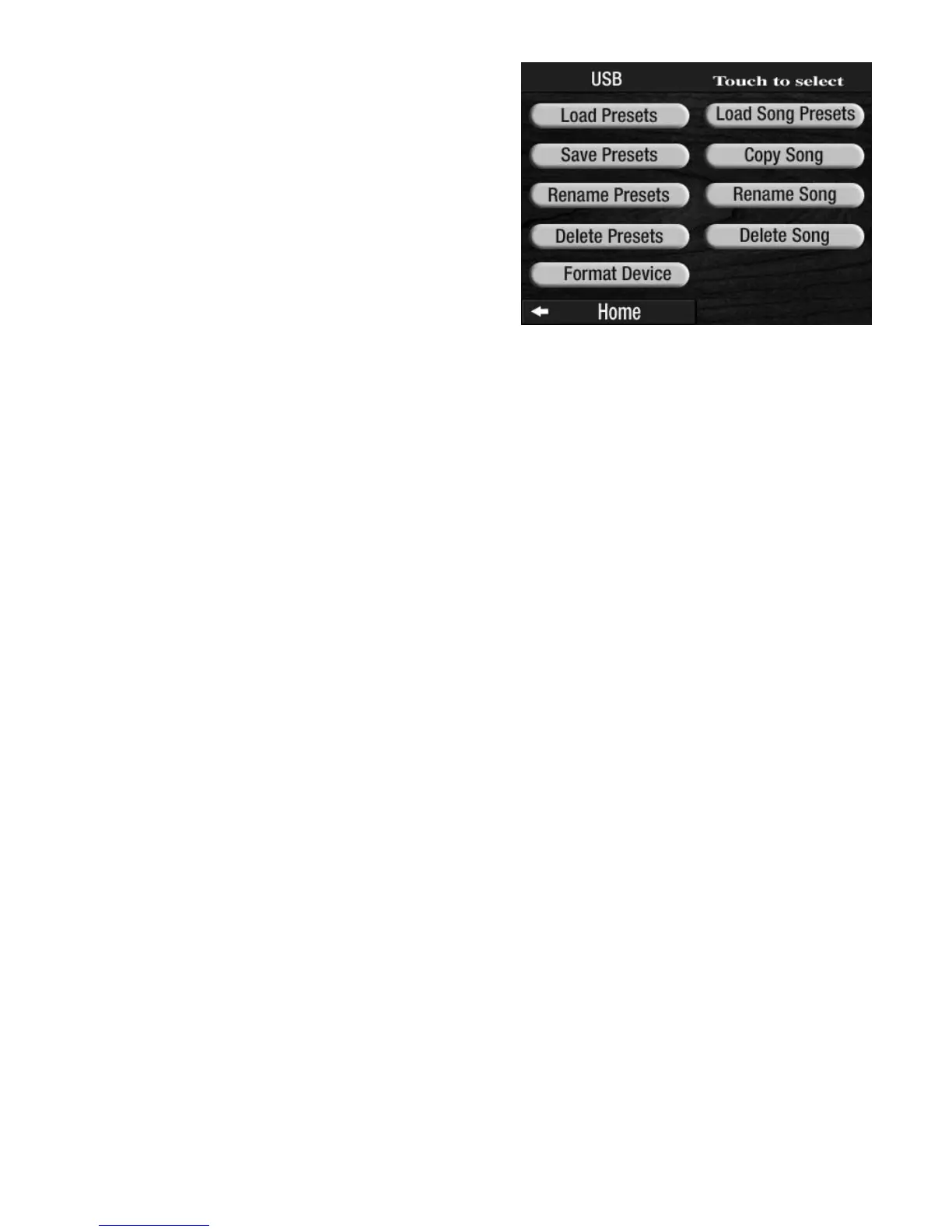
BANK PRESET FUNCTIONS
From the POWER UP screen, press the USB screen button
to display the MEMORY STICK functions associated with
the
BANK PRESETS.
Press the name of the function, on the screen, that you
wish to perform. The screen will display the selections
needed to complete the function.








 To Next Page