88
Prestige Owner’s Guide
UPPER STRING/VOCAL
The UPPER STRING/VOCAL buttons control the volumes of the upper keyboard String 16, 8 & 4 tabs and the
Vocal Ensemble tab.
How It Works:
To raise the volume (or reverb amount) press the appropriate top button. To lower the volume (or reverb
amount) press the appropriate bottom button.
It may be necessary to tap the button several times to achieve the desired level. The overall level is indicat-
ed by the vertical column of lights to the right of the buttons. All the lights on in a particular column indi-
cates the maximum level. Each column of lights is made up of small sections that change colors when
pressed indicating a change.
Volume levels (and Reverb levels) range from 0 (no volume) to 100 (maximum). Pressing the screen but-
ton
KEYPAD on the TOUCH SCREEN will display the Numeric Keypad and enable you to change the level.
Enter the desired number on the Keypad and press the appropriate button. It makes no difference whether
you press the upper or lower button. The level will instantly change to the new level.
It is possible to have one volume level for the Genie button and a different volume level for the Orch Plus
button. For details see page 56,
HOW TO CHANGE THE SOUNDS IN THE GENIE AND ORCH PLUS.
It is possible to have one volume level for the lower Flutes and a different volume level for the lower
Strings/Vocal Ensemble. See
FEATURE PAGE 1 - LEVELS (BALANCE) on page 111.
How To Use It:
The buttons in the and features allow you to custom blend sounds and effects to your satisfaction. All the
levels in the GRAPHIC MIXER are factory set. The organ is ready to play by simply turning it on.
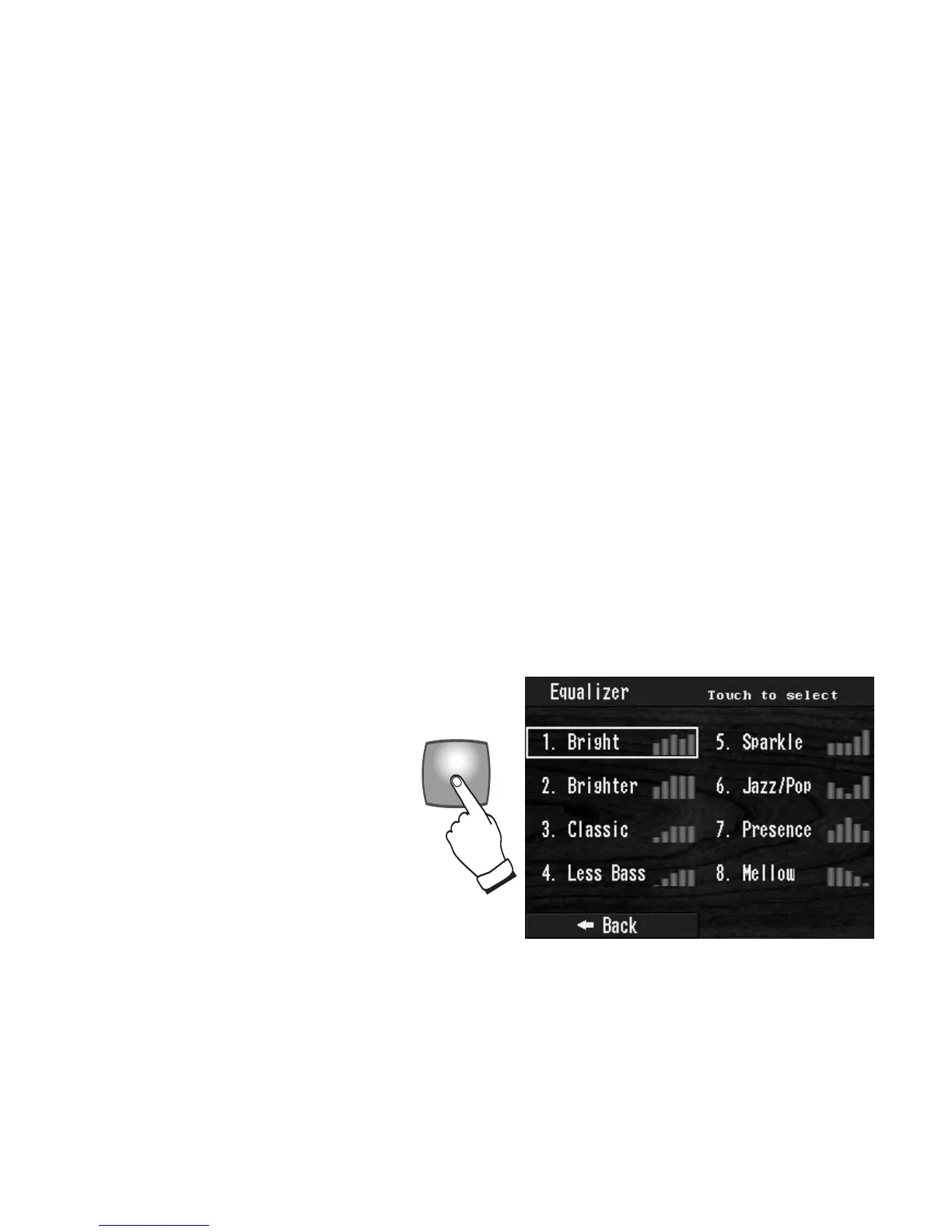
EQUALIZER
Pressing the EQUALIZER button causes
the screen to display a selection of eight
different Equalizer settings. Simply
press the desired setting on the screen. A
rectangle appears around the chosen set-
ting. Each setting changes the overall
sound character of the organ. Once a
setting is selected it remains active until
another setting is chosen. Press the but-
ton again, turning it off, to have no
Equalizer setting applied to the sound.








 To Next Page