116
Prestige Owner’s Guide
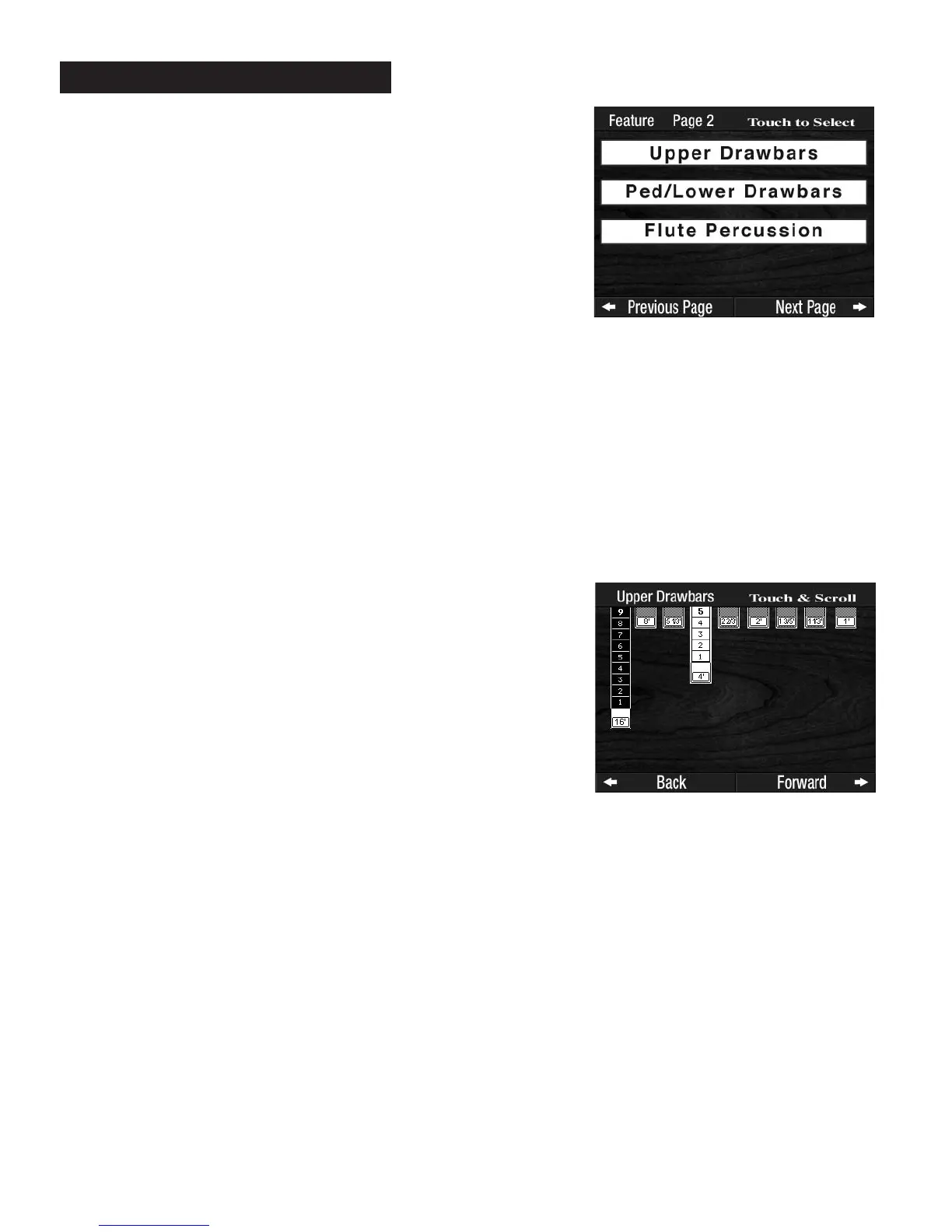
1. UPPER DRAWBARS - SHORTCUT=FEATURE + ANY UPPER FLUTE TAB
Controls the nine Flute tabs for the Upper Keyboard. (Flute Perc. is separately controlled).
2.
PED/LOWER DRAWBARS - SHORTCUT=FEATURE + ANY LOWER FLUTE OR BASS TAB
Controls the Bass 16 & 8 tabs and the five Flute tabs for the Lower Keyboard.
3.
FLUTE PERCUSSION - SHORTCUT=FEATURE + THE FLUTE PERC. TAB
Controls the Flute Perc. tab for the Upper Keyboard.
All
FLUTE DRAWBAR settings are factory preset. Each Flute has a volume range of 1 (minimum volume) to
10 (maximum volume).
There are two ways to manipulate the volume of the Flute Drawbars on the screen.
To increase the volume of an individual Flute tab, press the screen just below the image of the particular
Flute
Tab Drawbar you wish to change. The Flute Drawbar image will lengthen, increasing its volume.
Another method is to press the Flute Drawbar image, highlighting it and then repeatedly press the bottom
SCROLL button, causing the Flute Drawbar image to lengthen, increasing its volume.
To decrease the volume of an individual Flute tab, press the screen just above the flute footage
number (1 3/5, 2, 4, 16) on the image of Flute Tab Drawbar you wish to change. The Flute Drawbar image
will shorten, decreasing its volume.
Another method is to press the Flute Drawbar image, highlighting it and then repeatedly press the top
SCROLL button, causing the Flute Drawbar image to shorten, decreasing its volume.
How It Works:
Pressing the desired DRAWBARS choice on the screen will change
the display and show the current volume setting for each Flute tab in
that section. For example, pressing the
UPPER DRAWBARS choice
will display the following:
PREVIEW:
FEATURE PAGE 2 allows you to change the Drawbar settings on
three sections of the organ. All three sections work the same way.
What It Does:
The DRAWBARS feature allows you to customize the volume inten-
sity of each flute sound in each of three sections of the organ:
Feature Page 2








 To Next Page