47
How To Use It:
To select one of the Rhythm Style VARIATIONS simply press the desired name on the screen. All of the
Rhythm Styles work this way.
The rhythm style names will be listed four at one time. To view other rhythm style names, four at a time,
press either
SCROLL button to move through the list until you find the style name you desire.
STYLE LIST BUTTON
When you know the name of a specific rhythm style you
wish to use try pressing the
STYLE LIST screen button,
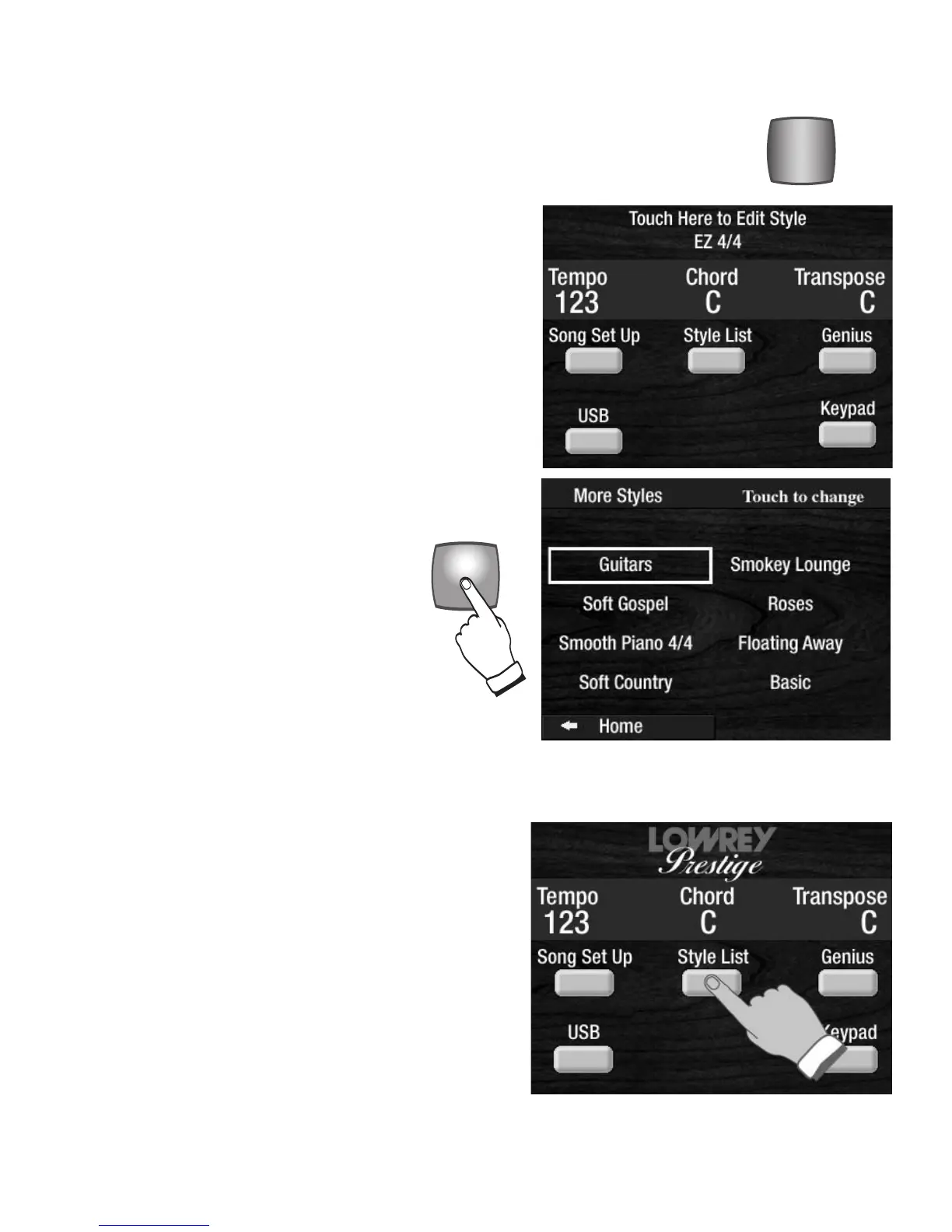
illustrated to the right. Pressing this screen button displays
the names of all the rhythm styles in alphabetical order.
For example, if you know you want to use the
COUNTRY
ROCK rhythm style, just press the STYLE LIST screen
button.
Pressing the blue VARIATIONS button
causes all the variations of the selected
rhythm style to be displayed on the touch
screen.
The example shown to the right is the
SOFT & EASY rhythm style and
VARIATIONS buttons selected, which dis-
plays all the other variations available.
VARIATION 1, GUITARS, is highlighted and
is the active rhythm style.
How It Works:
Press any one of the 24 rhythm style buttons (for example,
COUNTRY 1, SOFT & EASY, ROCK N ROLL). The first vari-
ation of that style will be active. The name of the first vari-
ation, under the heading
VARIATION 0 on the rhythm style
table on page 151, will be displayed on the touch screen.
The example shown to the right is the
SOFT & EASY rhythm
style button selected, which displays
EZ 4/4 at the top of the
touch screen, which is VARIATION 0.
VARIATIONS
What It Does:
The Prestige has 216 Rhythm Styles. The VARIATIONS button expands the 24
Rhythm Styles buttons on the panel to the total of 216. All 216 rhythm style names
are listed on a table on page 151.
Rhythm Plus Orchestration








 To Next Page