41
Memory Stick
What It Does:
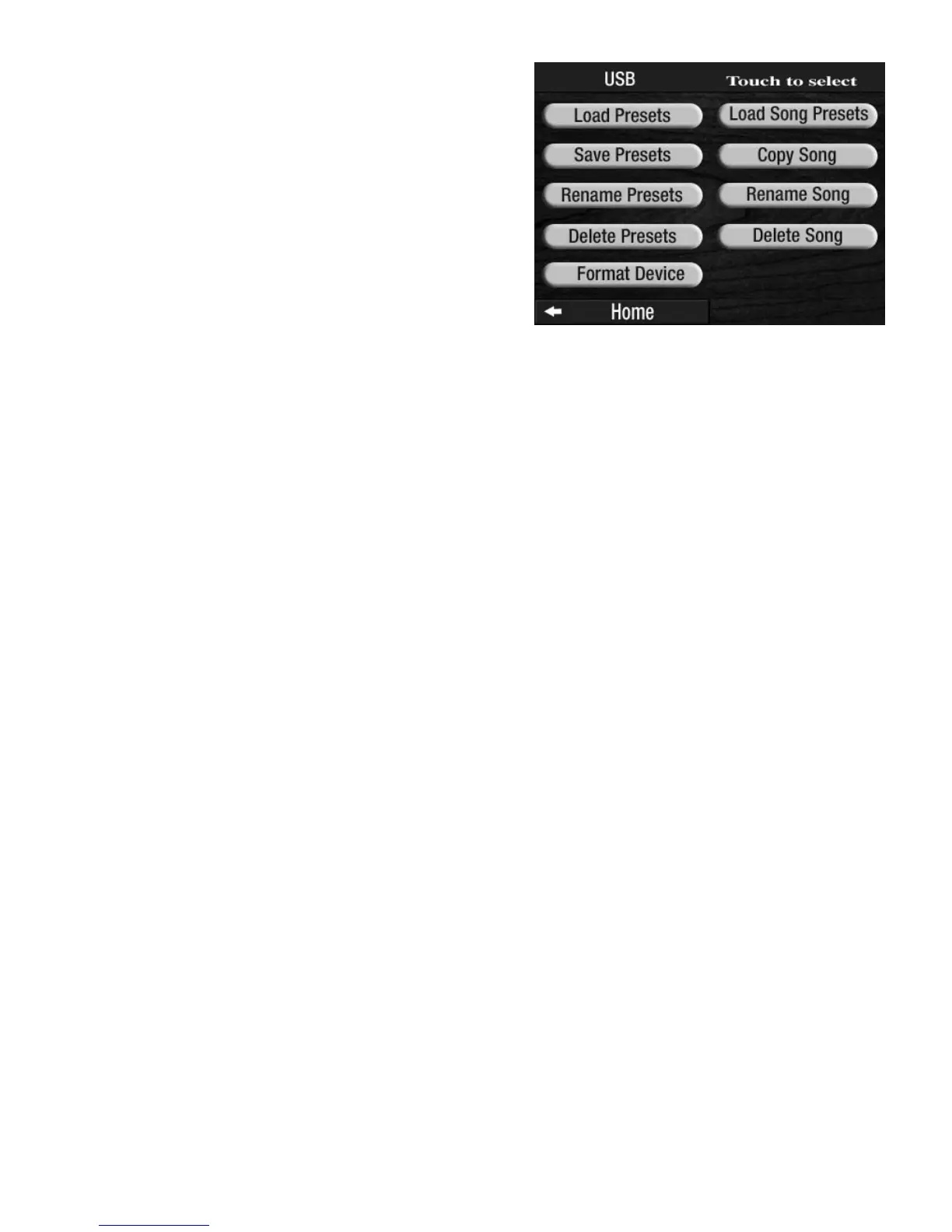
Once a song has been recorded onto a memory stick, there are several options available:
LOAD SONG PRESETS - Takes the Bank Presets that may have been used during the recording of a song and
places them into the
BANK PRESETS on the organ to be used again.
COPY SONG - Copy a song from one memory stick to another, or copy a song from one location on a mem-
ory stick to a different location on the same memory stick.
RENAME SONG - The organ will always record onto the first available empty space on the memory stick. It
will title the song with a number. You can use the RENAME SONG feature to change the title to your liking.
For example, the first song you record may be titled SONG 01 by the organ. The next song you record will
be titled
SONG 02. etc.
DELETE SONG - Remove a song from the memory stick.
LOAD SONG PRESETS
How It Works:
The LOAD SONG PRESETS feature loads presets from song recordings, made on the Prestige using Bank
Presets, into the Bank Preset buttons for use with other songs. The feature will not capture or create presets
from non-Lowrey, non- Prestige memory sticks. Press the words
LOAD SONG PRESETS on the screen to dis-
play the song titles on the memory stick. Titles are displayed four at a time on the screen. Press either
SCROLL button to display other titles that may be on the memory stick.
Press the song title, on the screen, for which you want the Presets. The organ loads those Presets into the
BANK PRESETS.
How To Use It:
This is designed to allow you to easily take registrations used on a recording made by someone else and to
put them into the Presets for your own use.
COPY SONG
How It Works:
1. Insert the memory stick on which you have saved some music recordings into the USB DATA PORT.
2. Press the screen button
USB.
3. Press the words COPY SONG on the screen to display song titles. Titles are displayed four at a time.
MUSIC RECORDER FUNCTIONS
From the POWER UP screen, press the USB screen button
to display the
MEMORY STICK functions associated with
the
MUSIC RECORDER.
Press the name of the function, on the screen, that you
wish to perform. The screen will display the selections
needed to complete the function.








 To Next Page