137
Feature Pages
1. Reverb- SHORTCUT=FEATURE +EITHER REVERB LEVEL BUTTON
What It Does:
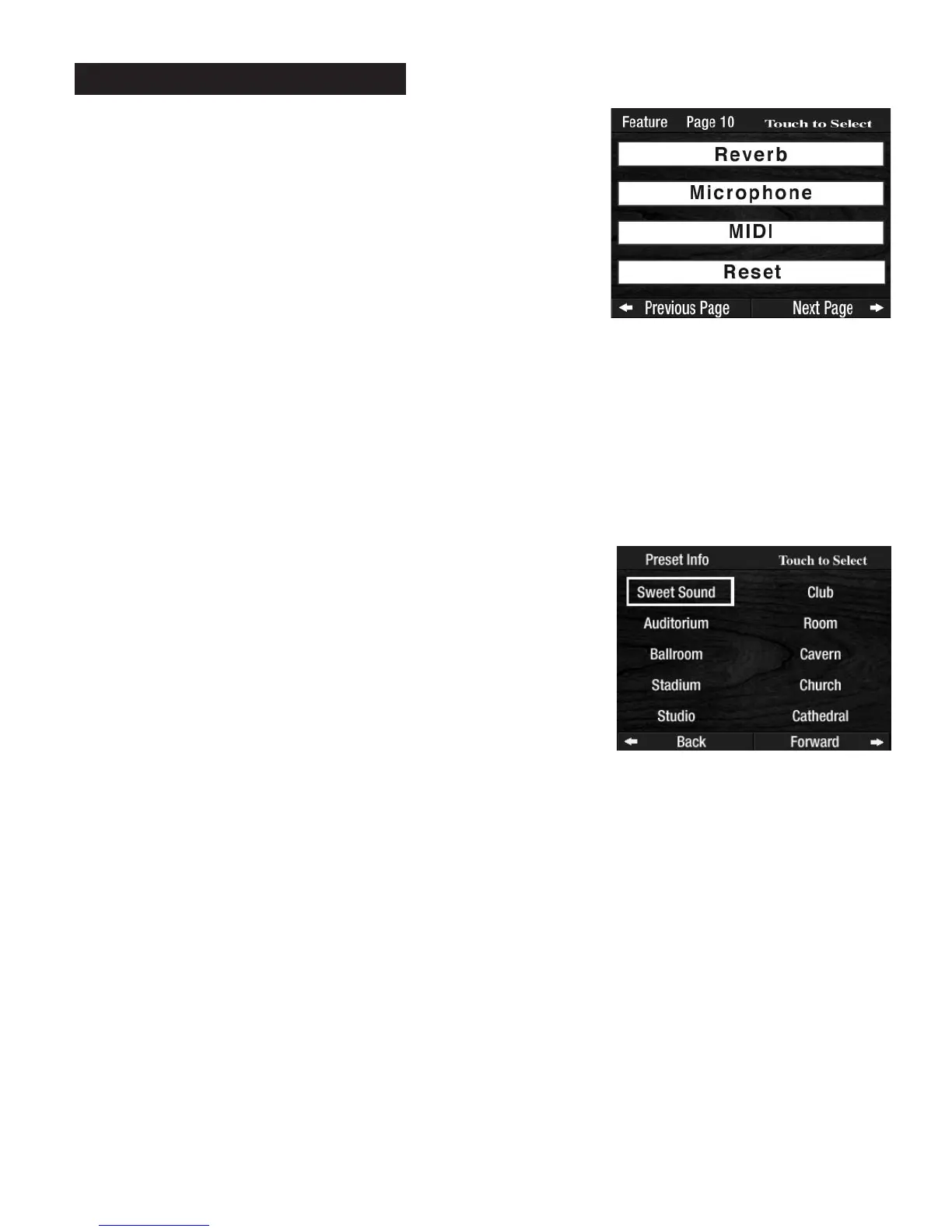
The REVERB feature gives you the ability of selecting a Reverb type of your liking. There are ten types of
Reverb:
1. Sweet Sound (factory preset) 6. Club
2. Auditorium 7. Room
3. Ballroom 8. Cavern
4. Stadium 9. Church
5. Studio 10. Cathedral
How To Use It: The factory preset Reverb type (Sweet Sound) is the most popular. Try the CHURCH Reverb
type for playing your favorite sacred song.
This feature gives you different types of Reverb. The
REVERB buttons in the GRAPHIC MIXER Section con-
trol the amount of Reverb used.
Reverb Types can be saved into a
BANK PRESET. Pressing the RESET button or turning the organ off
restores the Reverb to the factory setting.
Press the lighted
FEATURE(CLEAR) button to return to the POWER-UP screen.
How It Works:
Press the word REVERB on the screen to display the factory preset
reverb.
Press the Reverb Type, on the screen, that you desire.
PREVIEW:
FEATURE PAGE 10 controls four feature categories:
1.
REVERB
2. MICROPHONE
3. MIDI
4. RESET
Feature Page 10








 To Next Page