79
Orchestral & Solo
DYNAMIC KEYING
How It Works:
Dynamic Keying adds Touch Sensitivity, which means that the harder you play a key, the louder it sounds.
The softer you play a key, the quieter it sounds.
How To Use It:
Press the DYNAMIC KEYING button, causing it to light. The effect will then be applied automatically to the
sounds in the Lower Genius tab, the Orchestral Genius 1 & 2 buttons, and the Solo Genius 1 & 2 buttons.
To apply the Dynamic Keying effect to other sounds press the
DYNAMIC KEYING button and then select the
sound you want.
Pressing the
RESET button or turning the organ off will return the organ to the “Power-Up” setting.
For more details see FEATURE PAGE 9 - DYNAMIC KEYING on page 134.
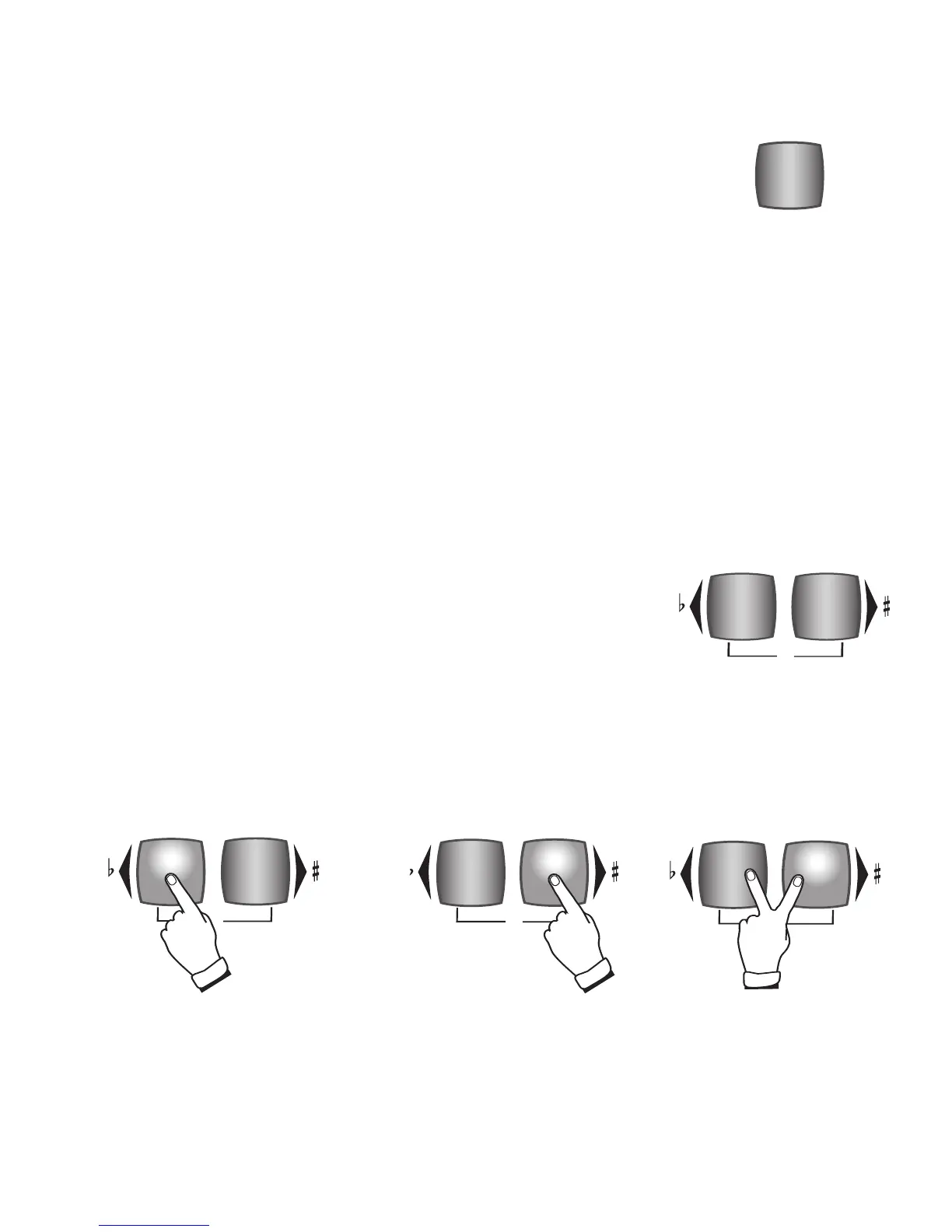
TRANSPOSE
Pressing both Transpose
buttons at the same time
returns the pitch to the
standard “C.”
The right button, TRANSPOSE UP, is
labeled with a right-pointing triangle
and a sharp (
#
) symbol. Pressing this
button moves the pitch up one-half
step each time it is pressed.
The left button, TRANSPOSE
DOWN, is labeled with a left-point-
ing triangle and a flat (
b
) symbol.
Pressing this button moves the
pitch down one-half step each time
it is pressed.
What It Does:
At the touch of button, TRANSPOSE moves the pitch of the organ up or
down. The two Transpose buttons are located to the left of the Touch Screen.
How It Works:
What It Does:
DYNAMIC KEYING adds authenticity to sounds like Piano and Vibes by making the
sounds Touch Sensitive. Traditionally, the volume of an organ is controlled by the
expression pedal while the volume of a piano is controlled by the force applied to
the keys.








 To Next Page