140
Prestige Owner’s Guide
1. Metronome/Counter
What It Does:
The METRONOME/COUNTER feature has two capabilities:
METRONOME OFF/ON: When recording a song with the MUSIC RECORDER the organ provides the ticking
sound of a Metronome to help maintain a steady tempo (if your recording does not use a rhythm style). The
tempo of the Metronome is controlled with the
TEMPO buttons in the Rhythm Plus Orchestration section.
The Metronome sound can be turned off.
COUNTER OFF/ON: When you are using a Rhythm Style, the organ has the ability of counting the beats as
the song is played.
How To Use It:
The Metronome helps maintain a steady tempo when recording a song.
The Counter is useful when making a recording using a Rhythm Style and is a way of keeping track of the
song, especially for multi-track recordings.
Press the lighted
FEATURE(CLEAR) button to return to the POWER-UP screen.
How It Works:
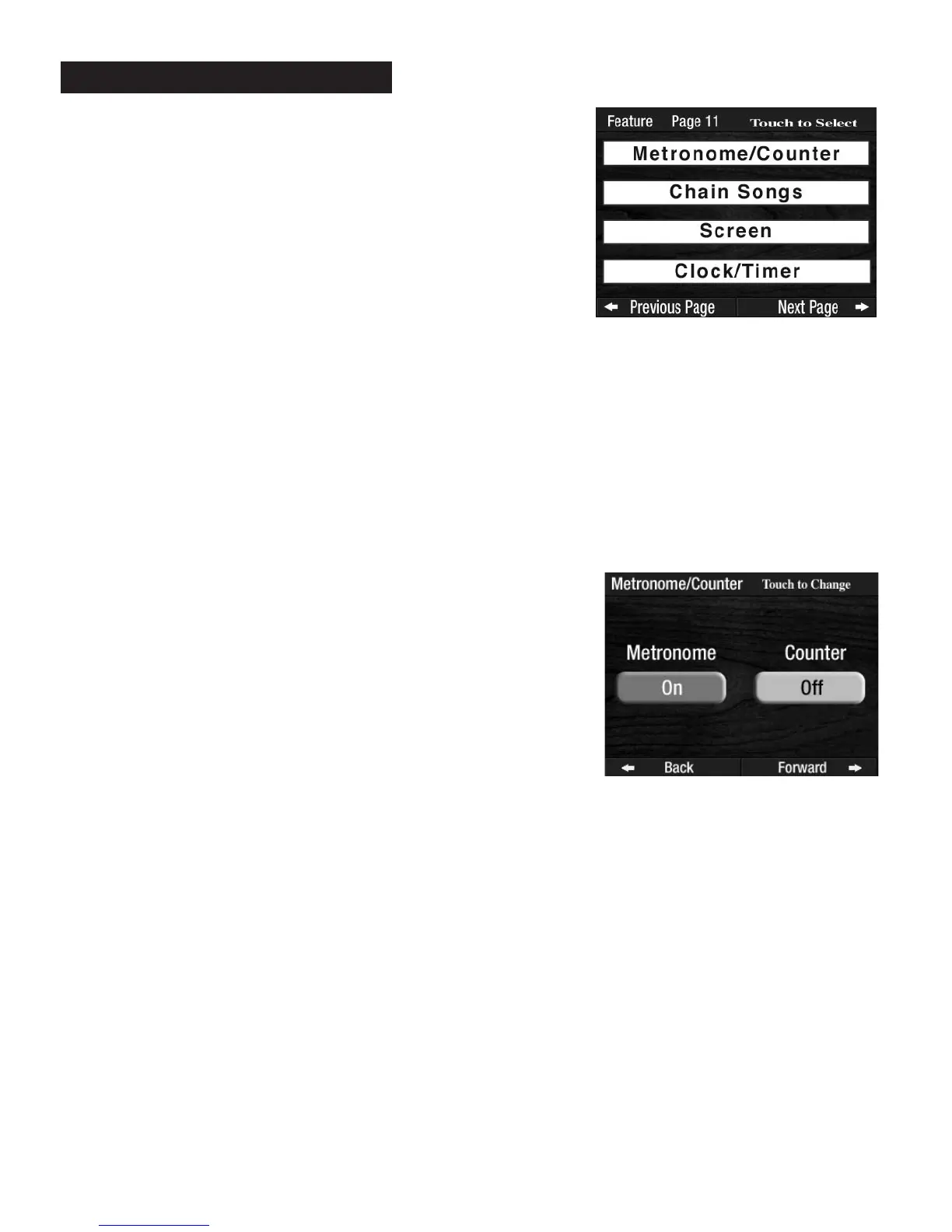
Pressing the words METRONOME/COUNTER on the screen displays
both features and their on/off status.
Press the screen button to turn the Metronome on or off and the
Counter on or off. Pressing the Counter on will cause the screen to
display the counting of beats in a song as it is being played.
PREVIEW:
FEATURE PAGE 11
controls four feature categories:
1. METRONOME/COUNTER
2. CHAIN SONGS
3. SCREEN
4. CLOCK/TIMER
Feature Page 11








 To Next Page