138
Prestige Owner’s Guide
2. Microphone:
What It Does:
This feature gives you the ability to change various factory settings for sound reproduction when talking into
a microphone that is plugged into the organ.
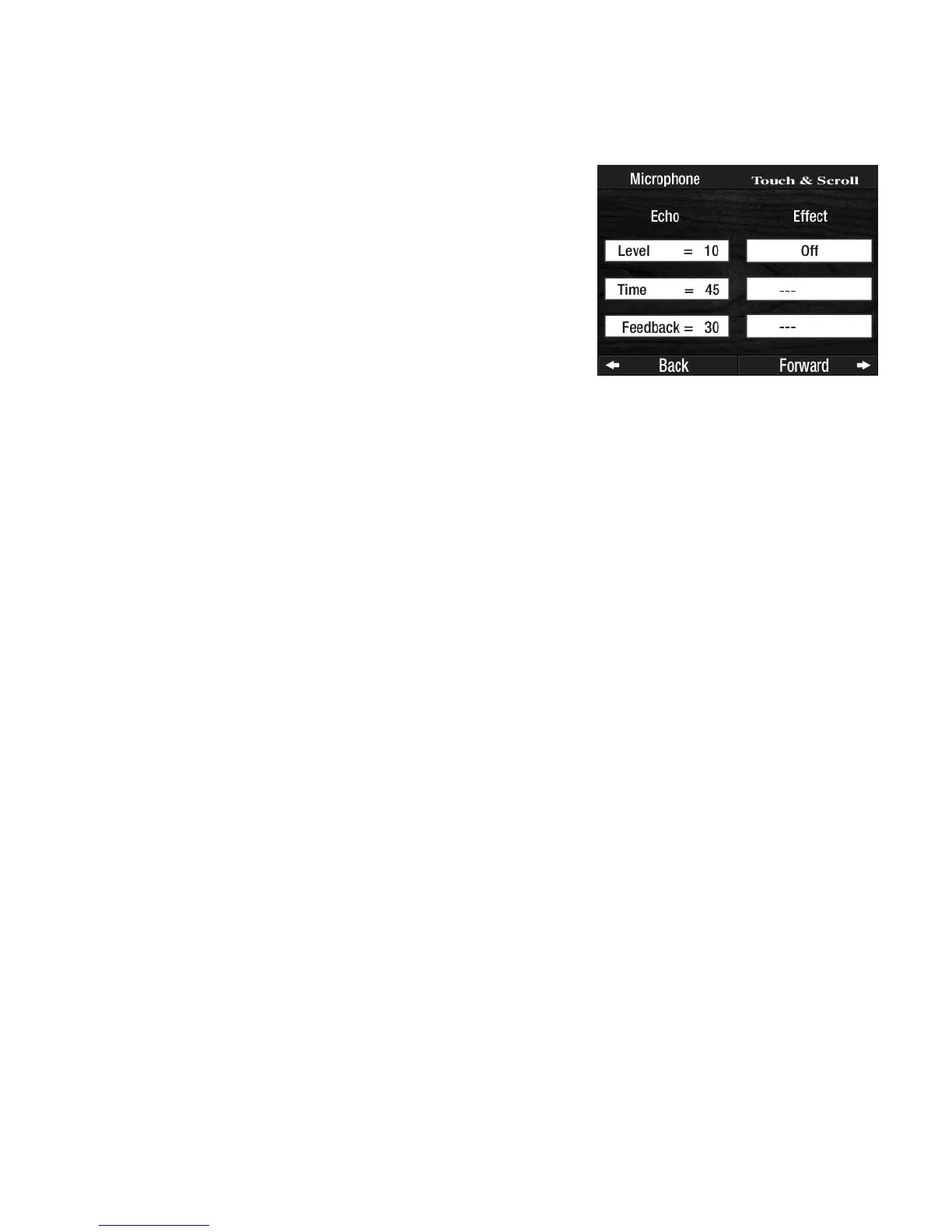
• Level - the amount of echo.
• Time - how fast it echoes.
• Feedback - how many times it echoes.
EFFECT features four areas that can be set which will modify the ECHO effect applied to audio output.
Touch the OFF box which will highlight and allow you to scroll to other choices:
•Off - no effect on the Echo sound.
•EQ (dB) - bass and treble. The display shows two boxes - EQ High and EQ Low. Touch the desired
choice and scroll to the numeric value.
Values range from - 12 through + 12.
•Detune - adds a chorus effect. The display shows two boxes - Wet Level and Width.
Touch the desired choice and scroll to the numeric value. Values range from 0 to 100.
•Vibrato - adds a fluctuation of pitch. The display shows two boxes - Rate and Depth. Touch the desired
choice and scroll to the numeric value.
Values range from 0 to 100.
The
EFFECT option also contains voice changing selections that make your voice, spoken in to the
Microphone, come out sounding like the chosen effect:
CHILD, BEAR, ROBOT, DUCK, ALIEN, 20’S RADIO
ANNOUNCER, MAN-TO-WOMAN, WOMAN-TO-MAN, DOUBLE (like two of you speaking at the same time).
How To Use It:
The factory setting will probably be fine for all purposes. You can use this section to affect how your voice
sounds when talking into a Microphone. For example, your voice could sound like you’re in the Grand
Canyon.
The overall effect is controlled by the gray
REVERB buttons in the GRAPHIC MIXER SECTION on the left side
of the panel.
Pressing the lighted
FEATURE(CLEAR) button will turn it off and enter the changes you’ve made into the
organ. It will return the display to the “Power-Up” screen. Settings can NOT be saved into a BANK PRE-
SET.
The setting will stay the same even if you press the
RESET button or turn the organ off.
You must activate this feature again to make changes or do a
TOTAL RESET to return to the factory setting.
How It Works:
Touching this choice changes the display to show you the factory set-
tings and allows you to make changes in two areas: ECHO and
EFFECT.
ECHO features three areas that can be set:
Touch the setting, listed under the word ECHO on the screen, you
wish to change and it will become highlighted. Scroll to the desired
number. Numeric values are 0 (no effect) to 100 (maximum effect).








 To Next Page