141
Feature Pages
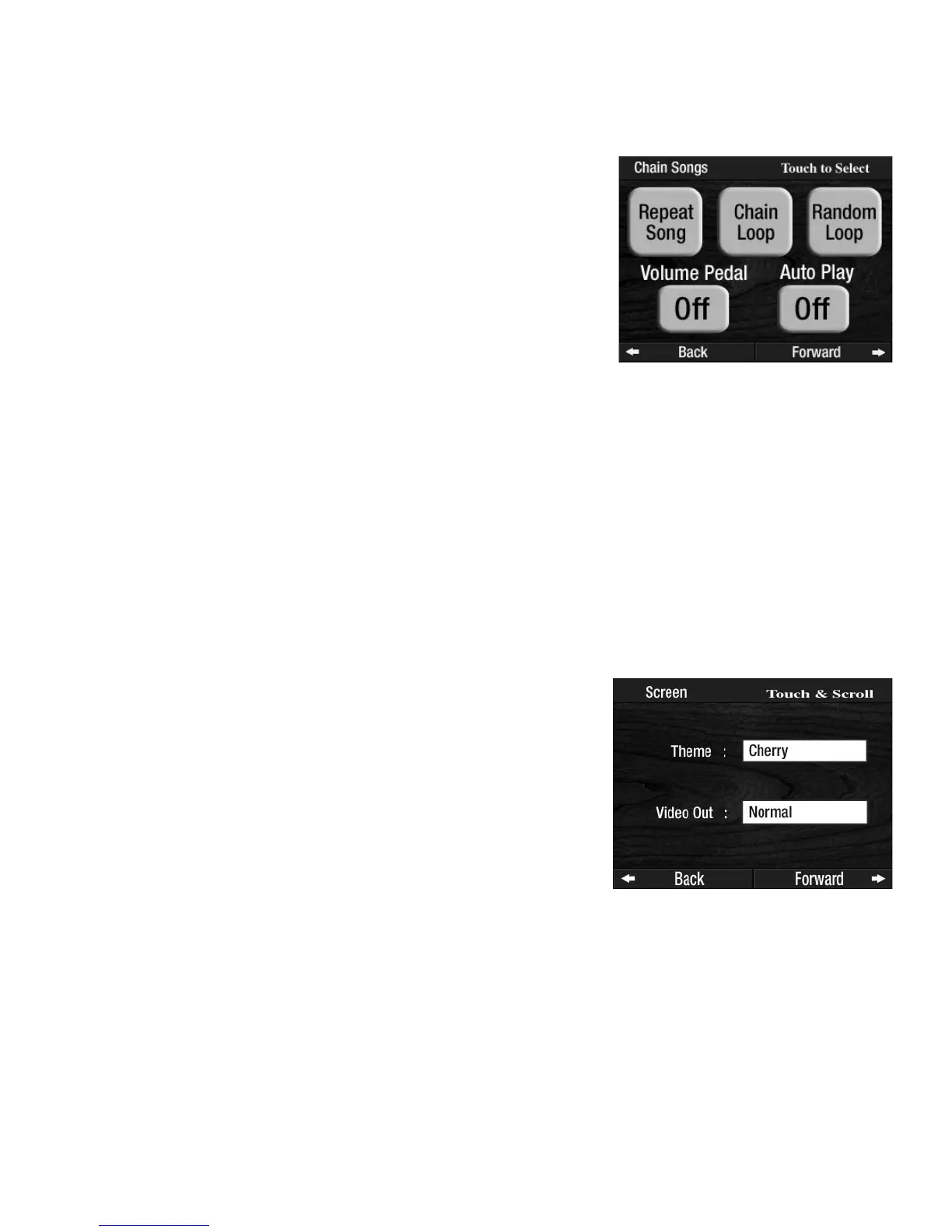
2. Chain Songs.
What It Does:
The CHAIN SONGS feature provides different ways to playback a memory stick with songs recorded on it.
RANDOM LOOP - Plays all the songs on the memory stick in random order. It continues to play the songs in
random order until you press the
STOP button in the Music Recorder section, or press the RESET button.
VOLUME PEDAL - Locks in the pedal volume setting.
Set to OFF lets the volume of a recording being played back (from the memory stick) be set with the volume
pedal. Set to ON lets the volume be set by how it was recorded.
AUTO PLAY - Automatically starts playing the memory stick when the organ is “Powered- up” or turned On.
A memory stick with songs recorded on it must be in the organ’s USB Data Port for the selections to func-
tion.
How To Use It:
Use this feature to enjoy your Prestige when you are not playing it. Let it entertain you while you’re relax-
ing or dining.
Press the lighted
FEATURE(CLEAR) button to return to the POWER-UP screen.
How It Works:
Theme
There are three screen themes from which you may choose for the COLOR TOUCH SCREEN. The theme you
select will appear in all screens you utilize. Here is how to select from among the different screen themes:
1. Touch the box containing the word
SCREEN. The SCREEN/VIDEO feature page will appear.
2. Touch the box on the screen, next to the word Theme. The box will become highlighted.
3. Press either SCROLL button repeatedly to display the different THEME names. When the theme you
desire appears in the box, simply press the
FEATURE/CLEAR button. The THEME you select will be
applied to all screens displayed in the
COLOR TOUCH SCREEN.
3. Screen.
What It Does:
The SCREEN feature page lets the player choose from among three
touch screen background
THEMES and two different VIDEO OUTPUt
options.
How It Works:
Pressing the words CHAIN SONGS on the screen displays five choic-
es:
REPEAT SONG - Plays a selected song on the memory stick repeated-
ly until you press the
STOP button in the Music Recorder section, or
press the RESET button.
CHAIN LOOP - Plays all the songs on the memory stick, in order,
repeatedly until you press the
STOP button in the Music Recorder sec-
tion, or press the
RESET button.








 To Next Page