52
Prestige Owner’s Guide
FX
What It Does:
When a Rhythm Style is playing, applying FX adds a professional sounding fill-in or rhythmic break.
How It Works:
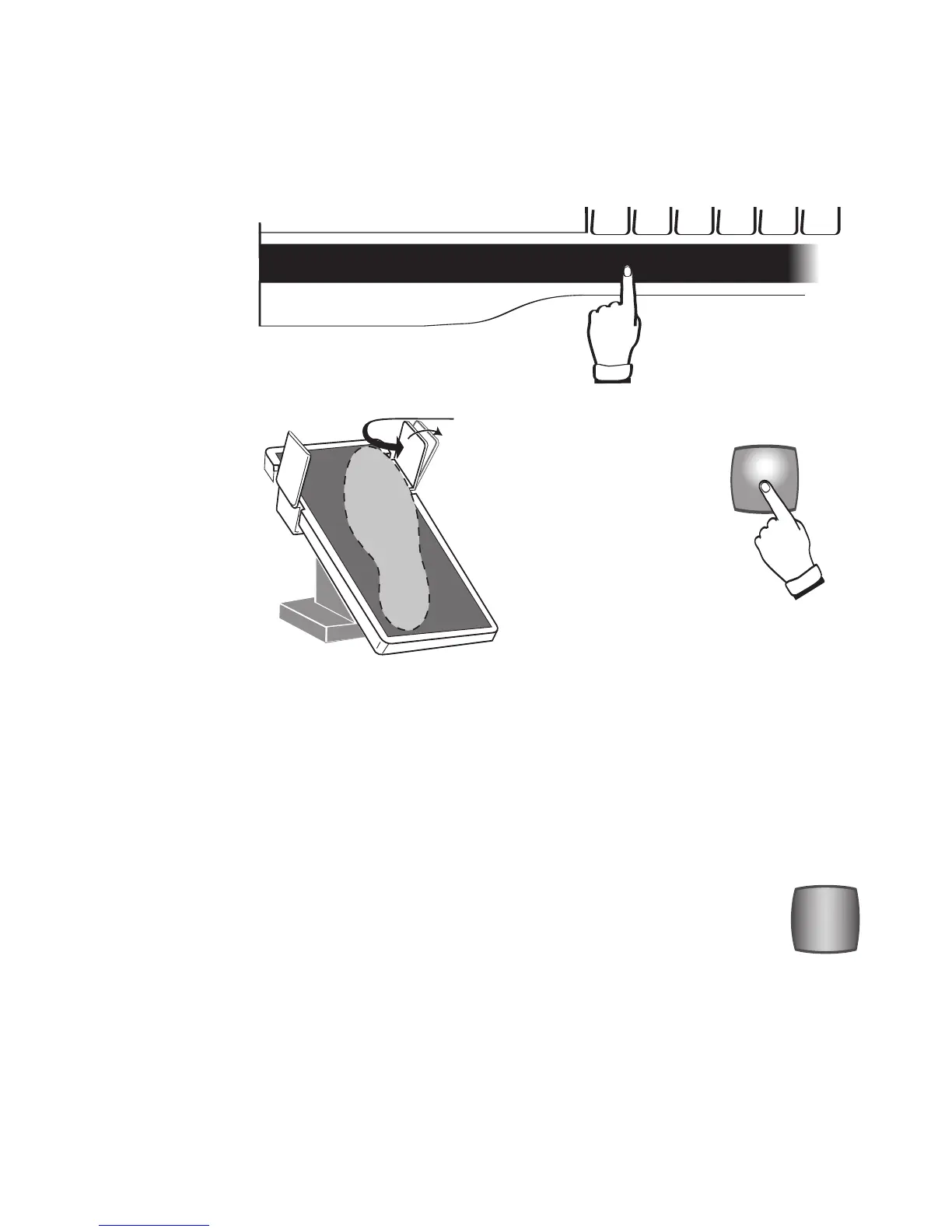
There are three ways of activating FX:
See the Sections
FOOT SWITCHES and TOUCH BARS-LEFT & RIGHT for even more details.
How To Use It:
There are no set rules for the use of the FX feature. Sometimes in music, the melody note is held for a long
time. This would be one of the times to use the FX feature.
FX is different and appropriate for each of the 216 Rhythm Styles. The GENIE and ORCH PLUS section will
show you how to change the background sounds. This will affect the sound of the FX pattern.
How It Works:
The red START/STOP button lights up when a Rhythm Style is selected. The Rhythm Style will not start play-
ing until a lower keyboard key is played or until the START/STOP button is pressed. When the Rhythm Style
begins to play, the
START/STOP button turns off. Pressing the START/STOP button when a Rhythm Style is
playing causes the button to light up and the Rhythm Style to stop playing.
The Rhythm Style stays lighted and no other buttons change on the organ. Pressing the
START/STOP button
again or playing a lower keyboard chord begins the Rhythm Style playing again.
START STOP
What It Does:
It starts or stops a Rhythm Style. It also stops the Drummer when the Rhythm Only feature
is being used.
3. By pressing the red
FX button in the
Rhythm Plus
Orchestration section.
2. By sliding your
foot to the right on the
volume pedal, press-
ing the
RIGHT FOOT
SWITCH
.
1. By touching the
touch sensitive
LEFT
TOUCH BAR
located
below the lower key-
board.








 To Next Page