67
Tabs
Just like there are different ways of activating the FX function when a Rhythm Style is playing (FX button,
Left
Touch Bar, and Right Foot Switch) the Prestige gives you the ability to activate this FX feature by
simply pressing on one of these long or short pedals. In the MCS section, you were given an example of
how a pedal could be used to form a Minor chord.
There are many more functions, or controls, that these pedals can perform to free up your hands, which will
be covered in the Pedal Section of this book. See
FEATURE PAGE 9 on page 135.
FLUTES - TIBIA & JAZZ
How It Works:
When you turn the organ on, or press the RESET button, neither button is illuminated. In this condition the
Upper and Lower Keyboard Flute sounds are of the familiar “Sweet Lowrey Sound” type. The lights above
any Upper or Lower Keyboard Flute tab (that is on) will be
RED.
Pressing the
TIBIA button causes the button to light up yellow and changes the character of the Flute sounds
to that of a Theatre Organ. The lights above any Upper or Lower Keyboard Flute tab (that is on) will change
to
YELLOW.
Pressing the
JAZZ button causes the button to light up green and changes the character of the Flute sounds
to that of a Drawbar type jazz organ. The lights above any Upper or Lower Keyboard Flute tab (that is on)
will change to GREEN. The button lights in the FLUTE VIBRA TREM change color along with the Flute tabs.
To return to the
POWER UP SCREEN, press the FEATURE/CLEAR button.
SMOOTH- A gentle, soothing organ flutes sound.
DIAPASON- or Principal represents the characteristic sound
of the pipe organ. Diapasons are often prominently featured
in the façades of pipe organs.
STRINGS- Traditional String pipes are the smallest-scaled
flue pipes and produce a bright sound.
FLUTES
TIBIA JAZZ
FLUTES
MORE
TIBIA JAZZ
FLUTES
MORE
TIBIA JAZZ
MORE
FLUTES
TIBIA JAZZ
MORE
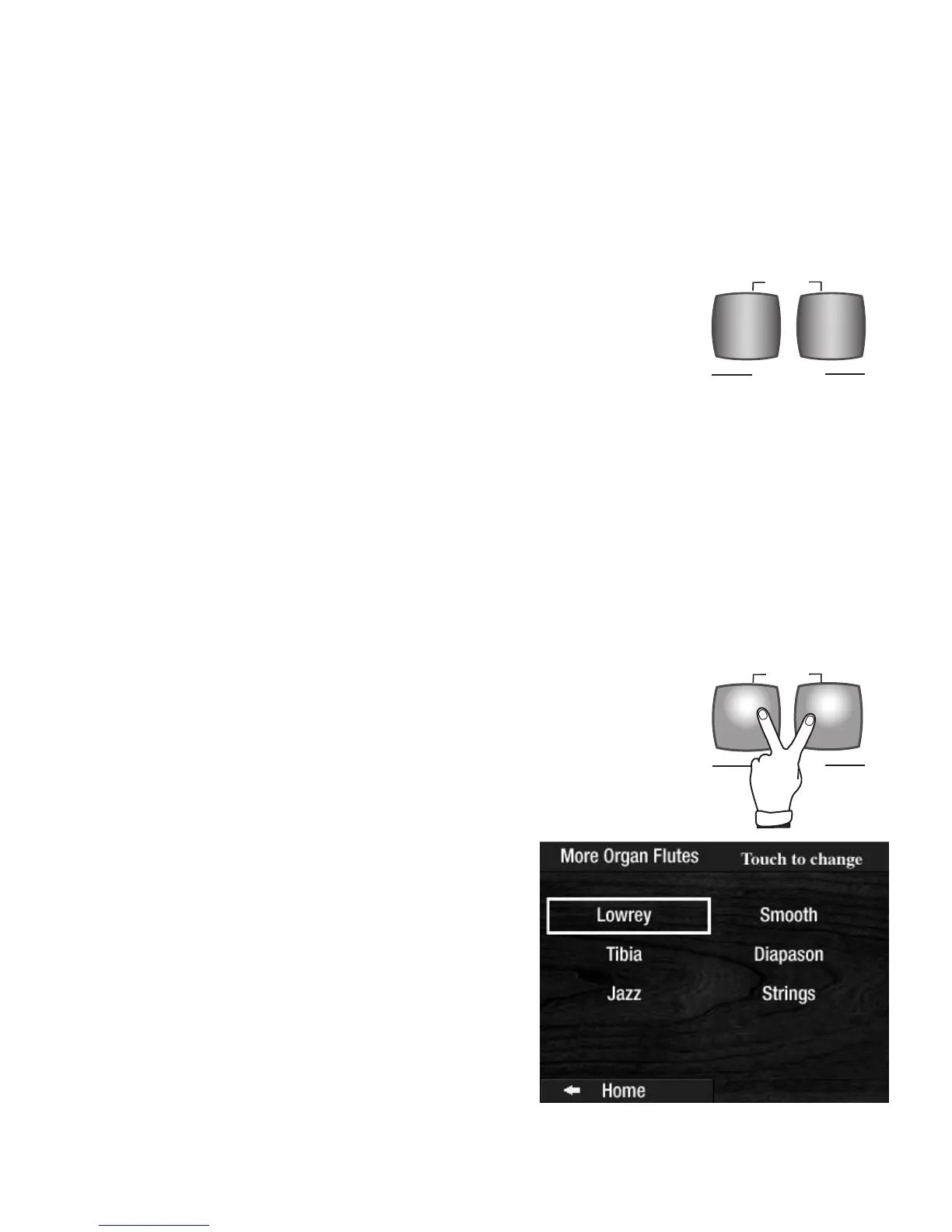
Pressing the MORE selection (both the TIBIA and JAZZ buttons at the same
time) causes the
COLOR TOUCH SCREEN to display the MORE ORGAN
FLUTES screen.
Touch the organ type, on the screen, to make a selection. The organ type that
is selected will have a box around it, as illustrated below.
TIBIA JAZZ
FLUTES
MORE
TIBIA JAZZ
FLUTES
MORE
FLUTES
TIBIA JAZZ
MORE
What It Does:
The two FLUTES buttons, located to the left of the BANK PRESETS, let you
choose from a wide variety of organ type sounds for the (clear) Upper and
Lower Keyboard Flute Tabs. Certain Presets utilize these buttons to create a
wide variety of organ flute tones.








 To Next Page