22
Prestige Owner’s Guide
What It Does:
Resetting the Bank Presets returns them to the original factory settings. Any customized registrations stored
in the BANK PRESET buttons will be erased and replaced with the original factory settings.
The organ features a USB data port that can be used to store a great number of custom Bank Presets
permanently on your Lowr
ey memory stick. The memory stick storage feature is highlighted in the How To
Use The Memory Stick Section, page 35.
How It Works:
A TIP FROM LOWREY: Read through this procedure before doing it.
1. Press the button to the right of the TOUCH SCREEN labeled FEATURE (CLEAR).
2. Directly above the Feature (Clear) button are the two
SCROLL buttons. Press the bottom Scroll button
twice to display
FEATURE PAGE 10.
3. Press the
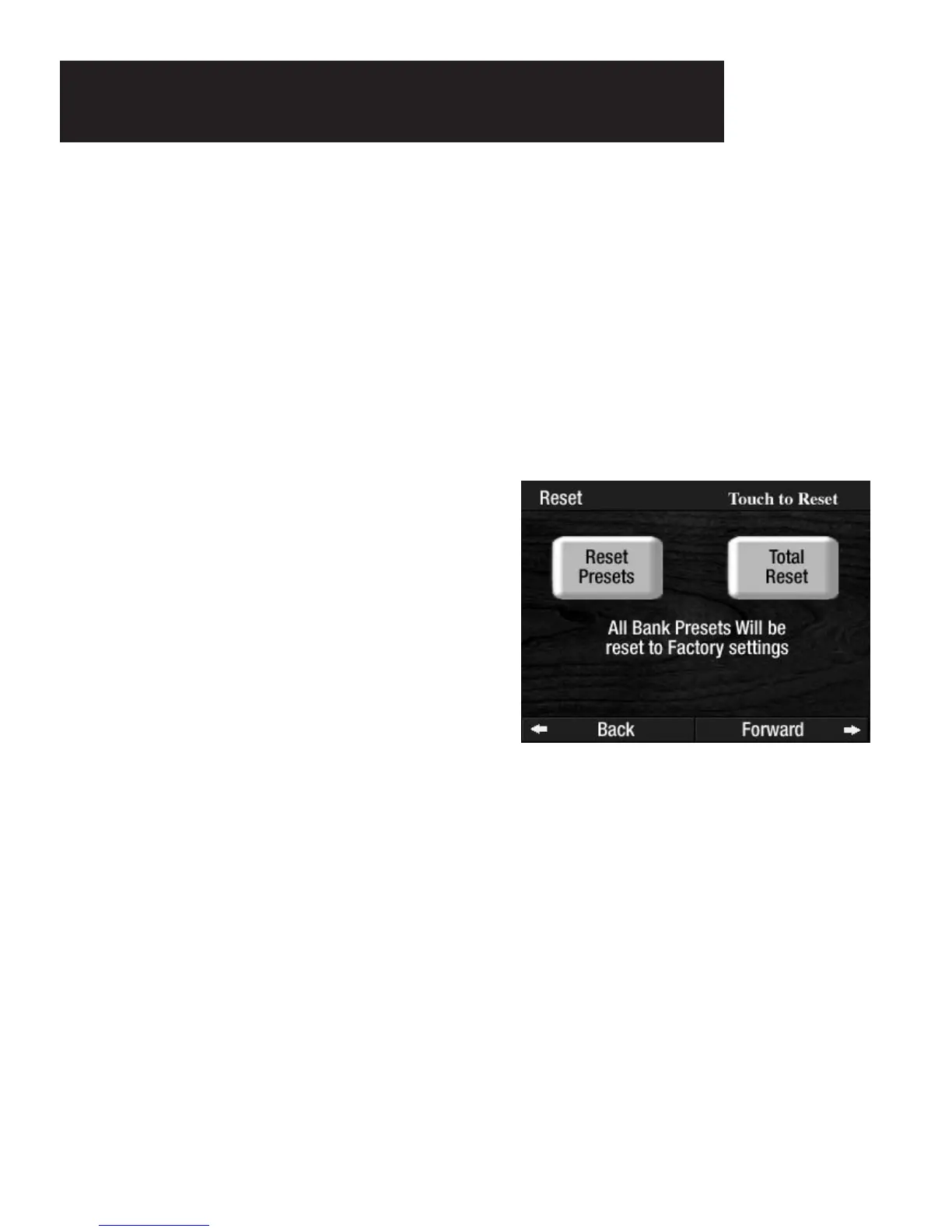
RESET screen button displayed in the TOUCH SCREEN. Two selections will then appear
on the screen: TOTAL RESET and RESET PRESETS.
5. As a safeguard, the TOUCH SCREEN will prompt you to make your Reset selection again.
Press either the
TOTAL RESET or RESET PRESETS screen button one more time.
To cancel the procedure press the
FEATURE (CLEAR) button or the RESET button.
How To Use It:
Use this function to return the BANK PRESETS or the entire organ back to the original factory registrations.
You will find many more examples of when a factory setting can be changed to one that you may like bet-
ter. Use the
TOTAL RESET feature as a quick and easy way to return the entire organ to the factory original
settings.
4. Pressing the RESET PRESETS screen button will
initiate the process to return all
BANK PRESETS to the
original factory settings. Pressing the TOTAL RESET
screen button will initiate the process to return the
entire organ, including the
BANK PRESETS, to the
original factory settings.
Resetting Bank Presets
TO THE ORIGINAL LOWREY FACTORY SETTINGS








 To Next Page