126
Prestige Owner’s Guide
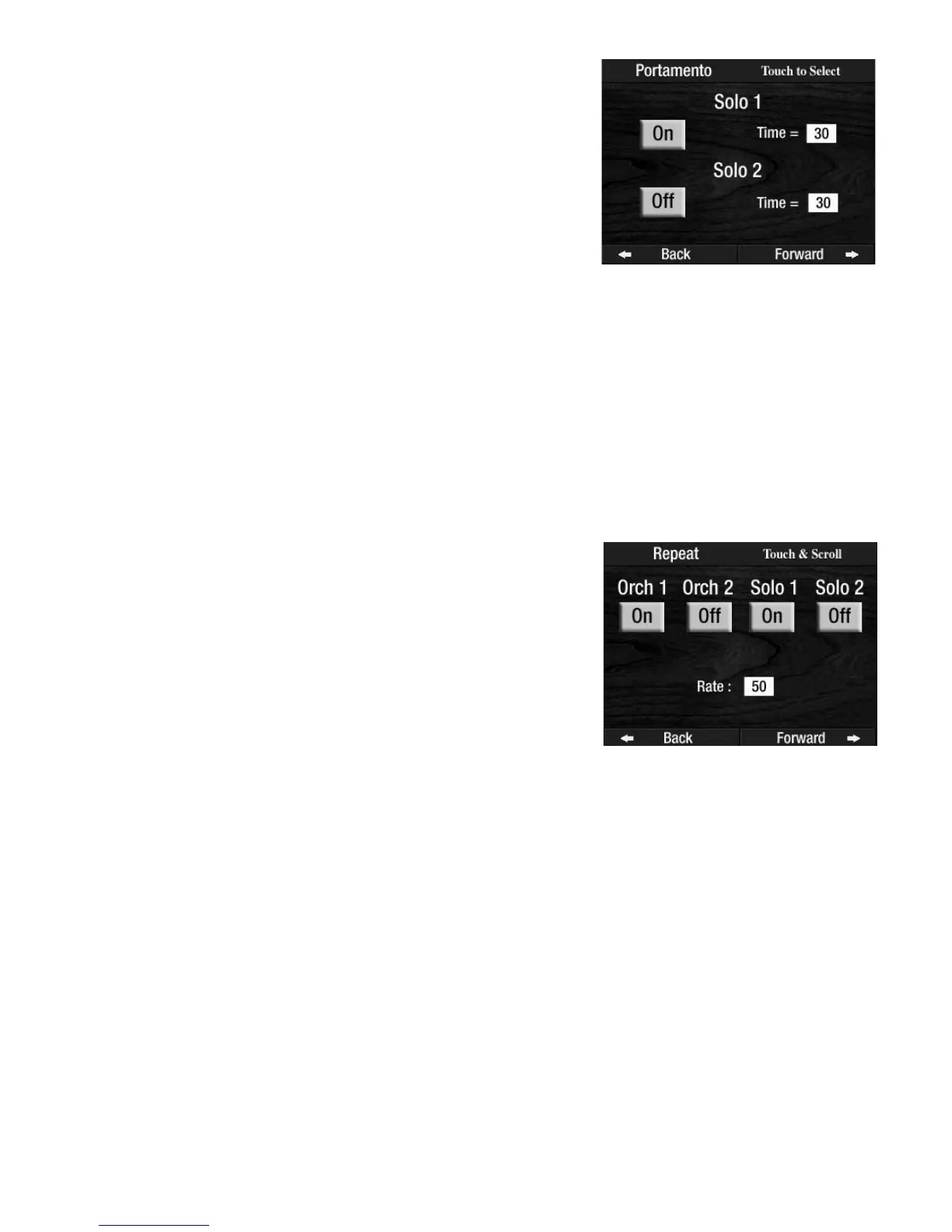
The Portamento effect may be turned on and off independently by pressing the on/off screen buttons.
Pressing a screen button that reads off will turn it on. Pressing a screen button that reads on will turn it off.
Press either box next to the words time, beneath the
SOLO 1 or SOLO 2 heading on the screen. It will become
highlighted. Press either
SCROLL button to change the speed. The higher the number, the faster the
Portamento effect. The lower the number, the slower the Portamento effect.
How To Use It:
PORTAMENTO TIME allows you to change the Portamento speed to your liking. Any changes can be saved
into a BANK PRESET. Pressing the RESET button or turning the organ off will return the speeds to the fac-
tory settings.
Press the lighted
FEATURE(CLEAR) button to return to the POWER-UP screen.
Pressing a screen button labeled off changes it to on. Pressing a screen button labeled On changes it to off.
The
RATE, or repeat speed, is preset from the factory and can be changed two ways.
1. Within the REPEAT FEATURE PAGE, press the box on the screen next to the word Rate.
Press either SCROLL button to adjust the rate. The range of the rate is 1 (very slow) to 100 (very fast).
2. The
RATE can also be controlled by using the KEYPAD screen display.
Press the KEYPAD screen button, on the POWER UP screen.
Press the numbers, on the screen, for the speed you desire.
Press the
REPEAT button, to the right of the DISPLAY CONTRAST dial.
The range of the rate is 1 (very slow) to 100 (very fast).
Changing the Repeat Speed also changes the speed of any Orchestral sound that may have the repeating
effect. Orchestral and Solo sounds will always have the same Repeat Speed.
How To Use It:
This feature is used to change the Repeat speed to your liking. Any changes can be saved into a BANK PRE-
SET. Pressing the RESET button or turning the organ off will return the speed to the factory setting.
Press the lighted
FEATURE(CLEAR) button to return to the POWER-UP screen.
4. Repeat
What It Does:
The REPEAT feature allows you to add a repeating effect to certain
sounds.
How It Works:
SOLO REPEAT is preset from the factory and need not be changed.
Press the word
REPEAT on the screen to display screen button labeled
Off.
How It Works:
PORTAMENTO TIME is preset from the factory and need not be
changed.
Pressing the words
PORTAMENTO TIME on the screen displays the
Portamento time for Solo 1 and Solo 2 sounds. Remember, the Solo
1 sound is the Solo sound button that is lighted constantly. The Solo
2 sound is the Solo sound button that blinks on and off, when two
Solo sounds are used at the same time.








 To Next Page