10
Prestige Owner’s Guide
PREVIEW: The Presets section demonstrates the ease of operation and how to sound good right away using
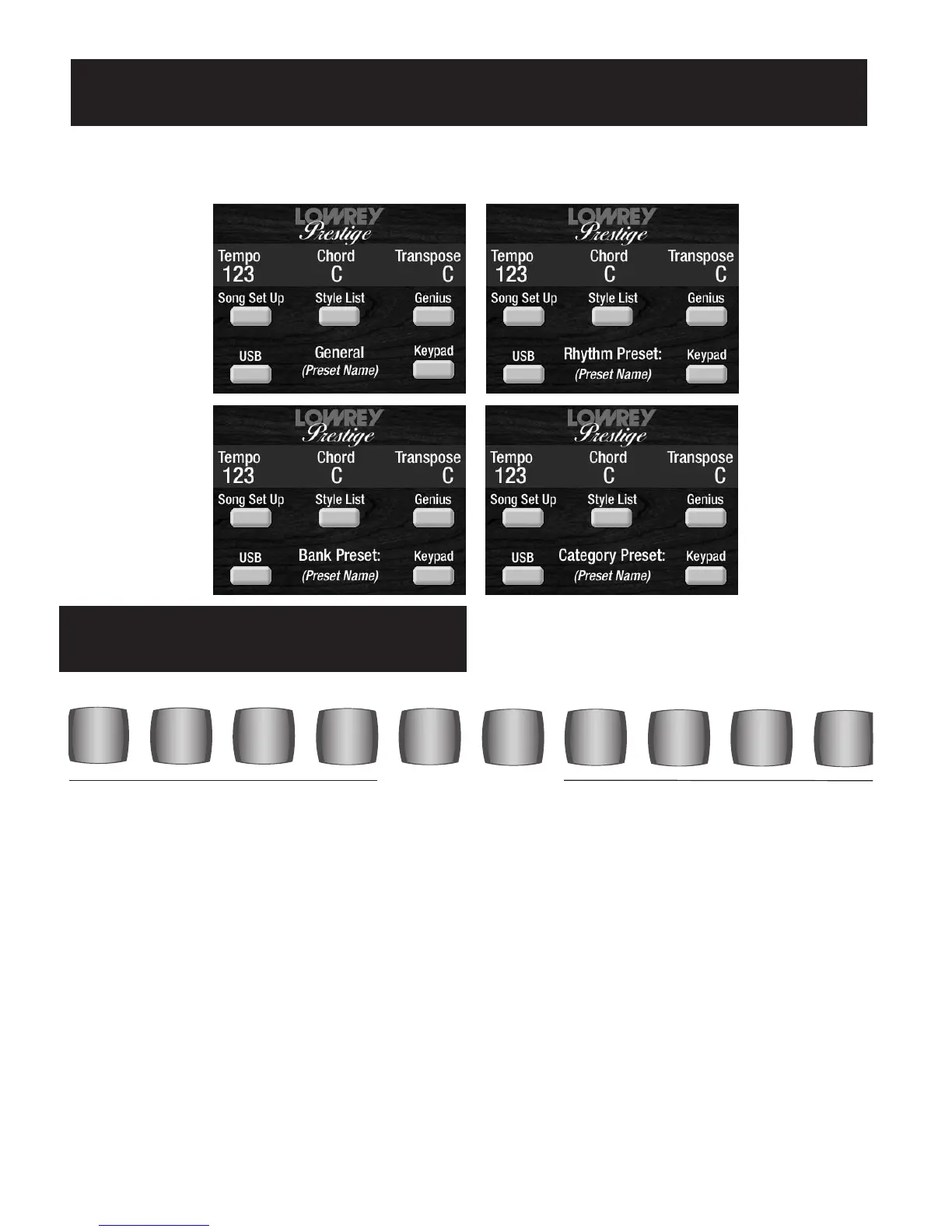
the numerous preset features found on the Prestige. The type of Preset active at any one time: General Preset,
Rhythm Preset, Bank Preset, Category Preset, will be displayed in the screen, as illustrated below.
What It Does:
The word PRESET means that a group of sounds, volume settings and effects come on with the touch of a
single button. Each preset button sets up a different sound or registration. Different songs call for different
registrations.
How It Works:
There are ten numbered buttons in the middle of the organ just above the upper keyboard. Pressing any one
of these GENERAL PRESET buttons will cancel the existing sound and will instantly create a different musi-
cal sound. The preset button will light up, indicating it is on. The 11 GENERAL PRESETS are factory pro-
grammed and can not be changed.
How To Use It:
Simply press a GENERAL PRESET button. The sounds you hear are described below, with the sound assigned
to the right side of the lower keyboard in Italics.
4
3
2
1
GENERAL PRESETS
6
5
8
7
10
9
General Presets
PRESETS








 To Next Page