125
Feature Pages
•GO TIME and RETURN TIME values range from from 0 (Fast takes almost no time) to 100 (Slow -
takes a long time).
To set the three values, press the name on the screen and then press either
SCROLL button to reach the desired
value.
How To Use It:
GLIDE SETTINGS can be used to customize the Glide to your liking. SUPER GLIDE is a popular alternative
to NORMAL GLIDE and works well with the HAWAIIAN GUITAR sound on the Upper Keyboard.
Any Glide setting can be saved into a
BANK PRESET. Pressing the RESET button or turning the organ off
will return the Glide Settings to the factory preset.
Press the lighted
FEATURE(CLEAR) button to return to the POWER-UP screen.
2. Vibra-Trem - SHORTCUT=FEATURE+ANY FLUTE VIBRA TREM BUTTON
What It Does:
VIBRA TREM allows you to change the speed of the Vibra Trem feature. The Vibra Trem buttons are locat-
ed in the ANIMATION Section of the organ and are labeled SLOW/FAST - LOWER and SLOW/FAST - UPPER.
This feature does not affect the Pedal tabs.
How To Use It:
Use the feature to customize the Vibra-Trem speed to your liking. Any changes can be saved into a BANK
PRESET
. Pressing the RESET button or turning the organ off will return the Vibra Trem speeds to the facto-
ry settings.
Press the lighted
FEATURE(CLEAR) button to return to the POWER-UP screen.
3. Portamento Time- SHORTCUT=FEATURE+THE PORTAMENTO BUTTON
What It Does:
The PORTAMENTO TIME feature allows you control the speed of Portamento, which is the smooth glide effect
connecting one note to the next. The amount of glide time between notes can be made faster or
slower.
How It Works:
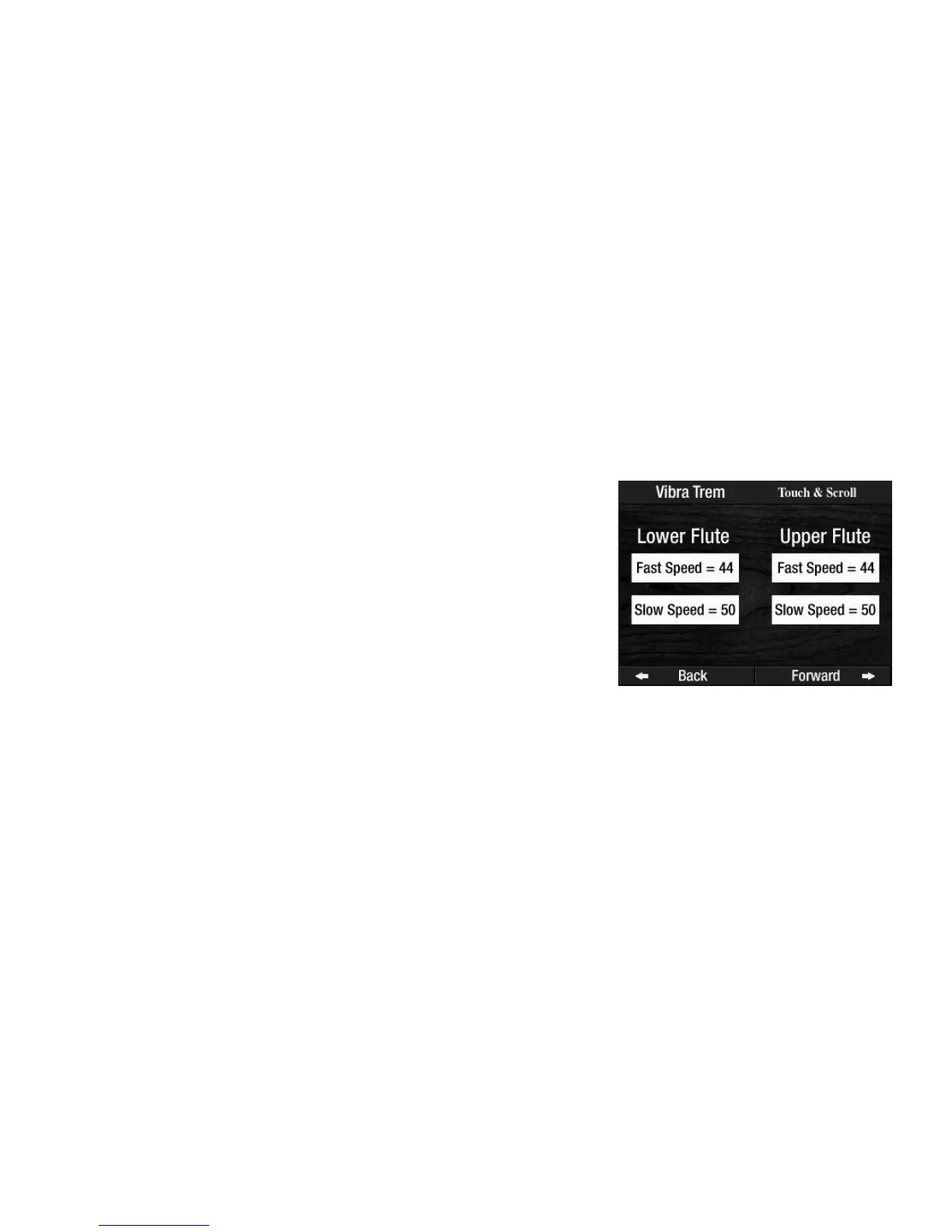
VIBRA TREM speeds are factory preset and need not be changed.
Press the word
VIBRA-TREM on the screen to display the factory set-
tings.
Press the Vibra Trem selection on the screen that you wish to change.
It will become highlighted. Press either
SCROLL button to set the
desired speed. Vibra Trem speed value ranges from 1 (slowest) to 100
(fastest).








 To Next Page