42
Prestige Owner’s Guide
b. When you wish to place the copied song on a different memory stick, remove the memory stick from
which the song was copied. Insert the second memory stick that is to receive the copied song and then
go to step 6. You may encounter a message on the screen
PLEASE WAIT ACCESSING USB FILES after
inserting the second memory stick.
6. Press the word
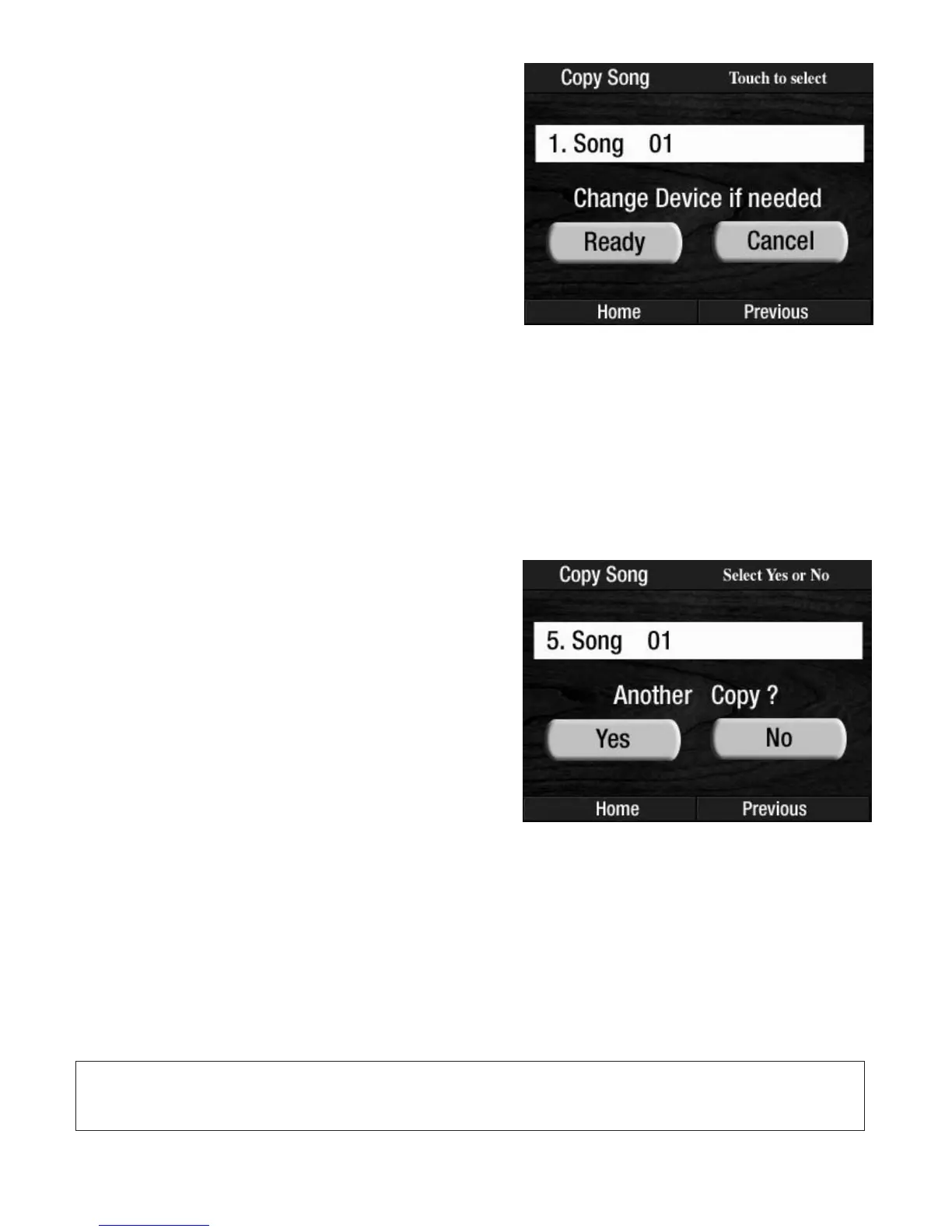
READY on the screen. The screen will change back to display any song titles contained
on the memory stick.
7. When an empty spot is not immediately available on the screen, press either
SCROLL button to locate
an empty spot for the copied song.
8. Press the desired empty spot on the screen.
You may wish to press an existing song title on the memory stick receiving the copied song in order to
Overwrite that song. The screen will display the question
OVERWRITE? along with YES and NO choices.
Pressing
YES will erase the current song and replace it with the new song. This same display will appear if
you are trying to copy a new song onto a memory stick that is already full and has no more empty spaces.
How To Use It:
The COPY SONG feature allows you to copy one or more of your own Prestige recordings onto another mem-
ory stick to give to another Prestige owner. It also allows you to change the order of the songs you record-
ed on the memory stick to your liking.
The 50 songs pre-recorded on the memory stick that came with your Prestige organ may not be copied
onto another memory stick. Attempts copy, delete or rename these songs will cause the screen to dis-
play the message
PROTECTED FILE. When this message appears press OK.
9. The screen will show COPYING SONG, SONG COPIED
and then display the question ANOTHER COPY?
When you wish to make another copy press YES and
repeat the procedure. Press
NO to return to the USB
options screen.
Press the word
HOME on the screen, or the lighted
FEATURE/CLEAR button, to return to the POWER UP
display.
4. Press either SCROLL button to display other titles that
may be on the memory stick.
5. Press the song title, on the screen, that you wish to
copy
. Wait for the screen to display
CHANGE DEVICE
IF NEEDED along with two screen buttons, READY and
CANCEL.
a. When you wish to place the copied song to a
differ
ent spot on the same memory stick go directly
to step 6.








 To Next Page