24
Prestige Owner’s Guide
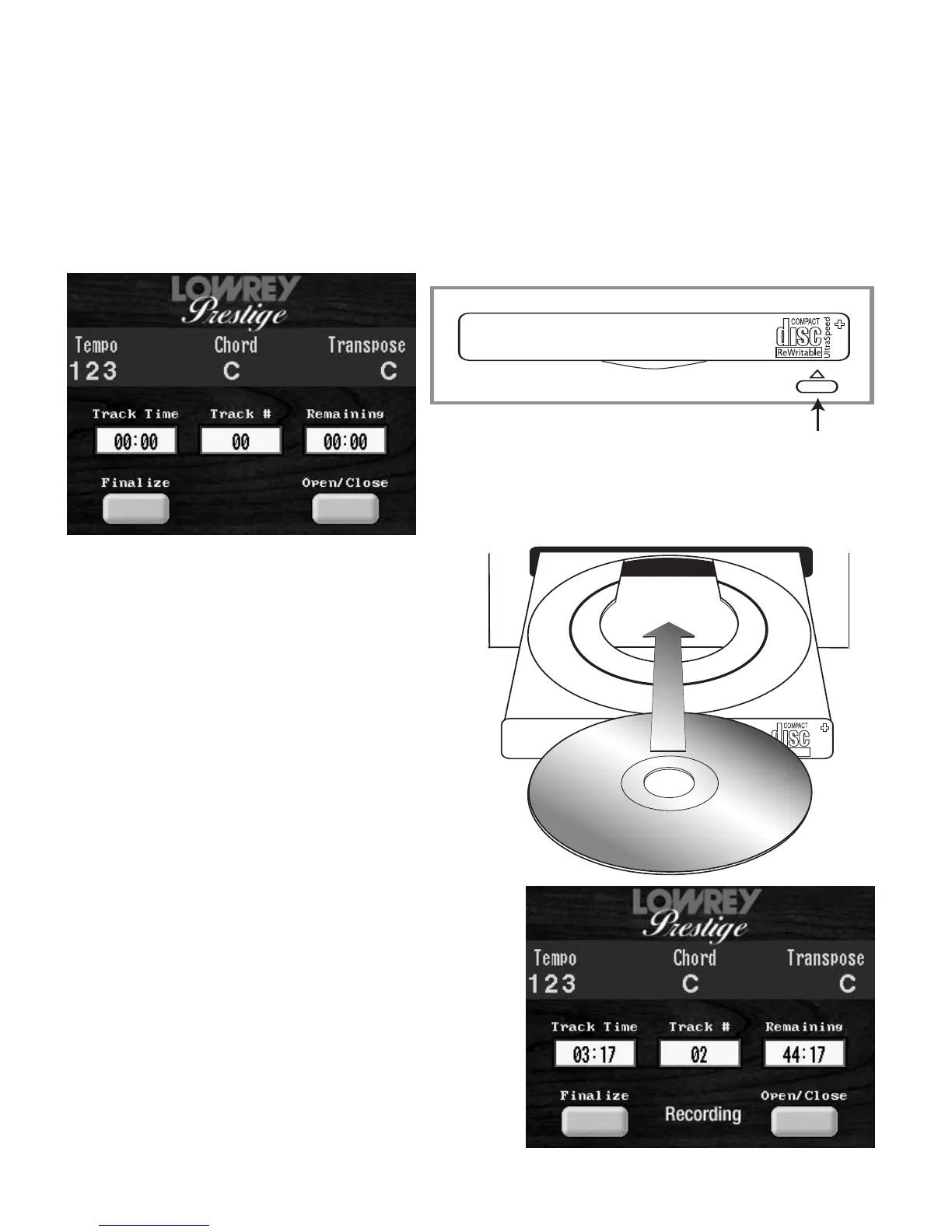
1. Press the DISPLAY button and the screen below will appear on the COLOR TOUCH SCREEN.
TRACK TIME displays how much time a song on the CD uses.
TRACK # displays the song selected from the CD. Press either SCROLL button to choose between songs
on a CD.
REMAINING displays the amount of time still available for recording on the entire CD.
OPEN/CLOSE opens and closes the CD Recorder/Player.
FINALIZE ‘Burns’ the songs on the CD permanently, and makes that CD playable on other CD players.
2. Press the
OPEN/CLOSE screen button on the COLOR TOUCH SCREEN, or press the button on the the front
of the CD RECORDER/PLAYER, illustrated below The CD tray will open.
A newly inserted CD needs a few moments to be made ready.
Wait for the initial CD Drive motor to quiet prior to selecting
CD Recorder/Player functions.
6. Press the
RECORD button. The word RECORDING will
appear on the
TOUCH SCREEN during your recording
session. The
PLAY/PAUSE button will flash green.
7. To begin recording, press the
PLAY/PAUSE button and
then make some music.
8. When finished playing, press the
STOP button.
9. To remove the CD touch the
OPEN/CLOSE button on
the
COLOR TOUCH SCREEN or press the button on the
front of the
CD RECORDER/PLAYER.
3. Lay a blank CD, label side up, on the CD tray.
The CD will fit within the circular depression in
the tray.
4. Close the CD tray by either:
a) Pressing the
OPEN/CLOSE screen
button on the
COLOR TOUCH SCREEN.
b) Pressing the button on the the front of the
CD RECORDER/PLAYER.
c) Gently push the front of the CD tray in until it
closes on its own.
5. Set the Prestige up with the sounds, rhythms,
and features you wish to use for the song.
Push this button to open
and close the CD tray.








 To Next Page