15
Presets
With the
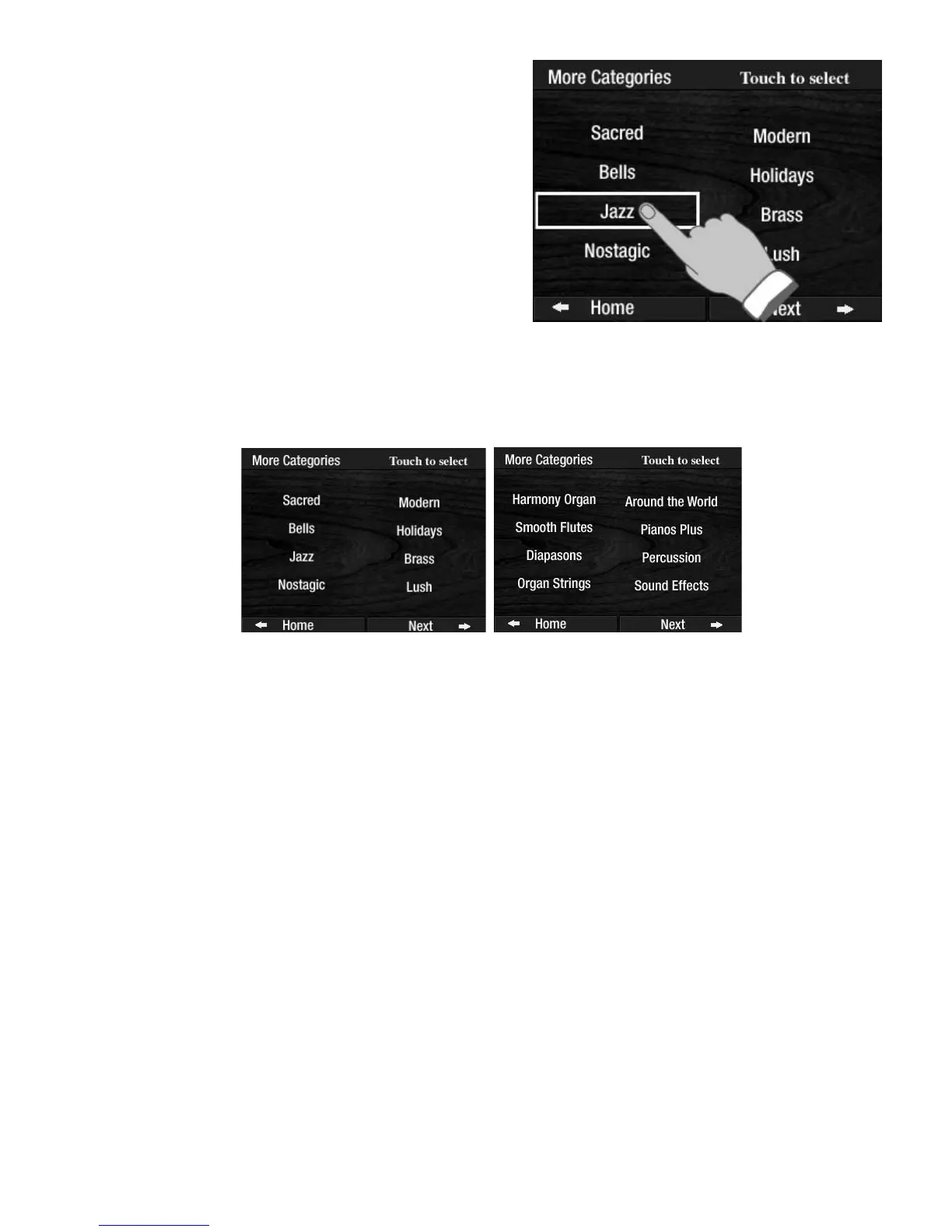
MORE category button illuminated, pressing the worf NEXT, located in the bottom right corner of
the
COLOR TOUCH SCREEN, will cause a second group of eight preset categories to be displayed.
There are a total of two category preset screens, each containing eight dynamic category groups.
Each category group offers 11 complete presets.
How To Use It:
Press a CATEGORY PRESET button, or make a selection from the COLOR TOUCH SCREEN by pressing the
MORE button and then pressing either SCROLL button to choose from among the 16 MORE categories. The
first preset for each category,
PRESET 0, is active when your category selection is made. Press among the 10
GENERAL PRESET buttons to get the other 10 presets, for a total of 11 presets for each category. Each pre-
set provides a complete upper keyboard sound, consistent with the category selected. For example, if you
like country music, press the
COUNTRY Category Preset button. You get 11 dynamic country music regis-
trations.
Category Presets can be used along with Rhythm Styles, as an alternative to Rhythm Presets. They can also
be used with or without the Easy button with no Rhythm Style being used.
The 231
CATEGORY PRESET sounds in the Prestige can not be changed. You will never lose them.
In some cases, the preset names displayed on the
TOUCH SCREEN will be abbreviated.
To select a category other than SACRED simply touch one
of the other seven category names on the screen, causing
it to be boxed.
The selected category’s
PRESET 0 will be activated.
Pressing the General Preset buttons, 1 - 10 gives you 10
more presets.








 To Next Page