4. Parameters
4-1
4 Parameters
4.1 How to Use the Loader
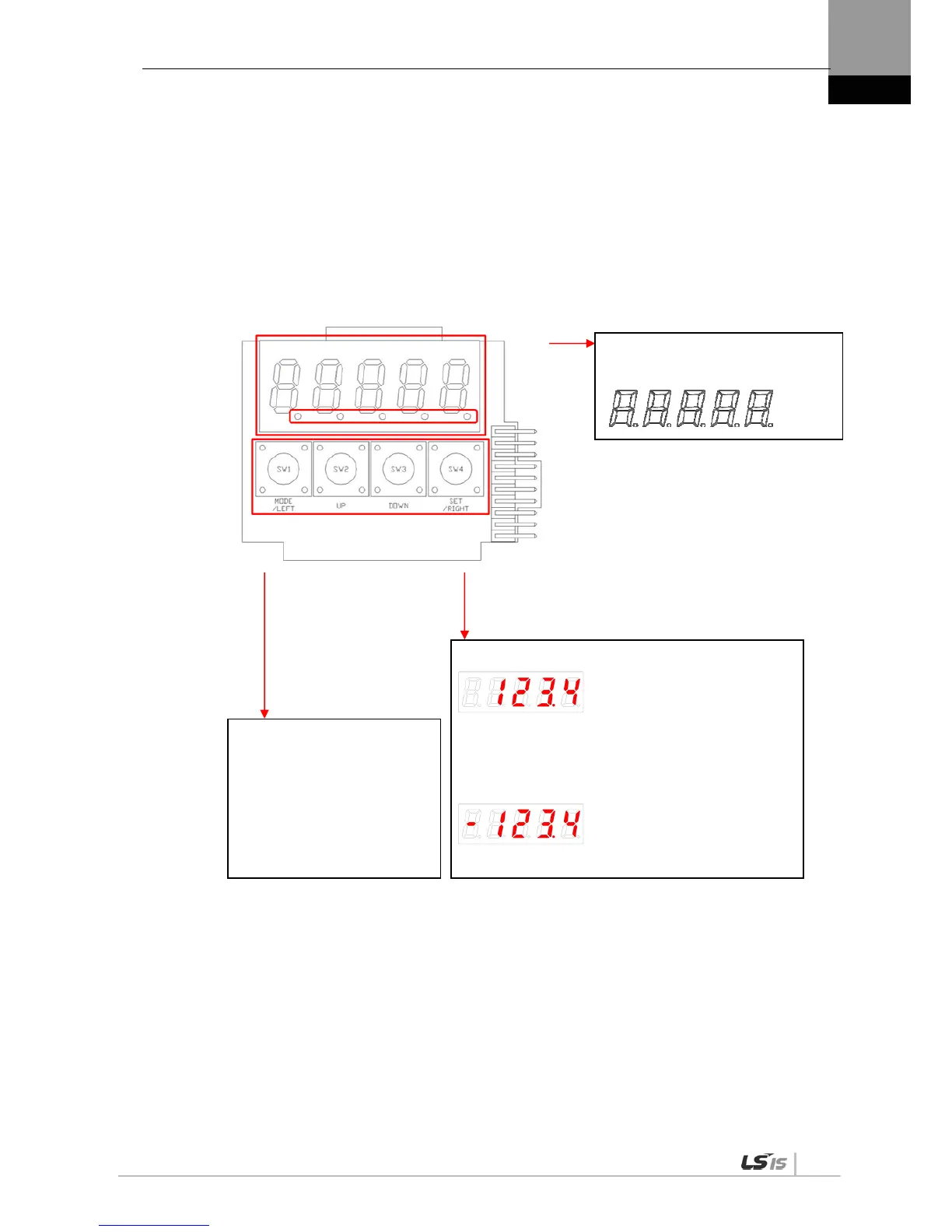
4.1.1 Names and Functions of Each Parts
Display 5-digit FND data.
Digit 5 Digit 4 Digit 3 Digit 2 Digit 1
[MODE]: Change display mode.
[/LEFT]: Move to another data digit.
[UP]: Increase displayed data.
[DOWN]: Decrease displayed data.
[SET]: Confirm displayed data.
[/RIGHT]: Move to another data digit.
Displays the decimal point.
E.g.) 123.4
In the case of 16 bits, the minus symbol is used.
In the case of 32 bits, a dot is used.
E.g.) -123.4


 To Next Page
 Loading...