MERLIN LEGEND Communications System Release 6.1
Feature Reference
555-661-110
Issue 1
August 1998
Features
Page 219Direct Station Selector
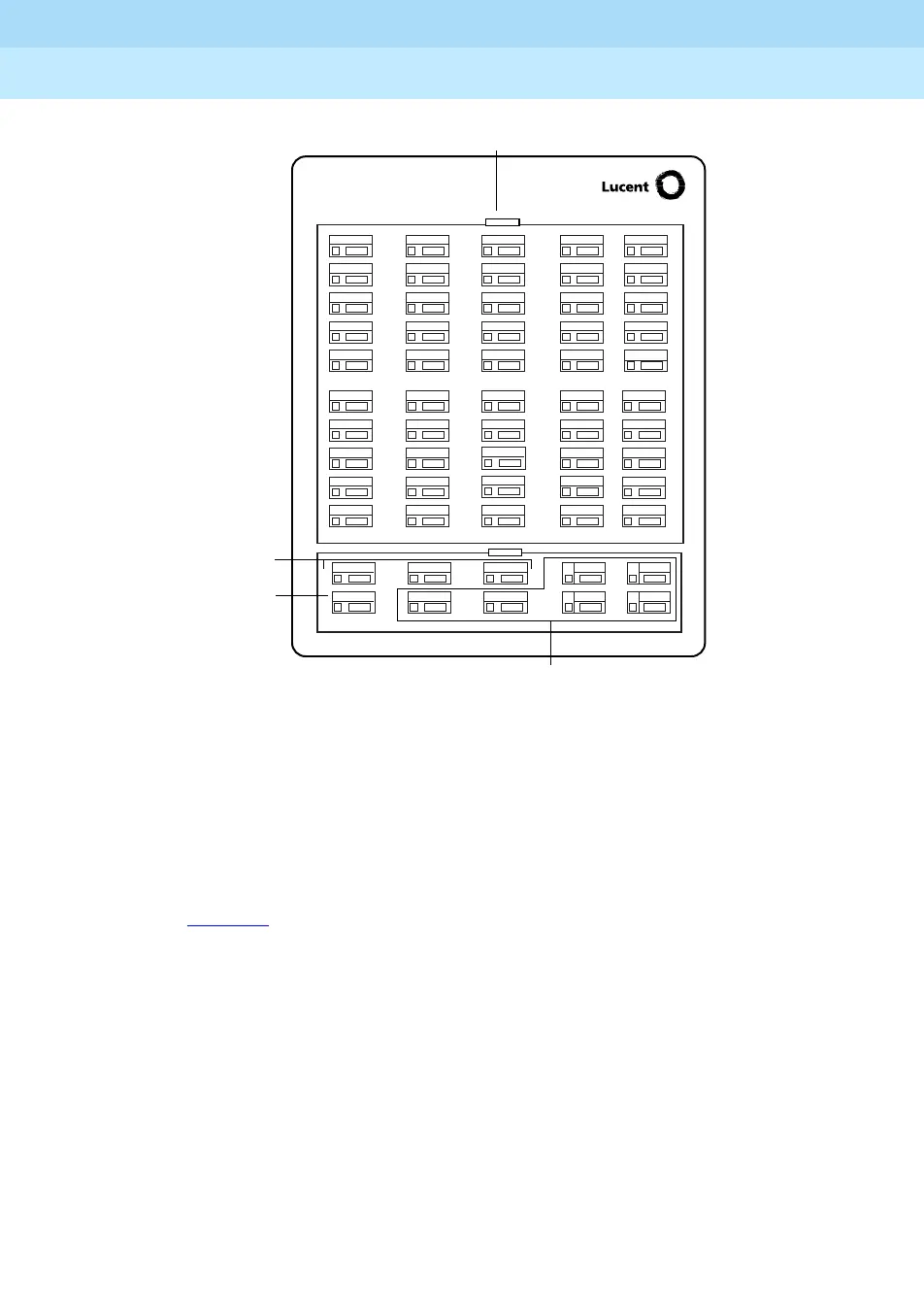
Figure 15. Direct Station Selector
Each of the 50 DSS buttons corresponds to one of three extension numbers. The
specific extension number is determined by the Page button that an operator
presses. For example, if the first extension number for the Page 1 button is
programmed to be Extension 100, the DSS buttons and associated LEDs on a
single DSS correspond to local Extensions 100 to 149. The specific extensions
represented by each DSS button are assigned from top to bottom, left to right, as
shown in Figure 15
. On a QCC, the upper right reserved button is used for voice
announcements.
A DSS button can represent one of the following:
■ Local extension number
■ Non-local extension number
■ Line/trunk number (801–880)
■ Pool dial-out code (Hybrid/PBX mode only)
■ Calling group extension number
■ Paging group extension number
■ Operator park zone extension number
■ Access code (usually ) for ARS or Idle Line Preference
44
08
09
30
31
32
33
34
35
36
39
38
37
40
41
42
43
46
20
21
22
23
24
25
26
29
28
27
10
11
12
13
14
15
16
19
18
17
00
01
02
03
04
06
07
05
45
47
49
48
Page
Buttons
Message
Status
Button
Reserved Buttons
DSS Buttons
700 800
MSG
100





 To Next Page