Section 4 – MODE SETTING OF THE TRANSMITTER Mini-Crawler Crane M A E D A
4-102 1/2019 MC405C-3
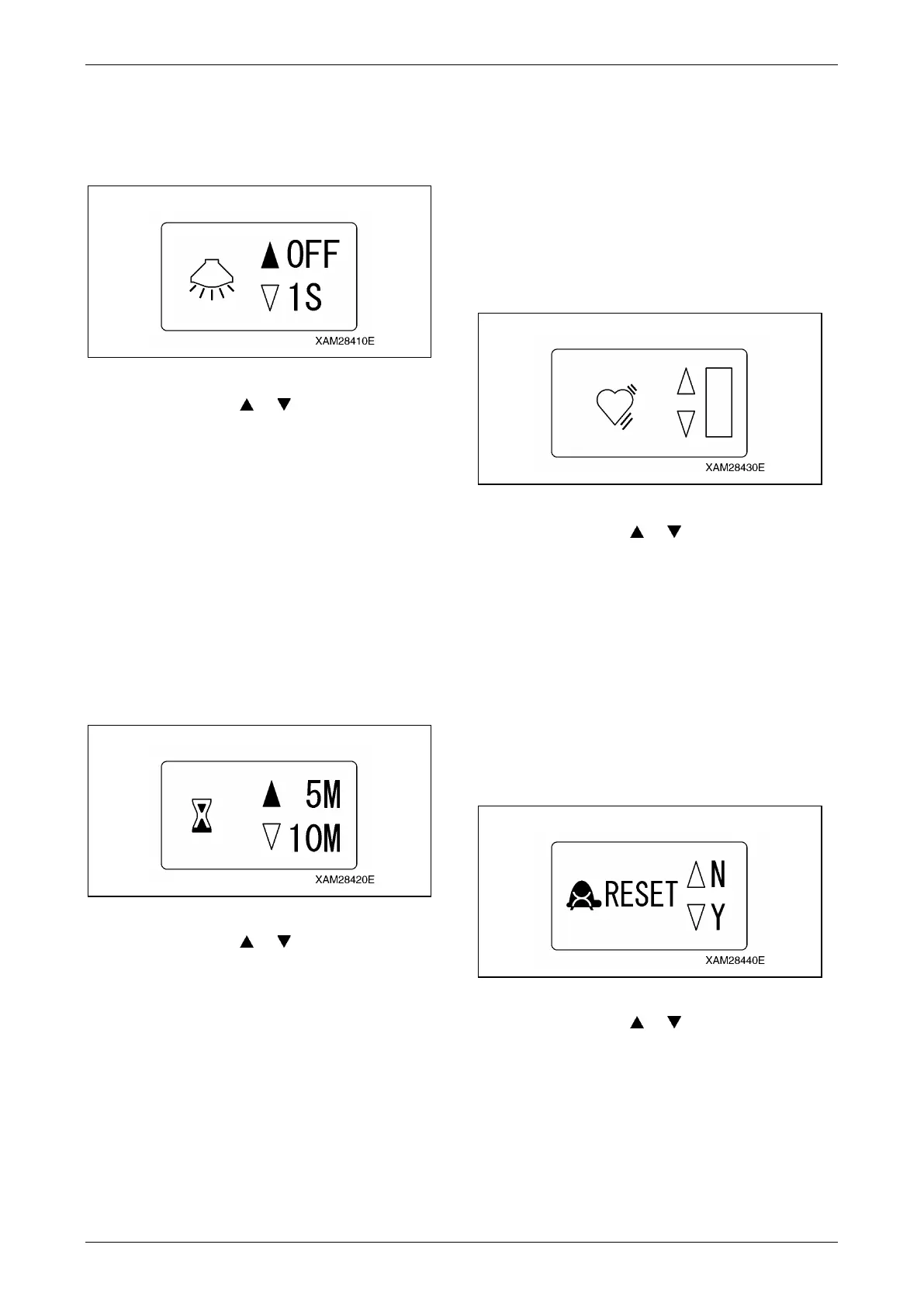
LCD Backlight
Adjust the time to the auto-cut of the LCD
backlight, after your finger is released from each
of the lever.
Fig. 4-265
1. Shift the cursor ( or ) using the Hook
raising and lowering lever and select the
preferred time.
The elapse time adjust is by 4 steps, OFF, 1
sec., 3 sec., or 4 sec.
The factory setting for this function is "1
second".
2. When the desired time is obtained, push the
Hook stow/Setting button. The elapse time
in above 1. will be fixed and the display
returns to the A MODE screen.
Off Timer
Adjust the Auto shut-OFF time of the Transmitter
power.
Fig. 4-266
1. Shift the cursor ( or ) using the Hook
raising and lowering lever and select the
preferred time.
The Auto shut-OFF adjust is by 3 steps, 5
min., 10 min., or 15min.
The factory setting for this function is "5
minutes"..
2. When the desired time is obtained, push the
Hook stow/Setting button. The time in above
1. will be fixed and the display returns to the
A MODE screen.
Low Idling Up
CAUTION: The low idling rate regulated by
this idling-up function is valid only during
crane operation levers are manipulated. Once
the lever is released, the low idling rate is
reset to the normal rate.
Adjust the engine‘s low idling rate to higher than
the normal rate, during the crane operation levers
are manipulated.
Fig. 4-267
1. Shift the cursor ( or ) using the Hook
raising and lowering lever. When all the
bars light, the idling up is in the maximum,
otherwise, when the all are OFF, the idling
up is cancelled.
2. When the suitable idling up rate is obtained,
push the Hook stow/Setting button. The
value obtained in above 1. will be fixed and
the display returns to the A MODE screen.
Micro Speed Mode Reset
Select either to reset or preserve the value at the
micro speed mode.
Fig. 4-268
1. Shift the cursor ( or ) using the Hook
raising and lowering lever and select "N" or
"Y".
To reset, select "Y", otherwise, select N" to
preserve.
2. Whether reset or not is fixed, push the Hook
stow/Setting button. The status in above 1.
will be fixed and the display returns to the A
MODE screen.



 To Next Page