99
[Travel mode]
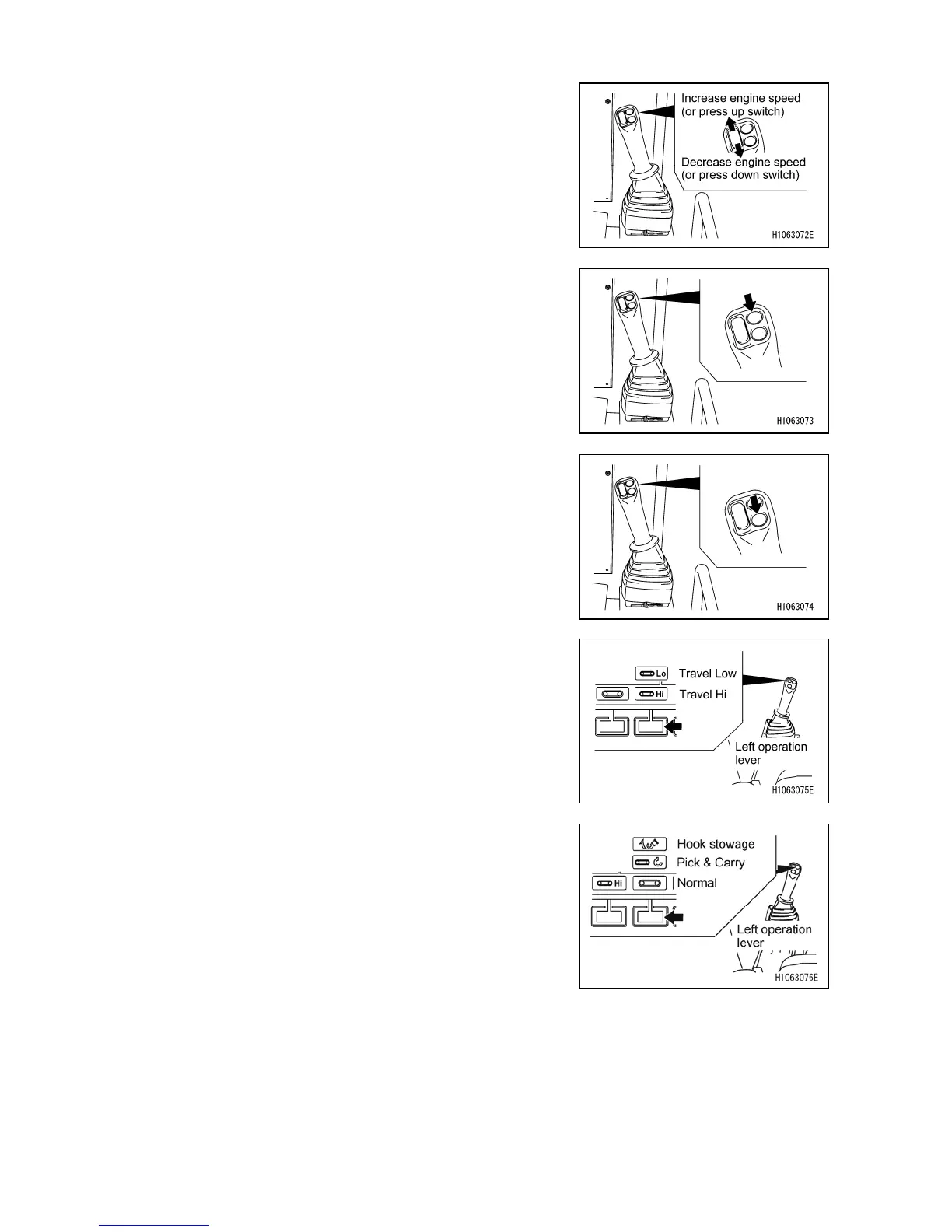
[1] Accelerator up/down (pop-up up/down)
Use these switches to control the engine speed.
The engine speed keeps increasing while the up switch is
pressed. The engine speed keeps decreasing while the
down side is pressed.
Use these up and down switches to make a selection on
the pop-up screen that appears on the monitor.
[2] Horn
Use this switch to honk the horn.
The horn keeps blowing while it is pressed.
[3] Pop-up Enter
Push to enable the item selected on the pop-up screen that
appears on the monitor.
[4] Mode selector switch (Travelling Hi/Low)
Use this switch to change the travelling speed.
Push to display a pop-up screen. When the pop-up screen
appears, you can switch the travelling speed of the
machine between “Travelling Hi” and “Travelling Low” with
the up/down select switch ([1] Accelerator up/down
(pop-up up/down)).
[5] Mode selector switch (Pick/Carry)
Use this switch when travelling with suspended load.
Push to display a pop-up screen. When the pop-up screen
appears, you can change the mode between “Normal”,
“Pick & Carry”, and “Hook Stowage” with the up/down
select switch ([1] Accelerator up/down (pop-up up/down)).



 To Next Page