100
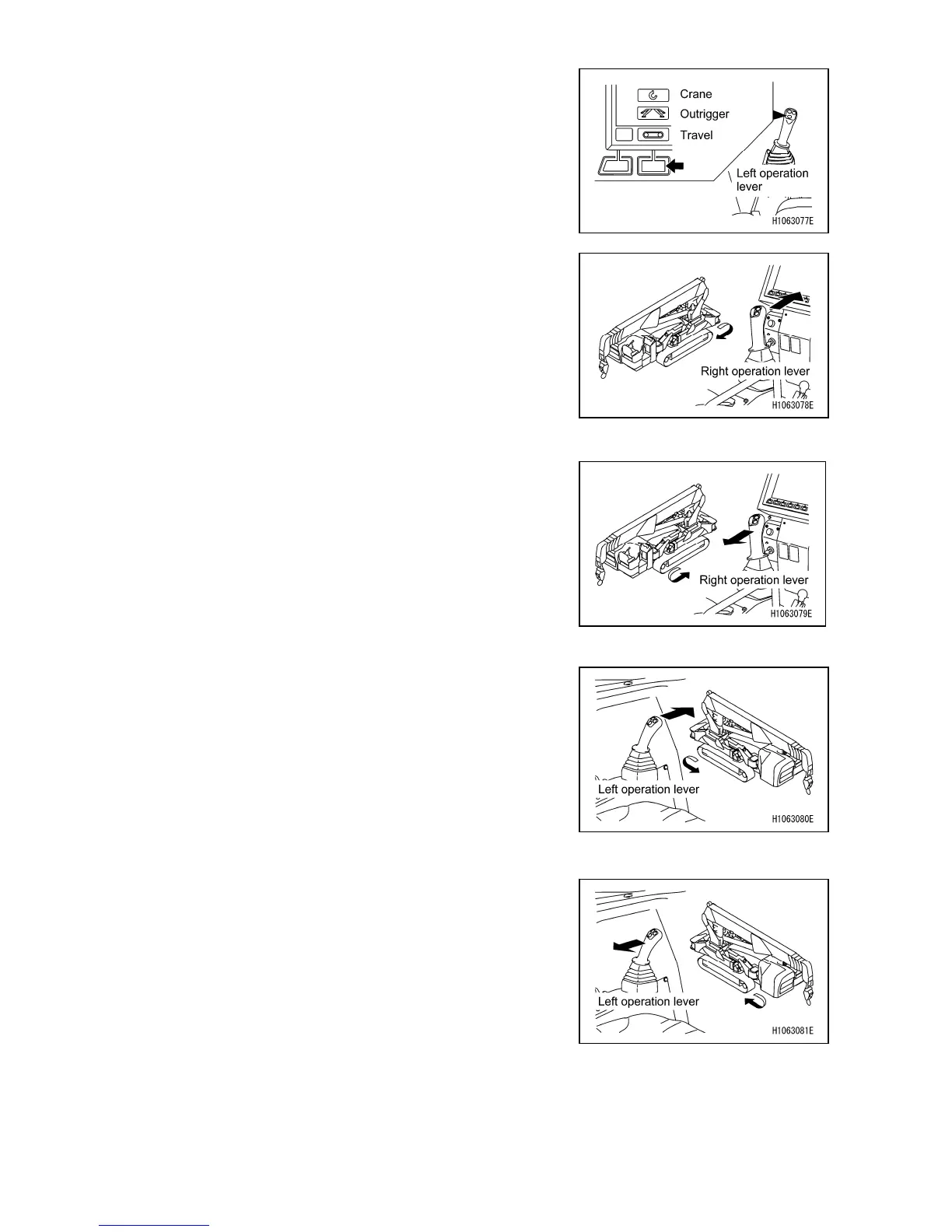
[6] Mode selector switch (Travelling/Outrigger/ Crane)
Use this switch to change the machine mode.
Push to display a pop-up screen. When the pop-up screen
appears, you can select the machine mode from “Travel”,
“Outrigger” and “Crane” with the up/down select switch ([1]
Accelerator up/down (pop-up up/down)).
[7] Right travelling forward
The crawler belt at the right side of the machine rotates in
the forward direction. To move the machine forward, push
the right and left control levers forward at the same time.
Operating only one lever allows the machine to rotate, and
controlling both levers in the directions opposite each other
allows it to spin.
[8] Right travelling backward
The crawler belt at the right side of the machine rotates in
the backward direction. To move the machine backward,
pull the right and left control levers toward you at the same
time. Operating only one lever allows the machine to rotate,
and controlling both levers in the directions opposite each
other allows it to spin.
[11] Left travelling forward
The crawler belt at the left side of the machine rotates in
the forward direction. To move the machine forward, push
the right and left control levers forward at the same time.
Operating only one lever allows the machine to rotate, and
controlling both levers in the directions opposite each other
allows it to spin.
[12] Left travelling backward
The crawler belt at the left side of the machine rotates in
the backward direction. To move the machine backward,
pull the right and left control levers toward you at the same
time. Operating only one lever allows the machine to rotate,
and controlling both levers in the directions opposite each
other allows it to spin.



 To Next Page