101
[Outrigger mode]
Only items different from those in the travel mode are
described here.
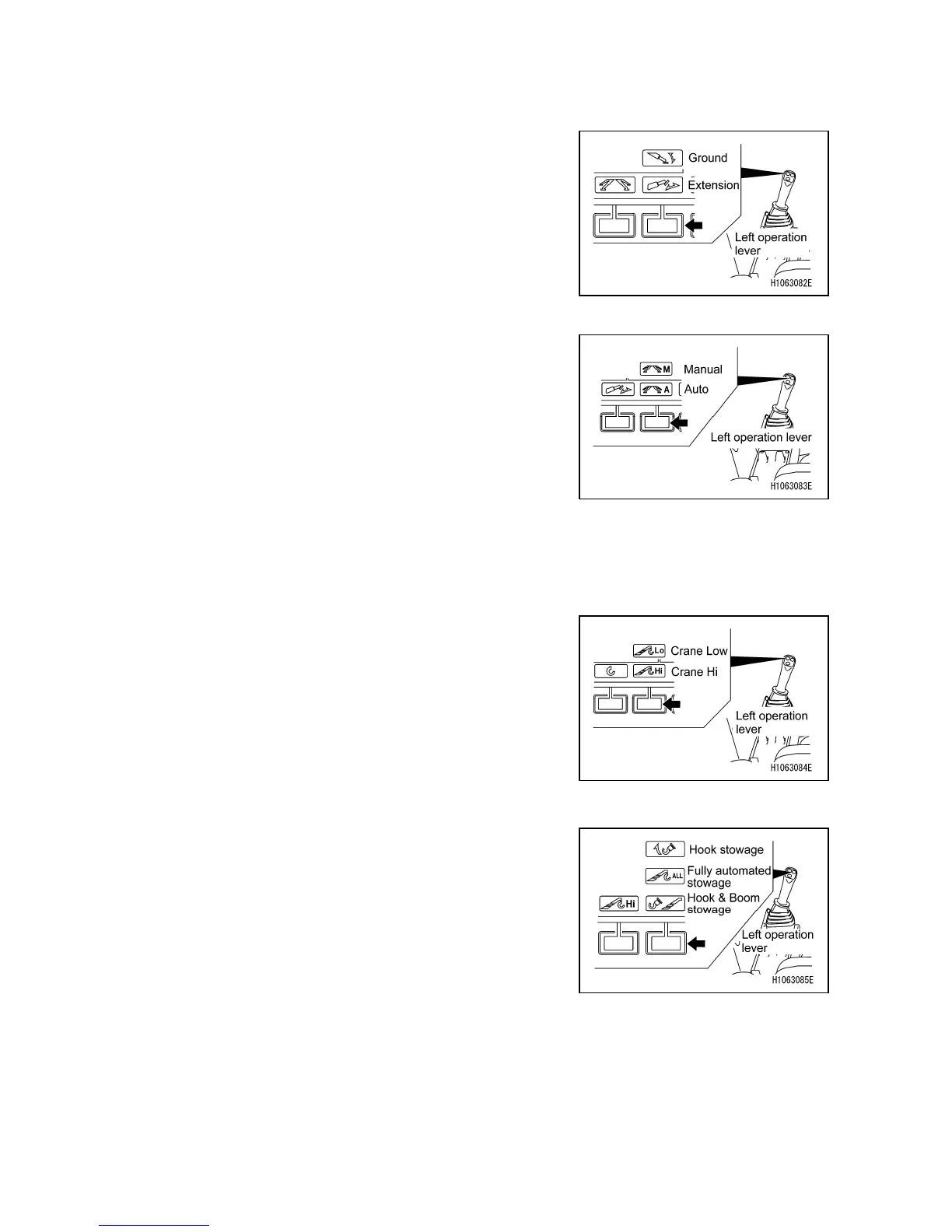
[4] Mode selector switch (Extension/Ground)
Use this switch to change the outrigger operation.
Push to display a pop-up screen. When the pop-up screen
appears, you can change the mode between “Extension”
and “Ground” with the up/down selector switch ([1]
Accelerator Up/Down (pop-up up/down)).
[5] Mode Selector switch (Manual/Auto)
Use this switch to change the operation mode for setting
the outriggers on the ground between Manual (with the
outrigger operation panel) and Auto.
Push to display a pop-up screen. When the pop-up screen
appears, you can change the outrigger operation mode
between “Manual” and “Auto” with the up/down select
switch ([1] Accelerator Up/Down (pop-up up/down)).
[Crane mode]
Only items different from those in the travel mode are
described here.
[4] Mode selector switch (Crane Hi/Low)
Use this switch to change the winding speed of the crane.
Push to display a pop-up screen. When the pop-up screen
appears, you can change the mode between “Crane Hi”
and “Crane Low” with the up/down select switch ([1]
Accelerator Up/Down (pop-up up/down)).
[5] Mode selector switch (Hook/Fully automated stowage)
Use this switch to change the retracting operation of the
crane.
Push to display a pop-up screen. When the pop-up screen
appears, you can select the mode from “Hook stowage” or
“Fully automated stowage” with the up/down select switch
([1] Accelerator Up/Down (pop-up up/down)).



 To Next Page