168
[Automatic stowage]
When automatically stowing the crane, check that there are no interfering objects in the
surrounding area before doing so.
If you feel danger during automatic stowage, immediately stop the operation. Automatic
stowage can be stopped by pressing the emergency stop switch, or by operating the
monitor or crane.
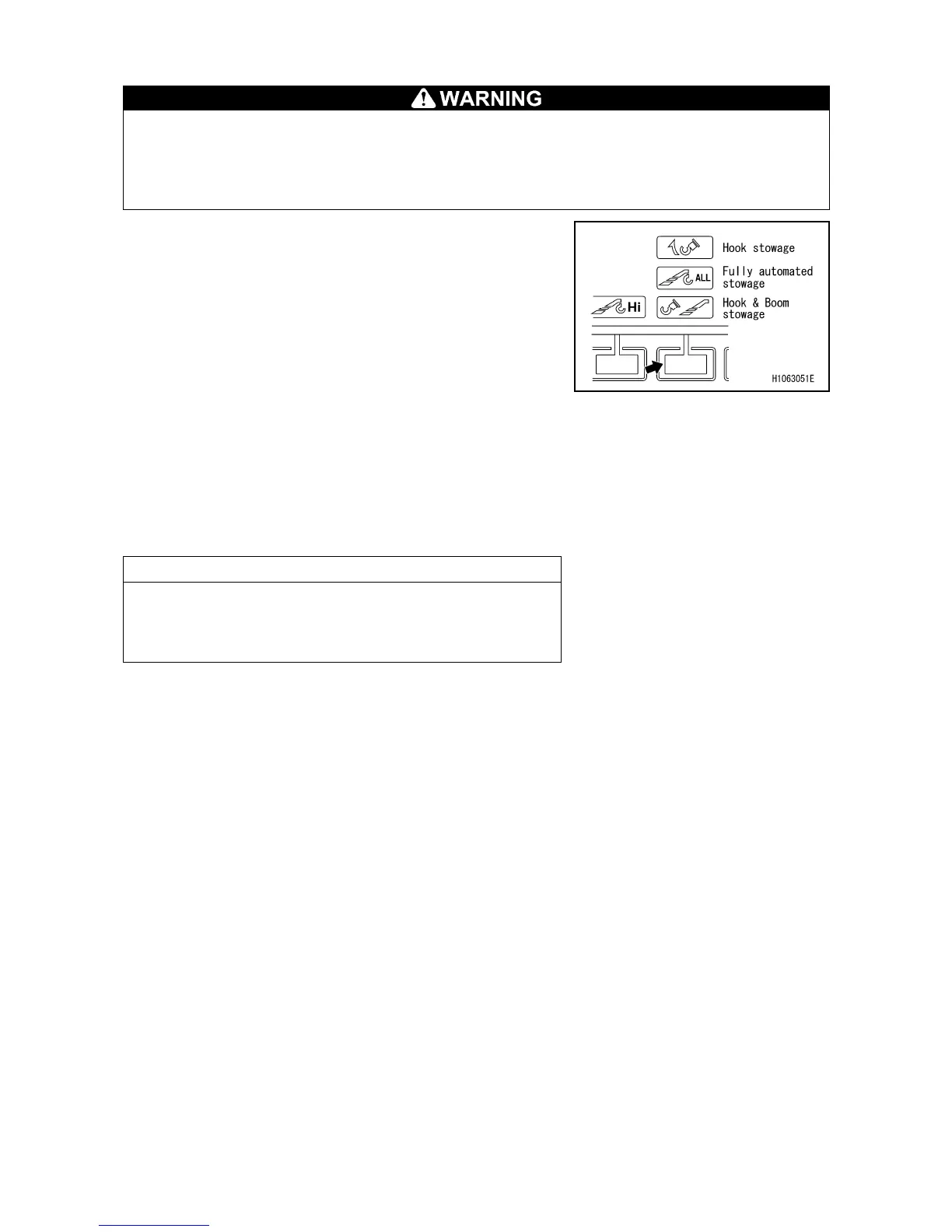
1. When the fully automated stowage switch on the
monitor is pressed once, the message “Boom will be
stowed. Make sure there is no obstacle around the
boom.” will be displayed.
2. Pressing the fully automated stowage switch once more
starts the automatic stowage operation according to the
following procedure.
(1) Hook is wound up until over winding is detected.
(2) The boom is fully retracted.
(3) The boom is raised to 30 degrees.
(In case boom angle is below 30 degrees.)
(4) The boom is slewed to a 2 degree slewing angle.
(5) The boom is fully lowered.
(6) The hook is stowed.
This completes the automatic stowage.
NOTES
By using crane auto-stow function, hook block is stowed
to the boom head. Use manual operation when stowing
the hook block to the hook stowage wire.



 To Next Page