186
[Settings menu]
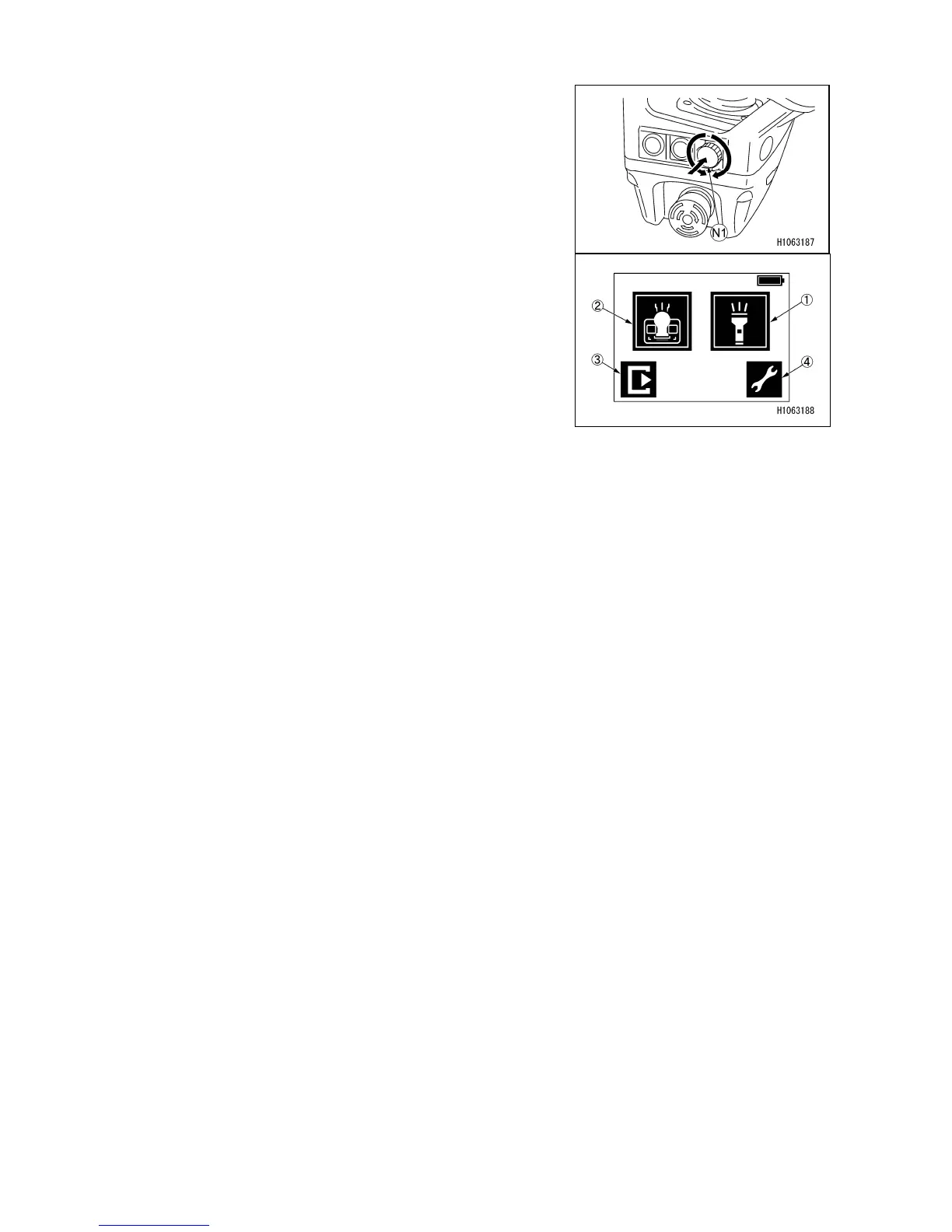
When the crane menu is displayed, pressing the display
operation switch (N1) changes the current menu to the
settings menu.
Turning the display operation switch (N1) allows you to
select a desired menu.
Select a menu on the display, and press the display
operation switch (N1) to determine the menu.
(1) LED light (front) ON/OFF
(2) LED light (operation panel) ON/OFF
(3) Return to the Crane mode
(4) To remote control menu



 To Next Page