279
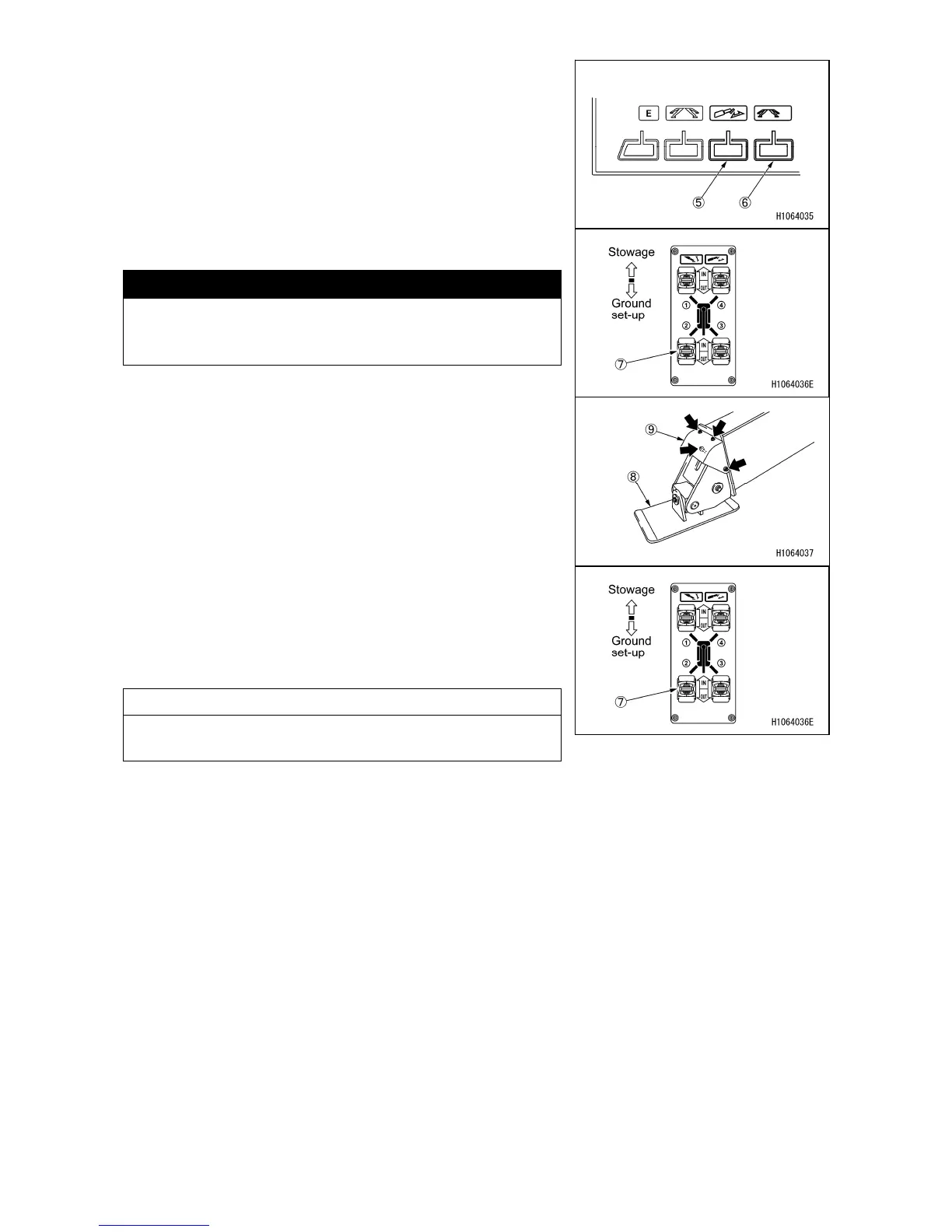
5. Press the mode switch (5) of the monitor or touch the
screen to enter the “contact” mode.
6. Press the mode switch (6) of the monitor or touch the
screen to enter the “manual” mode.
7. Contact the trays securely by turning the outrigger
contact switch (7) on the outrigger control panel to “Out”
position and make all four outriggers grounded.
Check that all the contact lamps (3) of the monitor are
lit.
CAUTION
If any of the contact lamps (3) is flashing in red, check
any foreign objects in the bending part by removing
the cover (9) of the outrigger tray (8) part.
8. Turn one of the four outriggers’ outrigger contact switch
(7) to “On” position to move the tray of outrigger above
the ground.
9. Press the mode switch of the monitor or touch the
screen to enter the “crane mode”.
10. Move the operation lever on the right to the right
direction (rise) and check that the crane does not move.
NOTES
Perform the operation starting from section 8 to 10 for all
four outriggers.



 To Next Page