84
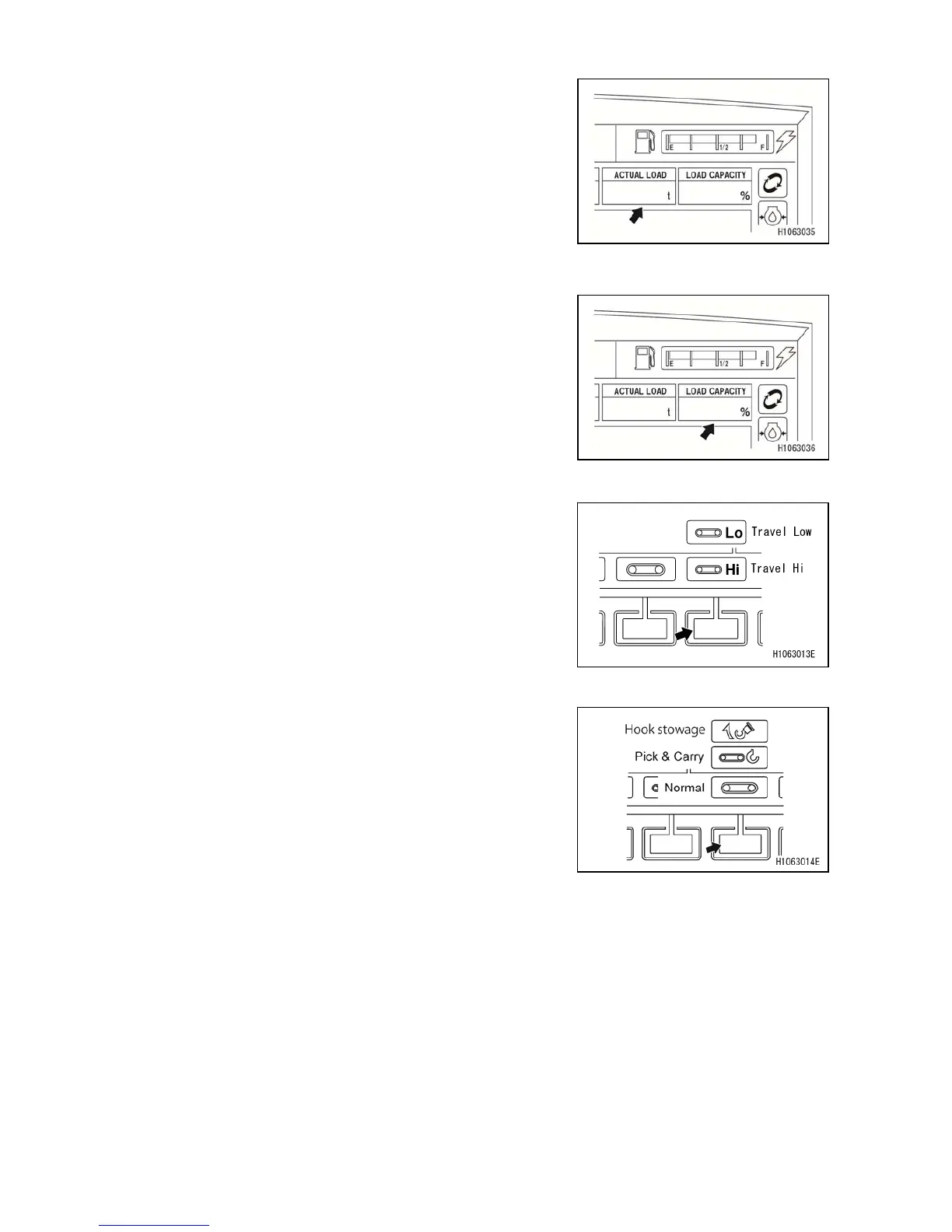
[6] ACTUAL LOAD
Continually displays the actual load of the hoisted load
during crane operations.
This actual load equals the total weight of the hook, sling,
and hoisted weight.
When no load is applied, the normal indication becomes
“0.0” to “0.1”.
If the indication does not fall within the above range,
contact us or our sales service agent.
[7] LOAD CAPACITY
Indicates the moment limiter load capacity ratio.
[8] MODE SELECTOR SWITCH (2) (Travelling Hi/Low)
Use this switch to change the travelling speed.
Push to display a pop-up screen. When the pop-up screen
appears, you can switch the travelling speed between
“Travelling Hi” and “Travelling Low” with the pop-up select
switch (up/down) or touchscreen operations.
[9] MODE SELECTOR SWITCH (3) (Pick & Carry)
Use this switch when travelling with suspended load.
Push to display a pop-up screen. When the pop-up screen
appears, you can change the mode between “Normal”,
“Pick & Carry”, and “Hook Stowage” with the pop-up select
switch (up/down) or touchscreen operations.



 To Next Page