5-10 (E)
LH71A / LH72
5-4. Verifying Count Values during Addition Display
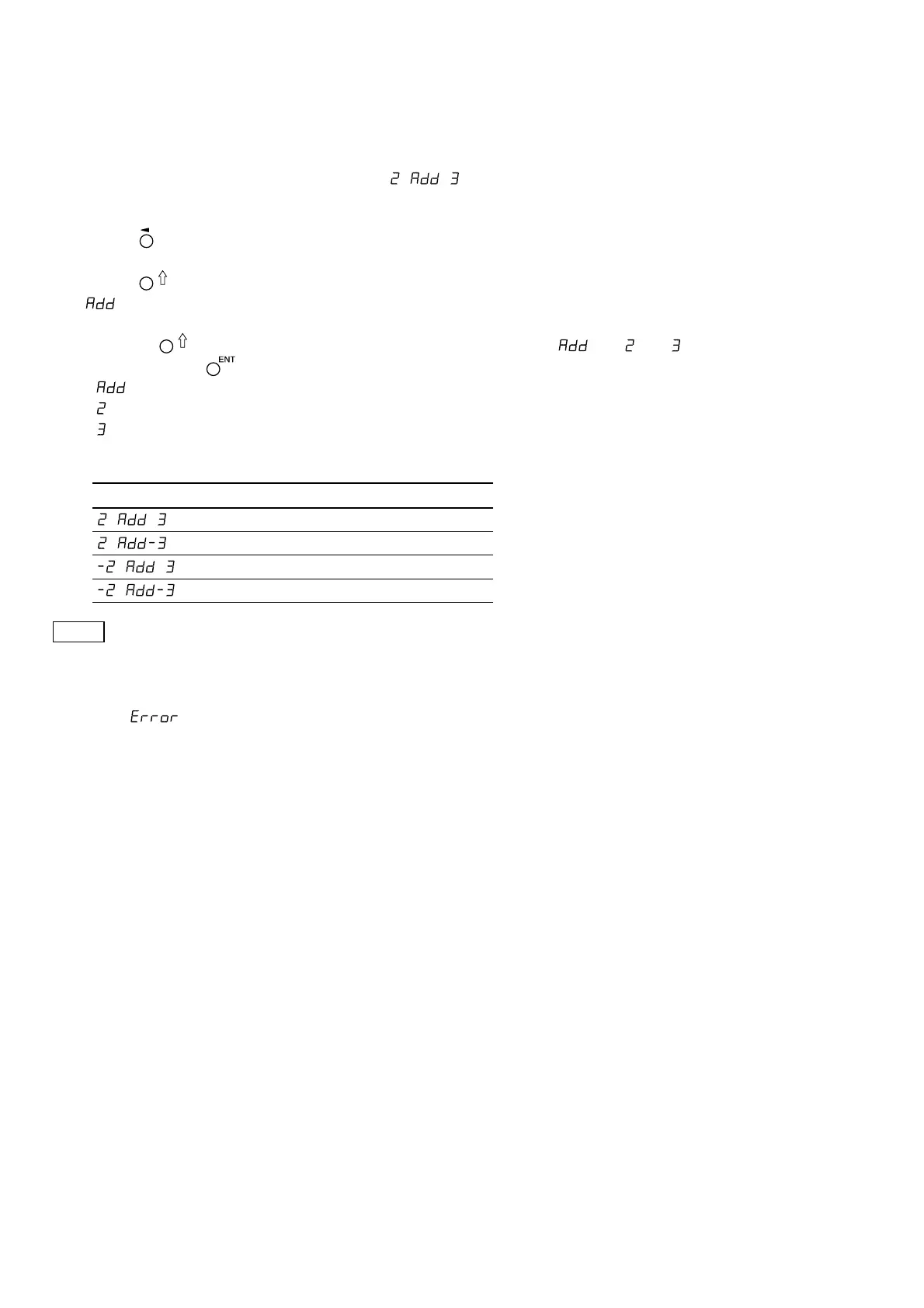
For the lathe function, setting addition display (such as ) in the “basic settings” enables switching
of the count value shown in display 2.
1 Press the key for display 2.
2 Press the key.
“ ” is shown in display 2.
3 Pressing the key repeatedly cycles through the settings in the order of “ ” → “ ” → “ ”.
Therefore, press the key at the setting you want to display.
: Addition display
: Displays the measuring unit input 2
: Displays the measuring unit input 3
Addition display settings and count values that can be displayed
Settings Count values that can be displayed
2, 3, 2+3
2, 3, 2–3
2, 3, –2+3
2, 3, –2–3
Notes
• When the power is turned off and on again, any switching of the display performed here will be reset, and
the display will return to the settings for “addition display” in the “basic settings”.
• If a measuring unit is not connected to measuring unit input 2 and 3, or the measuring unit is not operating
properly, is shown in display 2.
5. Settings



 To Next Page