(E) 10-1
LH71A / LH72
10. Alarm Display
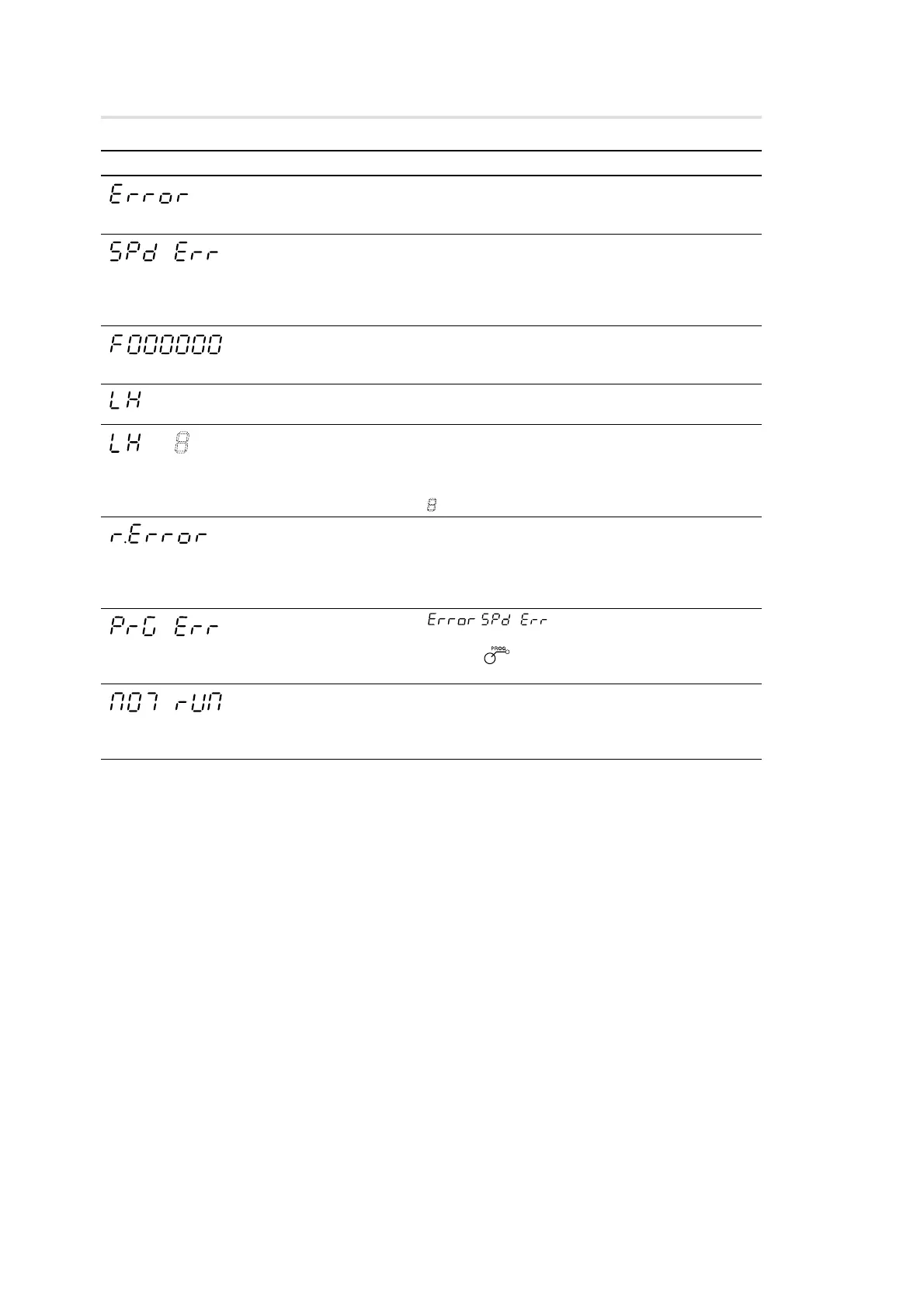
Display Trouble
Measuring unit not
connected
Excess speed
Overflow
Power failure
Error in stored data
Error in reference point
detection
Program error
Program error
Causes / Remedy
The measuring unit is not connected.
Turn off the power, connect the measuring unit, and then turn
on the power again. The display value is reset to zero.
The maximum response speed is exceeded at the
measuring unit side.
Perform resetting operation.
(The same condition may occur when the machine is
subjected to a major shock.)
When the display has overflowed, an “F” is added to the
highest digit.
Use in a range where an “F” is not added.
The power fails momentarily during measurement.
Perform resetting operation.
The stored data has been changed by noise or other cause.
Redo the settings starting from the basic settings.
If this error is displayed frequently, the memory may be
damaged. Contact your vendor.
: Error code (1 to 9, A to F)
This is displayed when a measuring unit without a reference
point is connected or when the reference point signal wire in
a measuring unit with a reference point is broken. Connect a
measuring unit with a reference point. If this does not correct
the problem, contact your vendor.
/ occurs during program execution or
execution of a canned cycle.
Press the key to close the program, perform resetting
operation to clear the error, and then run the program again.
There is no canned cycle during program execution or the
φ (diameter) display is set.
Check that any canned cycle programs are registered and
that the φ (diameter) display setting is not made.
(Flashing)
(Lights up)



 To Next Page