LH71A / LH72
(E) 3-3
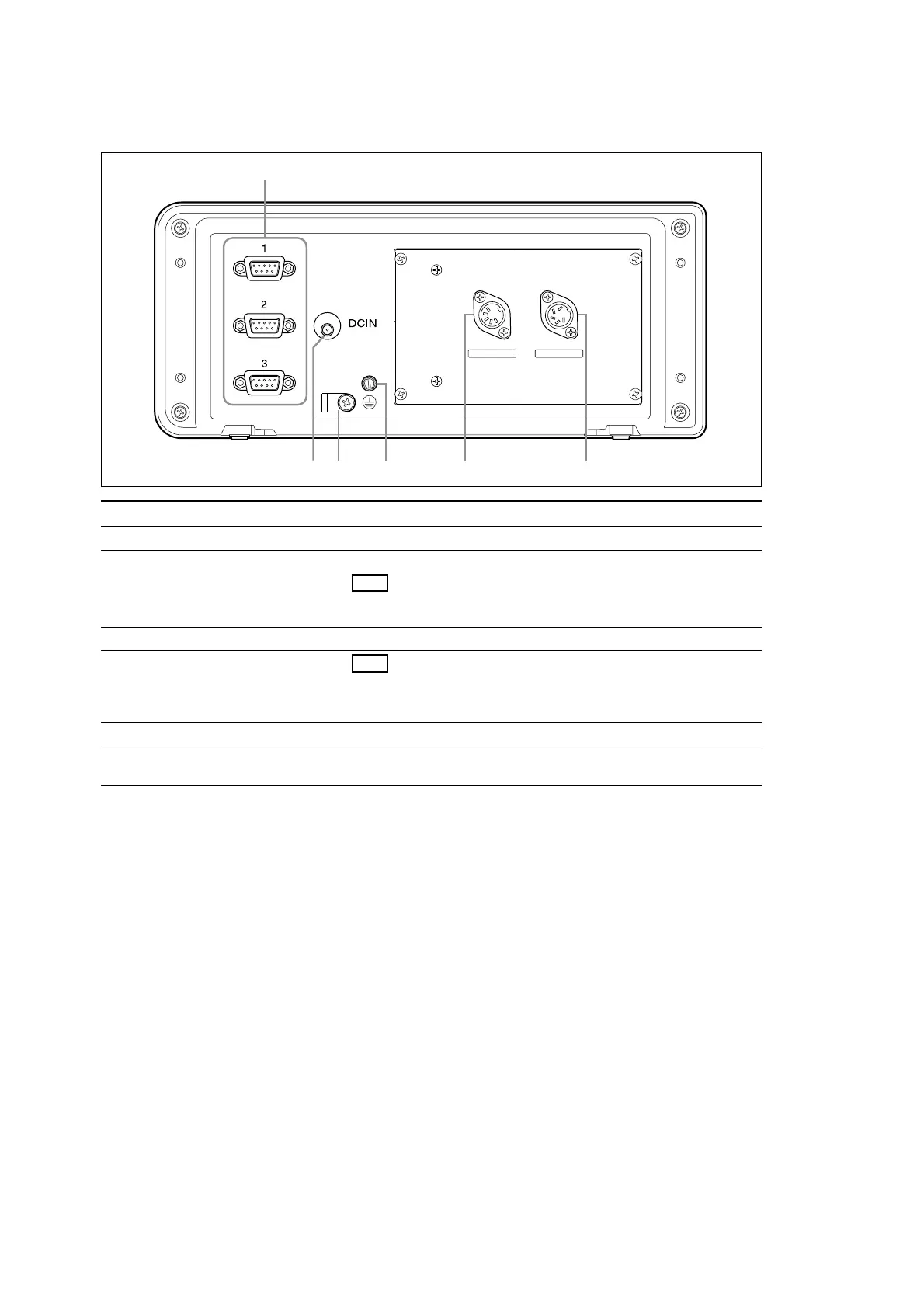
3-2. Rear Panel
No. Name Function
q Measuring unit input 1/2/3 Performs measuring unit input for first, second and third axes
w DC input terminal DC power input terminal
Note
Always use the special AC adaptor (sold separately). Using any other
adaptor could damage the counter unit or cause it to malfunction.
e AC adaptor cable clamp Anchors the AC adaptor cable
r Ground terminal Note
Use the included grounding wire when setting up the counter unit, and
always connect this terminal to the machine proper that you are setting
up.
t Remote reset connector terminal Performs the same operation as the RESET key using an external signal
y Touch sensor input (LH71A only) Used to make the datum point setting when the touch sensor (sold
separately) is connected
REMOTE RESET
TOUCH SENSOR
3. Name and Function of Each Part



 To Next Page