5-14 (E)
LH71A / LH72
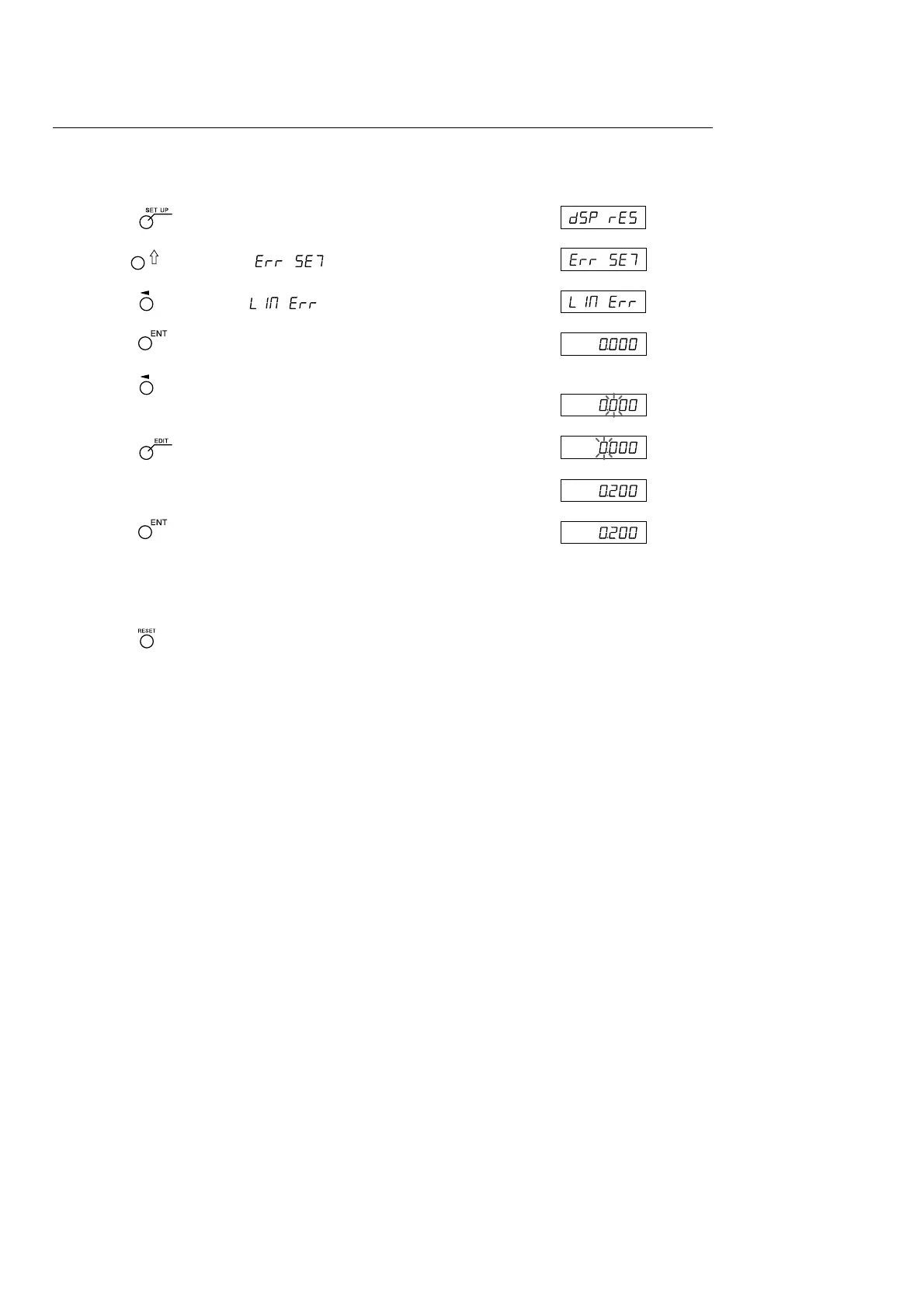
Entering linear compensation values
<Resetting the “detailed settings”> Display
1 Press the key when the current value is displayed.
2 Use the key to display .
3 Press the key to display .
4 Press the key.
5 Press the key twice for the axis where the compensation
value will be entered.
6 Press the key. (Only when using the expansion function)
7 Use the numeric keys to enter the compensation value.
8 Press the key.
9 <To continue and enter compensation values for other axes>
Perform the procedure starting from step 5.
<To exit>
Press the key.
Operation can now be started.
5. Settings



 To Next Page