(E) 7-17
7. Operation Method
LH71A / LH72
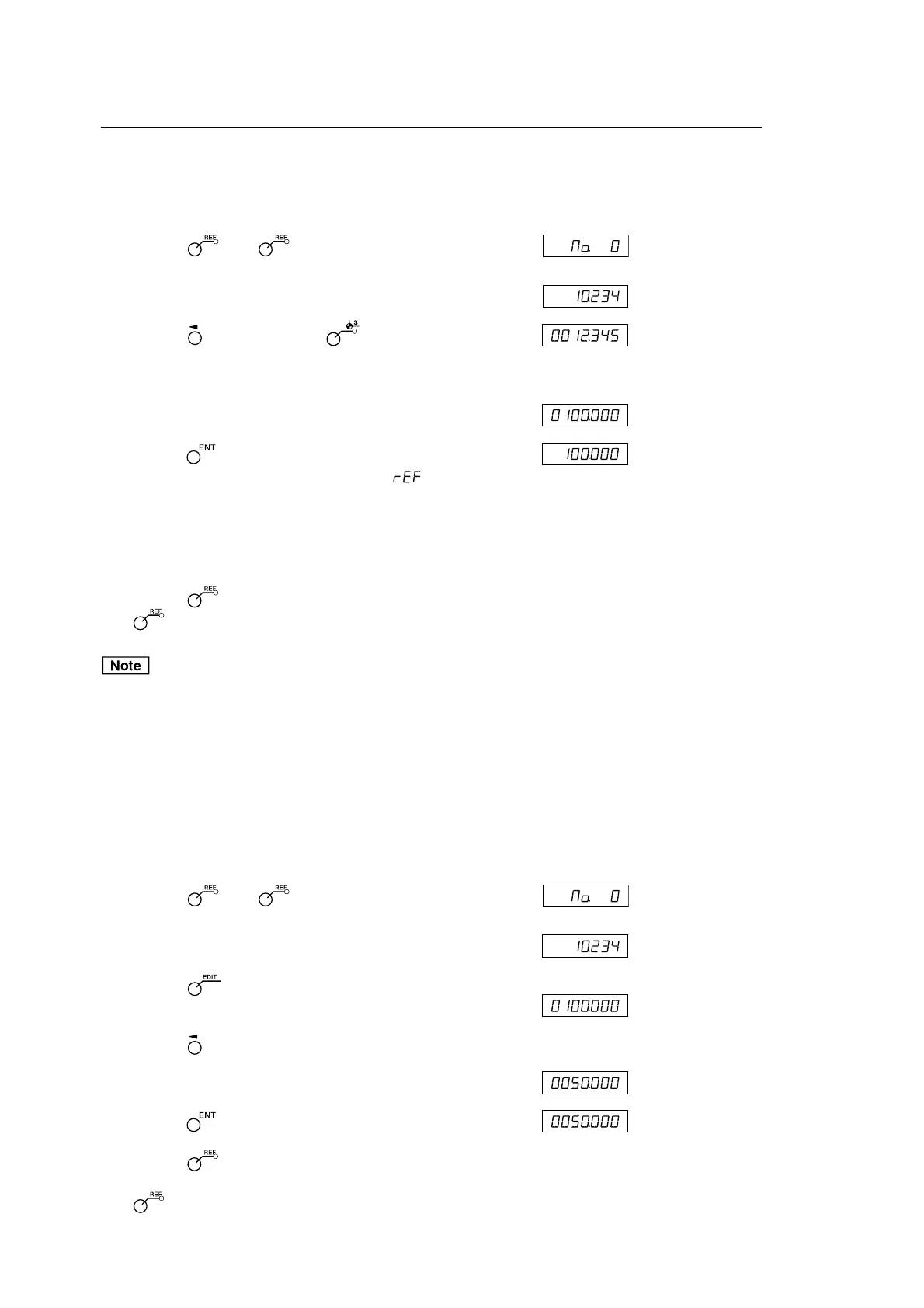
<Inputting/restoring the reference point offset>
Enter the reference point offset (L). When the reference point is
detected, the count starts.
Display
1 Press the key. ( lamp lights up)
↓
2 Press the , and then press the key.
The stored offset value (value displayed when the reference
point is loaded) is displayed.
3 Enter the offset using the numeric key.
4 Press the key.
A reference point wait status is activated. ( value flashes)
5 Move the measuring unit until it goes past the reference point.
When the reference point is detected, a beep tone is emitted.
∗ When the reference point is detected, counting starts.
6 Press the key to exit the reference point mode.
( lamp goes out)
If the reference point of the measuring unit has directionality, be
sure to always load the reference point from the same direction.
When setting the segmented error compensation function, see
“5-5-2. Segmented Error Compensation”.
<Editing the reference point offset>
Editing the set reference point offset (L).
Display
1 Press the key. ( lamp lights up)
↓
2 Press the key.
The stored reference point offset is displayed.
3 Press the key.
4 Edit the offset using the numeric key.
5 Press the key to finalize the offset.
6 Press the key.
Editing is completed, and the current value is displayed.
( lamp goes out)
(Example: Distance
from the reference
point to the datum
point)
(Current value
(ABS))
(Example: 100.000)
(Flashes)
(Current value
(ABS))
(Example: 50.000)



 To Next Page