Redial
X
To show the main function bar: slide 5
the controller.
X
To select Phone: turn and press the con-
troller.
The telephone menu is displayed.
X
To select w in the telephone menu: turn
and press the controller.
The list of outgoing calls is displayed. The
most recently dialed number is at the top.
X
To select an entry and make a call: turn and
press the controller.
Further information about ending a call
(
Y page 123).
Using call lists
X
To show the main function bar: slide 5
the controller.
X
To select Phone: turn and press the con-
troller.
The telephone menu is displayed.
X
To switch to the menu bar: slide 6 the
controller.
X
To select Call Lists: turn and press the
controller.
X
To select Calls Received or Calls
Dialed: turn and press the controller.
The relevant list is displayed.
X
To select an entry and make a call: turn and
press the controller.
Further information about ending a call
(
Y page 123).
Using the phone book
X
To show the main function bar: slide 5
the controller.
X
To select Phone: turn and press the con-
troller.
The telephone menu is displayed.
X
To select Name in the telephone menu: turn
and press the controller.
X
Search for a contact (Y page 124).
X
To make a call: press the controller.
Further information about ending a call
(
Y page 123).
Using speed dial
X
To show the main function bar: slide 5
the controller.
X
To select Phone: turn and press the con-
troller.
The telephone menu is displayed.
X
To highlight a number from the character
bar: turn the controller.
X
Press the controller for longer than two
seconds.
The telephone menu displays the selected
entry. The number is dialed.
Further information on setting up speed dial
(
Y page 136).
Further information about ending a call
(
Y page 123).
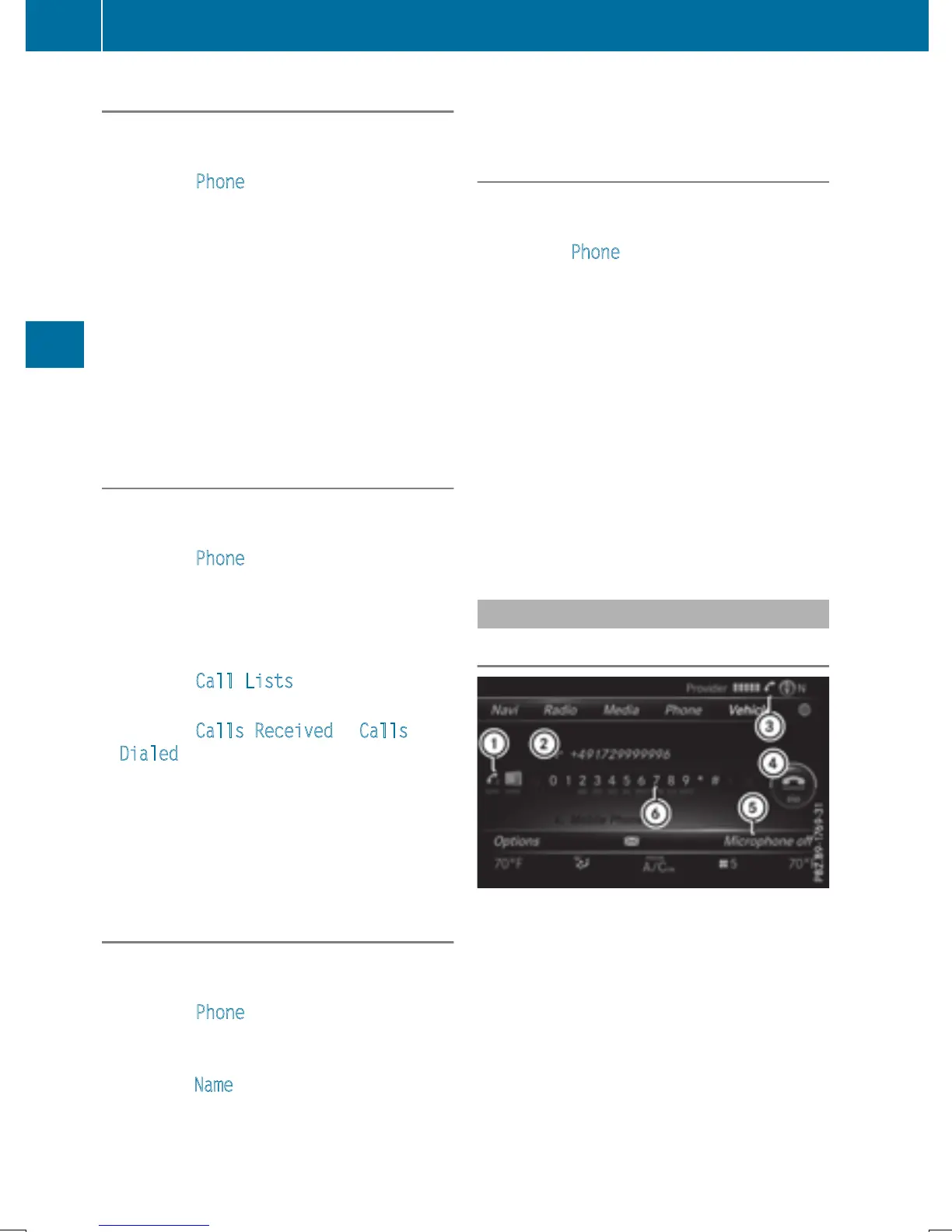
Functions available during a call
Overview
:
To add a call (Y page 121)
;
Person you are calling
=
Symbol for active telephone connection
?
To end a call
A
To switch the microphone on/off
(
Y page 121)
B
To send DTMF tones (not possible with all
mobile phones) (
Y page 121)
120
Using the telephone
Telephone







 To Next Page