R
Center
Entering a center will delete a previously
entered street.
R
Intersection
Entering an intersection will delete a previ-
ously entered house number.
X
Call up the address entry menu
(
Y page 63).
X
To select State/Province, ZIP Code,
Center
or Intersection: turn, slide 6
and press the controller.
X
Enter and select the address element.
Saving an address
You can store the address entered as:
R
a home address in the address book
R
a navigable address book contact
For further information on the address
book, see (
Y page 127)
R
a personal destination on the SD memory
card (
Y page 96)
X
Call up the address entry menu
(
Y page 63).
X
To select Save: slide 6, turn and press
the controller.
X
As the home address: select As "My
Address".
COMAND stores your home address under
My Address
in the list of contacts.
X
As a contact: select As New Contact.
X
Select Not Classified, Home or Work.
X
Enter a surname and first name
(
Y page 32).
X
To select OK: turn and press the controller.
The destination address is saved in the
address book as a navigable contact.
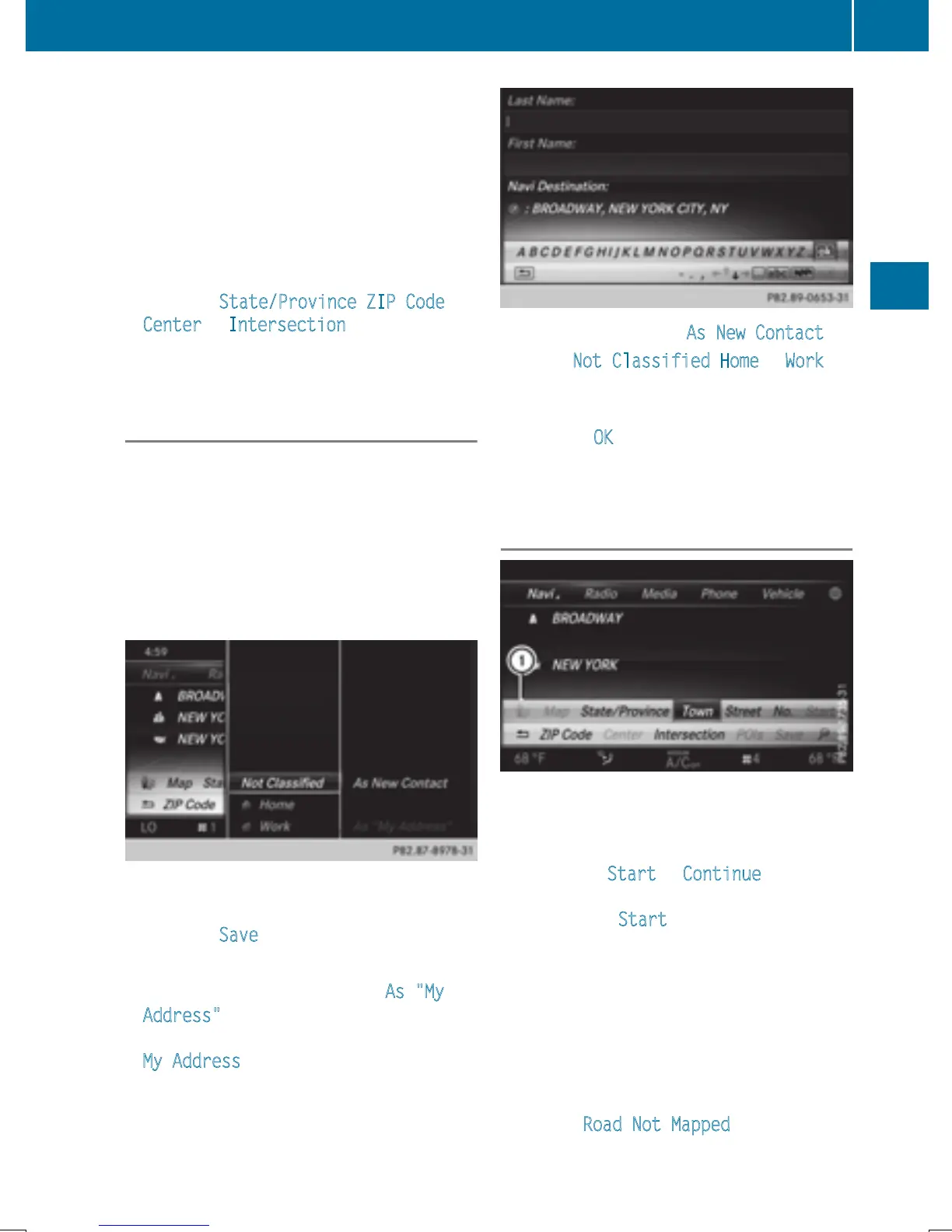
Starting route calculation
:
To view the vicinity of the destination
The entered destination appears in the
address entry menu.
X
To confirm Start or Continue: press the
controller.
If you select Start
: the route is calculated
with the current route settings (
Y page 60).
While route calculation is in progress, an
arrow will indicate the direction to your
destination. Once the route has been cal-
culated, route guidance begins. If the vehi-
cle is traveling on a non-digitized road, the
system displays the linear distance to the
destination, the direction to the destination
and the Road Not Mapped
message.
Destination entry
65
Navigation
Z


 To Next Page
 Loading...




