Your COMAND equipment
i
These operating instructions describe all
the standard and optional equipment of
your COMAND system, as available at the
time of going to print. Country-specific dif-
ferences are possible. Bear in mind that
your vehicle may not feature all functions
described here. This also applies to safety-
relevant systems and functions.
i
Read the information on qualified special-
ist workshops in the vehicle Operator's
Manual.
Switching on the radio
X
To display the main function bar: slide 5
the controller.
X
To select Radio: turn and press the con-
troller.
The radio display appears. You will hear the
last station played on the last waveband
selected.
Switching HD Radio on/off
X
In radio mode: slide 6 the controller.
X
Select Options.
X
By selecting O or ª before HD radio, you
determine whether HD radio is switched on
or off.
If HD radio is switched off, the system does
not switch to digital radio and it is not possible
to select any sub-channels.
i
HD Radio™ and the HD, HD Radio, and
“Arc” logos are proprietary trademarks of
iBiquity Digital Corp.
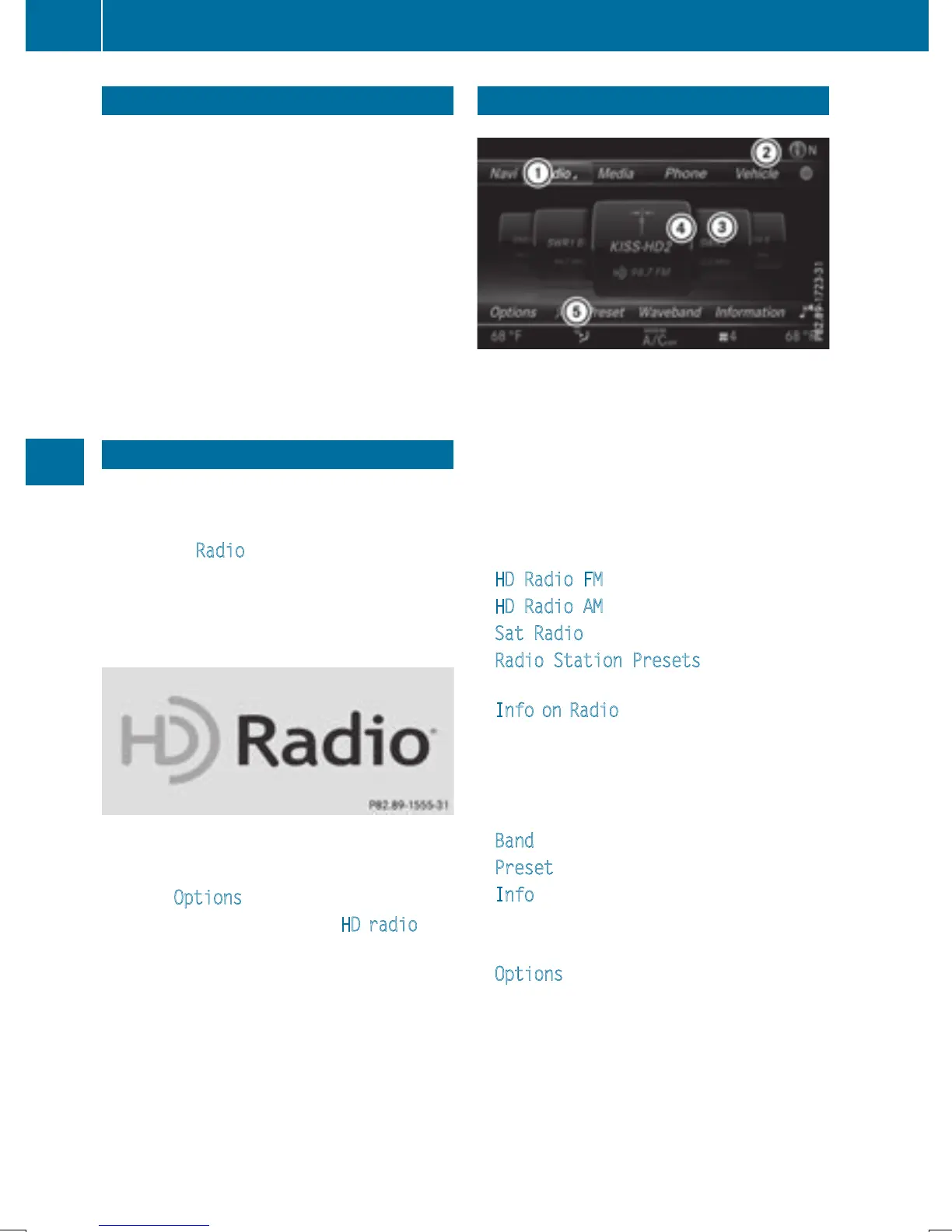
Overview
:
Main function bar
;
Status bar with compass display
=
Main display field with available stations
and relevant information
?
Display of radio station selected
A
Radio menu bar
The following functions are available
using the radio main function bar:
R
HD Radio FM: HD FM radio mode
R
HD Radio AM: HD MW radio mode
R
Sat Radio: satellite radio
R
Radio Station Presets: 100 preset
positions for radio stations
R
Info on Radio: information on radio in the
Digital Operator's Manual
The following functions are available
using the radio menu bar:
R
è: searches for stations by name
R
Band: selects wavebands
R
Preset: station presets menu
R
Info: displays additional information about
the current station (radio text)
R
à: sound settings, Burmester
®
sound
R
Options: radio options
168
Overview
Radio



 To Next Page
 Loading...



