Character entry (telephony)
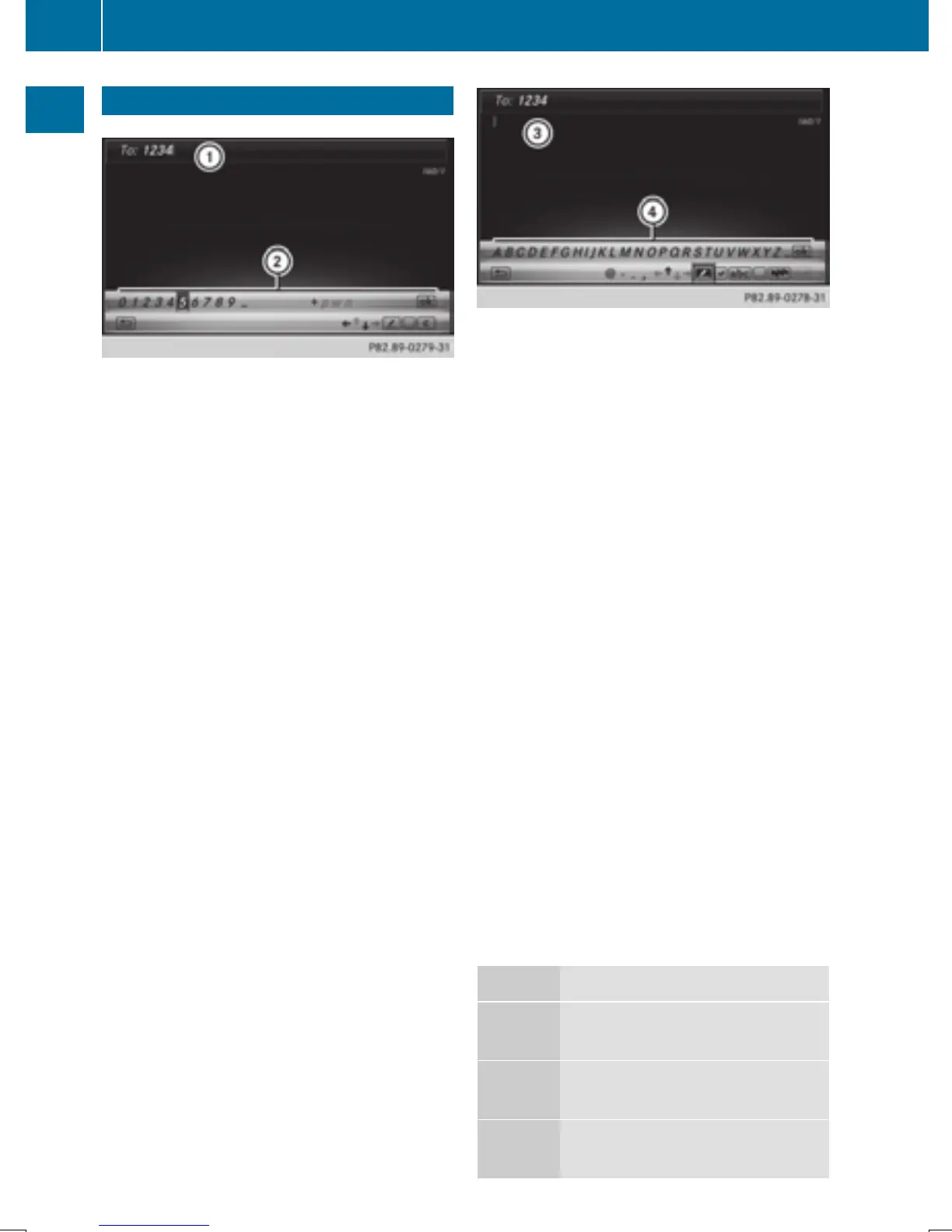
Writing a text message is used as an example.
Further information on writing a text message
(
Y page 141).
X
To select a character: turn and press the
controller.
The character selected in character bar ;
is entered into telephone number input
line :.
X
To delete a character: switch to the bot-
tom line of the character bar by sliding 6
the controller.
X
To select F: turn and press the controller.
The character last entered is deleted.
X
To switch input line: switch to the bottom
line of the character bar by sliding 6 the
controller.
X
To select 5, turn and press the controller.
or
X
Slide 5 the controller repeatedly until the
character bar disappears.
X
To select the input line for the text of
the text message: slide 6 and press the
controller.
The input line for the text of the text mes-
sage is selected. The character bar has
been adapted for entering text.
X
To select a character: turn and press the
controller.
The character selected in character bar ?
is entered into text message input line =.
X
To delete a character: switch to the bot-
tom line of the character bar by sliding 6
the controller.
X
To select F, turn and press the controller.
The character last entered is deleted.
X
To delete an entire entry: switch to the
bottom line of the character bar by sliding
6 the controller.
X
To select F, turn the controller.
X
Press and hold the controller until the
entire entry is deleted.
X
To change the country setting of the
character bar: switch to the bottom line of
the character bar by sliding 6 the con-
troller.
X
To select B, turn and press the control-
ler.
The available languages are displayed.
X
Turn and press the controller.
Further functions available in the charac-
ter bar
Symbol Function
Ä
Switches between digits and
symbols
*
Switches the character bar to
uppercase/lowercase letters
B
Changes the country setting for
the character bar
32
Character entry (telephony)
Overview and operation


 To Next Page
 Loading...




