must be set to à (see the vehicle Opera-
tor's Manual).
The exterior lighting remains on for
60 seconds after the engine is switched off. If
you close all the doors and the tailgate, the
exterior lighting switches off after the set
time.
X
Call up Vehicle Settings (Y page 50).
X
To select Exterior Lighting Delayed
Switch-off: turn and press the controller.
The setting element is active.
X
To change the delayed switch-off time: turn
the controller.
Rear view camera
General notes
The rear view camera covers the immediate
surroundings of the vehicle and assists you
when parking.
The rear view camera is only an aid. It is not a
replacement for your attention to your imme-
diate surroundings. You are always responsi-
ble for safe maneuvering and parking. When
maneuvering or parking, make sure that there
are no persons, animals or objects in the area
in which you are maneuvering.
You can find further information about the
rear view camera in the vehicle Operator's
Manual.
Switching the rear view camera auto-
matic mode on/off
This function activates the rear view camera
when reverse gear is engaged.
X
Press Vehicle in the main function bar.
The vehicle menu is displayed.
X
Slide 6 the controller.
X
To select System Settings: turn and
press the controller.
X
Select Rear View Camera.
The Rear View Camera
menu appears.
X
Select Activation by R gear.
The function is switched on O or off ª,
depending on the previous status.
For further information on the rear view cam-
era (see the vehicle Operator's Manual).
Climate control settings
Overview
You can adjust the climate control settings
using the climate control bar (
Y page 52) or
the climate control menu (
Y page 53).
You can set the most important climate con-
trol functions, such as temperature
(
Y page 53), airflow (Y page 53) and air
distribution (
Y page 53) using the climate
control bar. The climate control bar is visible
in most displays.
You can find all available climate control func-
tions in the climate control menu. You can use
the climate control bar (Y page 52) to
switch to the climate control menu.
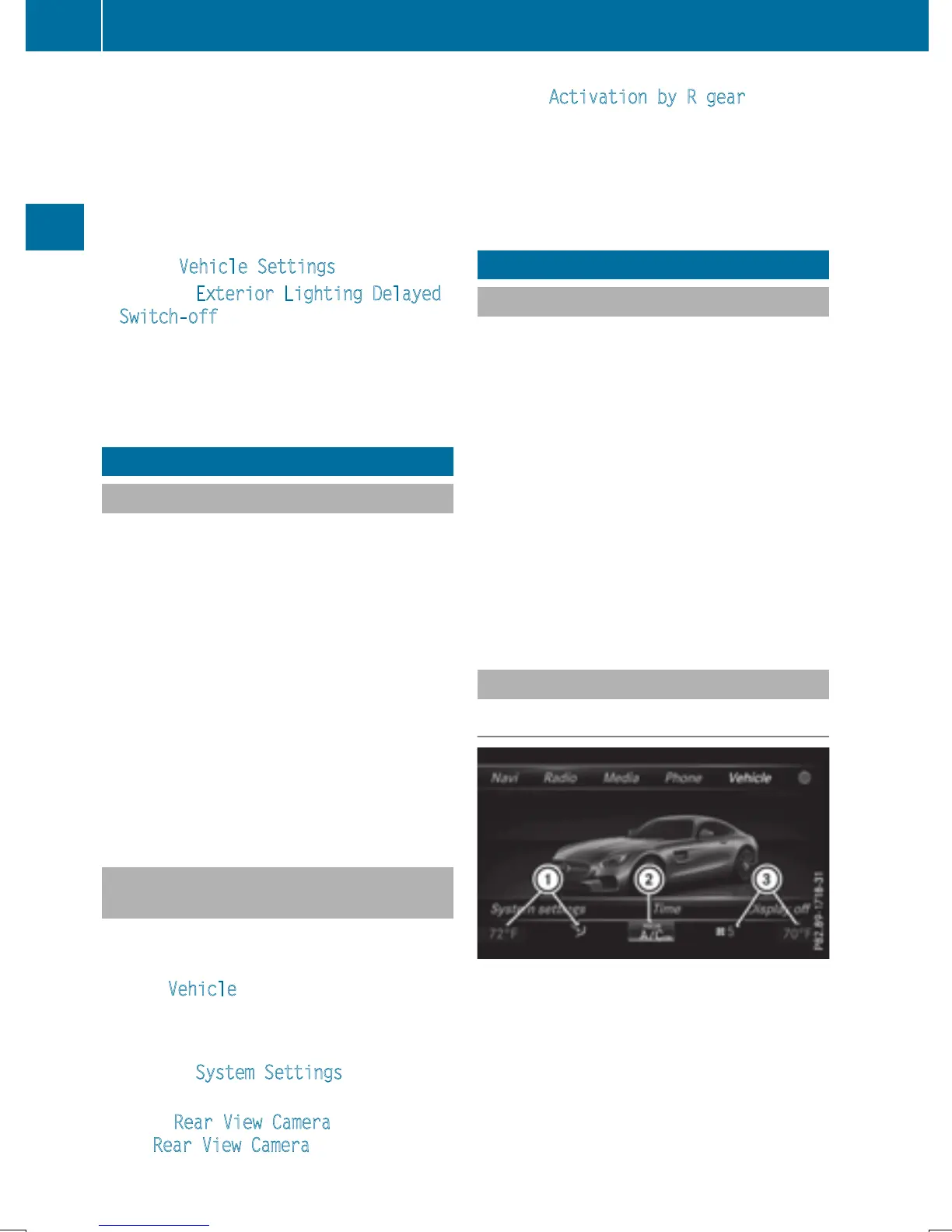
Settings in the climate control bar
Overview
:
Adjusts temperature and air distribution
and displays the current setting
;
Calls up the climate control menu, dis-
plays the current cooling and climate
mode setting
=
Adjusts air distribution and temperature
and displays the current setting
52
Climate control settings
Vehicle functions


 To Next Page
 Loading...




