X
To call up Display camera perspectives:
turn and press the controller
Stop function
X
Show the DVD functions (Y page 206).
X
Interrupting playback
To select É from the DVD functions
menu: turn and press the controller.
The Ë display changes to Ì. The
video image is hidden.
X
To continue playback: select Ì.
Playback continues from the point where it
was interrupted.
X
To stop playback: select É again while
playback is interrupted.
X
To start playback again: select Ì.
Playback restarts from the beginning.
Pause function
X
Show the DVD functions (Y page 206).
X
Pausing playback
To select Ë: turn and press the control-
ler.
The Ë display changes to Ì.
X
To continue playback: select Ì.
Selecting a scene/chapter
If the film is divided into scenes and chapters,
you can select these directly while the film is
running or you can skip progressively through
them. This is not possible at certain points for
some DVDs (e.g. during the opening credits).
It may also be possible to select the scene
and chapter from the functions stored on the
DVD.
X
To skip forwards or back: in the video
menu, turn the controller.
The next or previous scene in the film is
skipped to.
i
The DVD functions can also be used to
make selections (
Y page 206).
Picture viewer
General notes
If there are pictures on the active data
medium, you can view them on the COMAND
display.
The following data media and picture formats
are supported:
R
Data media: MEDIA REGISTER, CD, DVD,
USB devices, SD memory cards
R
Picture formats: jpeg, jpg, bmp, png
The maximum image resolution is 20 mega-
pixels
It is not possible to view a picture from the
driver's side while the vehicle is in motion.
Displaying pictures
X
In media mode, slide 6 the controller.
The media menu bar is shown.
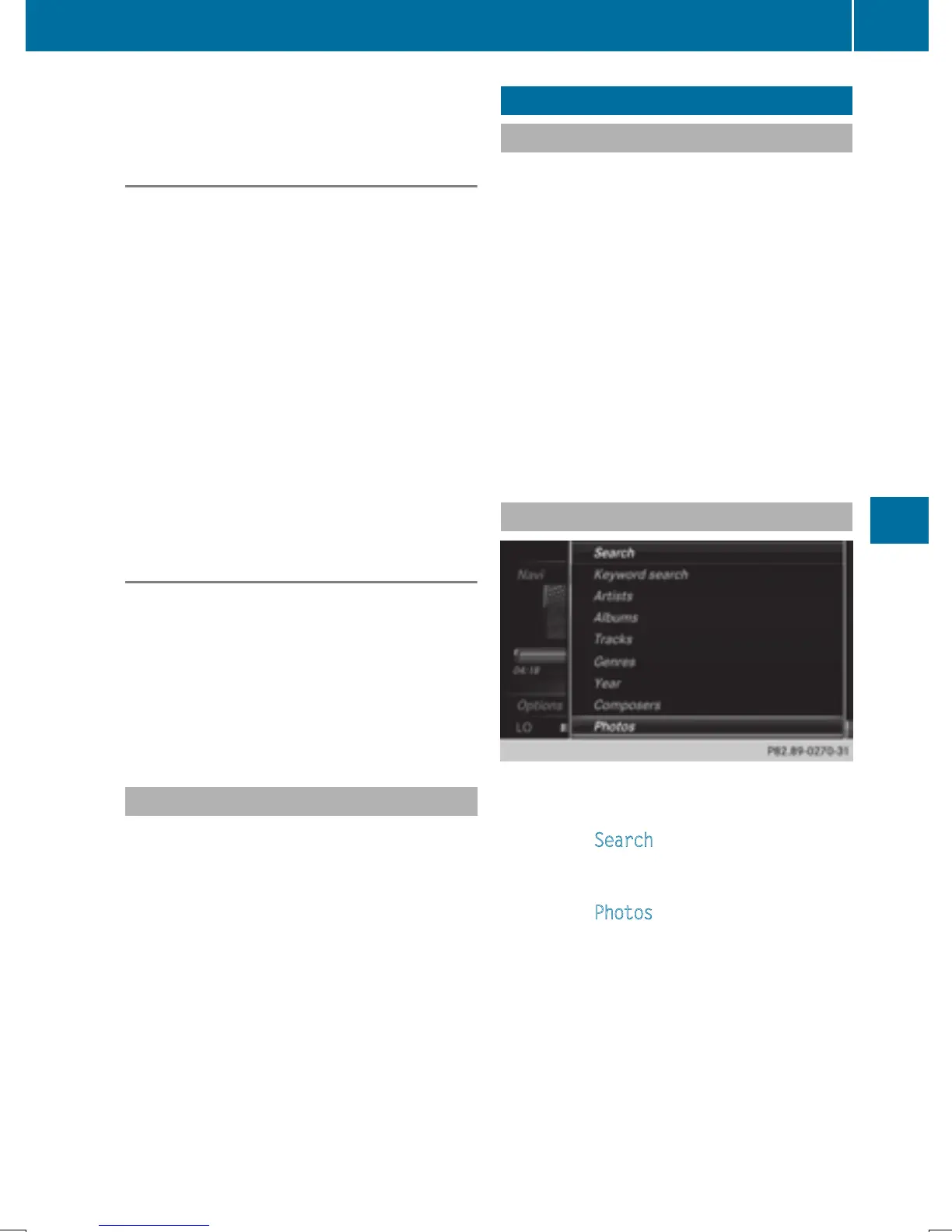
X
To select Search: turn and press the con-
troller.
The category list appears.
X
To select Photos: turn and press the con-
troller.
A directory list appears. Folders and picture
files can be shown.
X
Select a folder or picture.
If there is no picture on the data medium,
an empty list is shown.
You can search for pictures on other data
media.
Picture viewer
207
Media
Z


 To Next Page
 Loading...




