General notes
Before using your Bluetooth
®
audio device
with COMAND for the first time, you will need
to authorize it.
When you authorize a new Bluetooth
®
audio
device, it is connected automatically. Con-
nection involves first searching for a Blue-
tooth
®
audio device and then authorizing it.
You can authorize up to fifteen Bluetooth
®
devices.
i
If you authorize a mobile phone that sup-
ports Bluetooth
®
audio, the A2DP and
AVRCP Bluetooth
®
audio profiles are con-
nected automatically.
The mobile phone is then entered:
R
in the Bluetooth
®
telephone list
(
Y page 115)
R
in the Bluetooth
®
device list
(
Y page 195)
Mercedes-Benz recommends authorizing a
mobile phone in Bluetooth
®
telephony
(
Y page 116).
i If the mobile phone that is connected only
supports two Bluetooth
®
profiles at the
same time, COMAND functions may
behave as follows:
R
when connecting to the Internet, play-
back is stopped on the Bluetooth
®
audio
device.
R
when starting playback on the Blue-
tooth
®
audio device, the Internet con-
nection is ended.
Searching for and authorizing a Blue-
tooth
®
audio device
Switching to Bluetooth
®
audio mode
X
To display the main function bar: slide 5
the controller.
X
To select Media: turn and press the con-
troller.
The last media source you have set is dis-
played.
X
To select Media: slide 5 and press the
controller.
X
To select Bluetooth Audio: turn and
press the controller.
A menu appears.
If you see the No Bluetooth Audio
Device Connected message, you will
need to authorize the Bluetooth
®
audio
device first.
X
To select Options in the Bluetooth audio
menu: slide 6 the controller and press to
confirm.
X
To select Bluetooth Audio Devices:
press the controller.
A new menu appears.
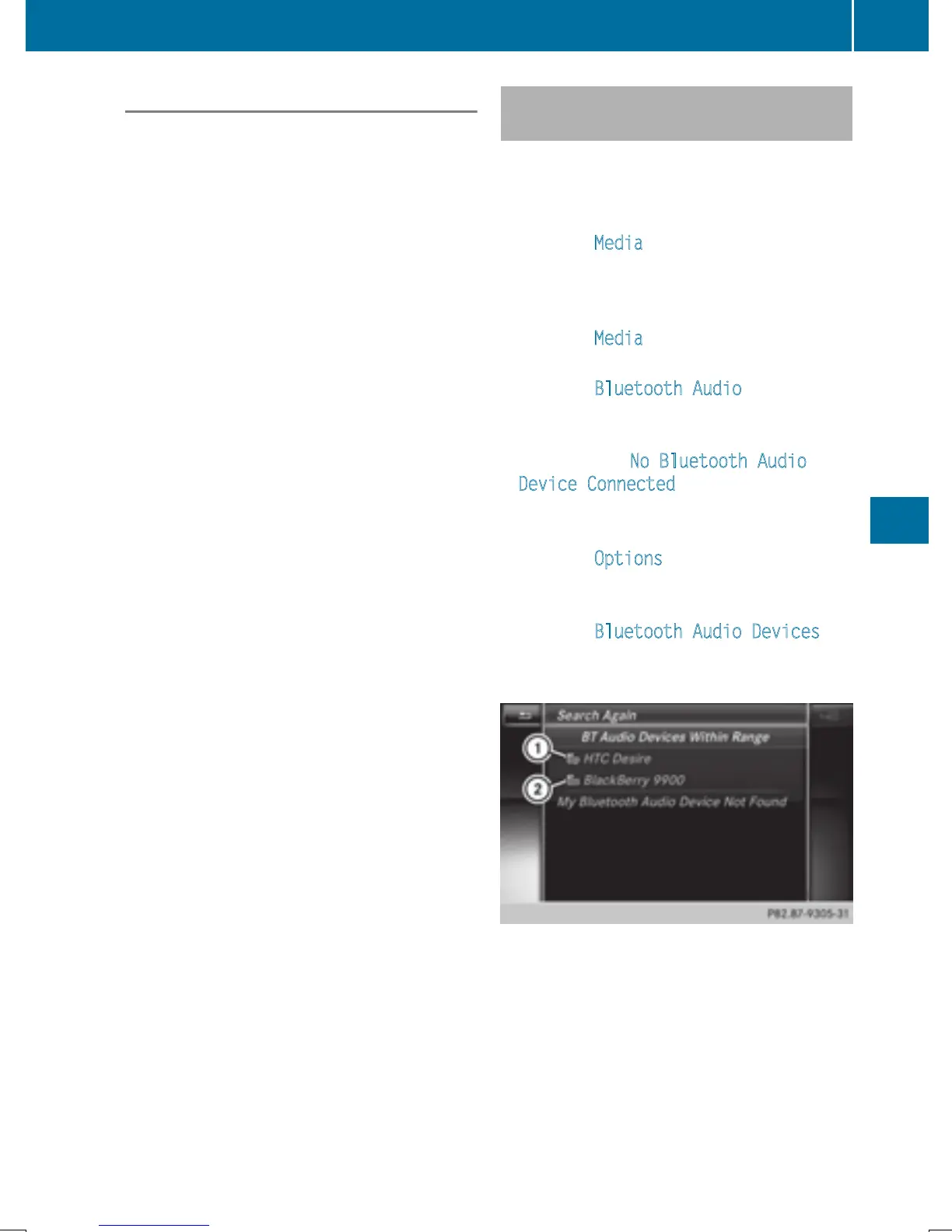
:
Bluetooth
®
audio player within range and
already authorized
;
Newly detected mobile phone with Blue-
tooth
®
audio mode in range
The Bluetooth
®
device list displays all author-
ized devices, whether they are within range or
not. After a device search, devices which are
within range but not authorized are also dis-
played.
Bluetooth
®
audio mode
195
Media
Z







 To Next Page