Selecting a playback mode
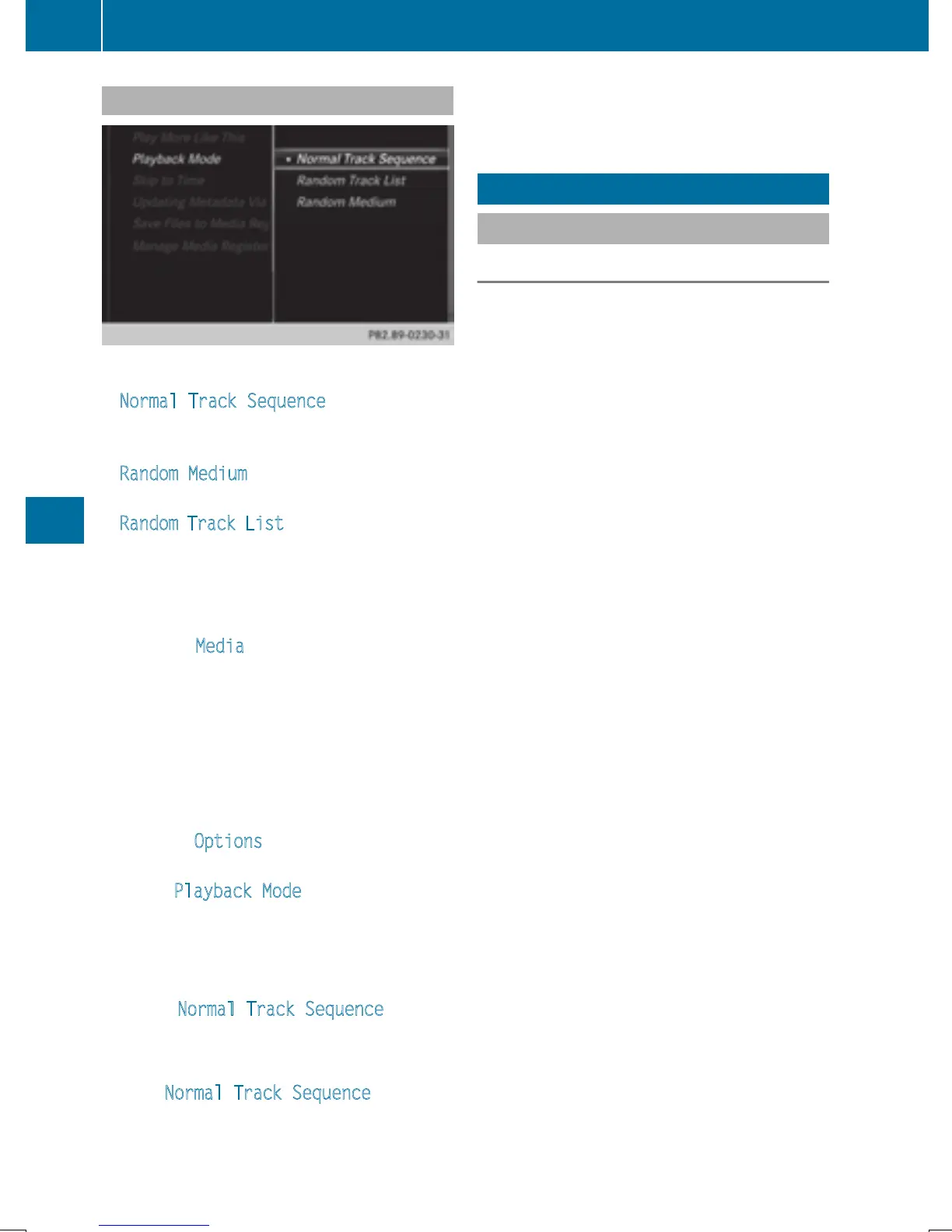
The following options are available:
R
Normal Track Sequence: the tracks are
played in the normal order (e.g. track 1, 2, 3
etc.).
R
Random Medium: all the tracks on the
medium are played in random order.
R
Random Track List: the tracks in the cur-
rently active track list are played in random
order.
X
To show the main function bar: slide 5
the controller.
X
To select Media: turn and press the con-
troller.
The menu appears with the available media
sources.
X
To select the media source: turn the con-
troller and press to confirm.
X
To switch to the menu bar: slide 6 the
controller.
X
To select Options: turn and press the con-
troller.
X
Select Playback Mode.
The options list appears. The # dot indi-
cates the current setting.
X
Select the desired option.
The option is switched on. For all options
except Normal Track Sequence
, you will
see a corresponding icon in the main dis-
play.
i
The Normal Track Sequence option is
automatically selected when you change
the disc you are currently listening to or
when you select a different medium. If an
option is selected, it remains selected after
COMAND is switched on or off.
Bluetooth
®
audio mode
Connecting Bluetooth
®
audio devices
Requirements
X
Activate the Bluetooth
®
function in
COMAND (
Y page 44).
Bluetooth
®
audio mode requires a Blue-
tooth
®
-capable audio device.
Check your Bluetooth
®
audio device for the
following (see the manufacturer's operating
instructions):
R
Bluetooth
®
audio profile
The Bluetooth
®
audio device must support
the A2DP and AVRCP Bluetooth
®
audio
profiles.
R
Bluetooth
®
visibility
Certain Bluetooth
®
audio devices do not
just require activation of the Bluetooth
®
function. In addition, your device must be
made "visible" to other devices.
R
Bluetooth
®
device name
This device name is predetermined but can
usually be changed. For a clear selection of
the Bluetooth
®
device, Mercedes-Benz rec-
ommends that you customize the device
name.
i
A2DP (Advanced Audio Distribution
Profile): Bluetooth
®
audio profile for audio
data transmission
AVRCP (Audio Video Remote Control
Profile): Bluetooth
®
audio profile for audio
data playback.
i
The Bluetooth
®
device must be visible for
authorization. After authorization,
COMAND even finds the Bluetooth
®
device
when it is not visible.
194
Bluetooth
®
audio mode
Media


 To Next Page
 Loading...




