Selection Continue: If Calculate Alter‐
native Routes is activated, alternative
routes are calculated (
Y page 61). You can
display these and select them for route
guidance (
Y page 88).
If route guidance has already been activa-
ted, a prompt will appear asking whether
you wish to end the current route guidance.
X
To select Yes or Set as Intermediate
Destination: turn and press the control-
ler.
Yes
cancels the current route guidance and
starts route calculation to the new destina-
tion.
Set as Intermediate Destination
adds the new destination in addition to the
existing destination and opens the inter-
mediate destinations list.
i
The route is calculated using the digital
map data. The calculation time depends on
the distance from the destination, for
example.
The calculated route may differ from the
ideal route, e.g. due to roadworks or incom-
plete map data. Please also refer to the
notes about the digital map (
Y page 104).
X
To call up the keyword search: select
è by sliding 6, turning and pressing
the controller in the address entry menu.
X
To view the vicinity of the destination:
to select :, turn and press the controller.
You can explore the destination area.
Requirement for exploring a destination
(USA): mbrace must be activated for Inter-
net access (
Y page 148).
Requirement for exploring a destination
(Canada): a mobile phone must be connec-
ted via Bluetooth
®
(Y page 114) or USB
(
Y page 200) with COMAND.
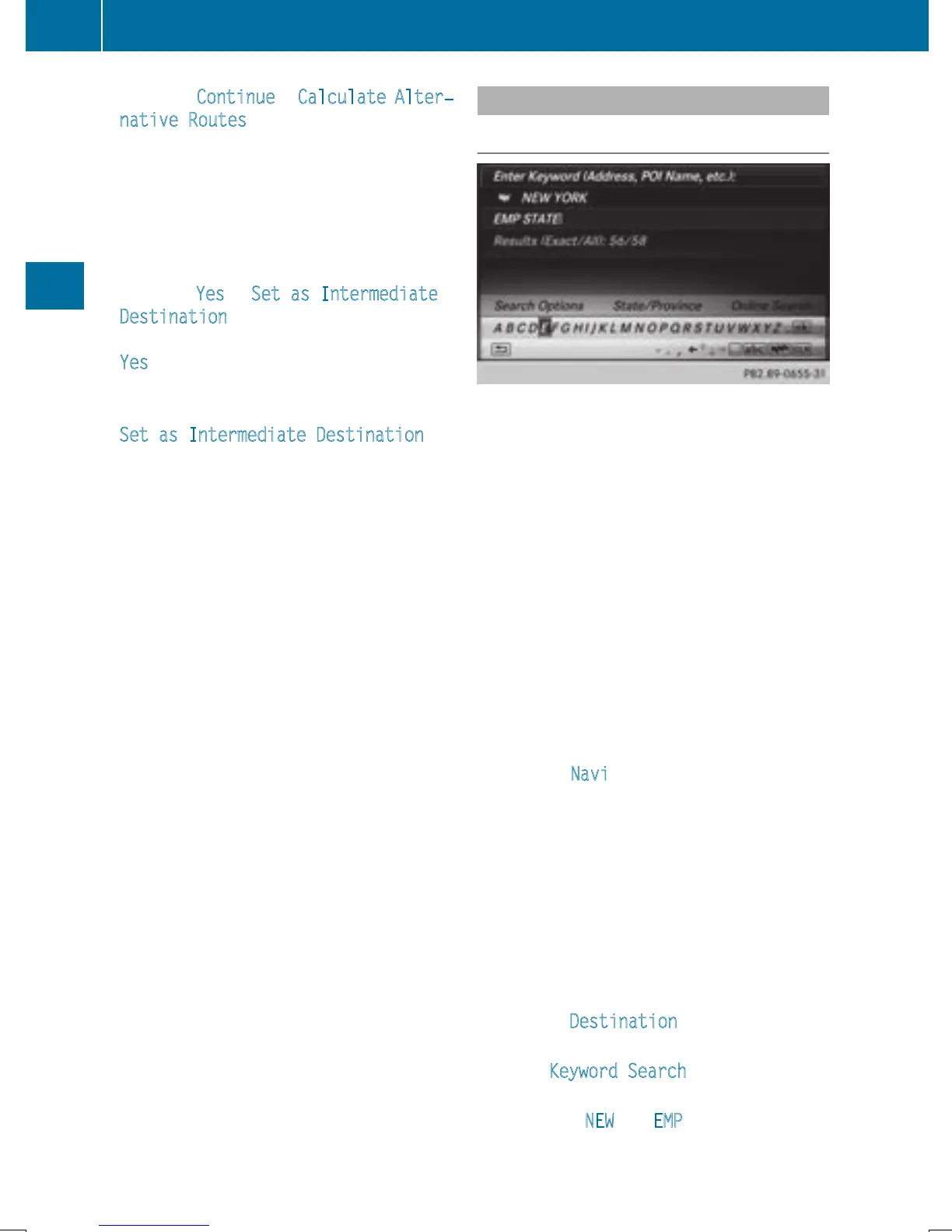
Keyword search
Entering keywords
The keyword search is used to help find des-
tinations using fragments of words. The key-
word search is tolerant of errors.
It can be used for an address or a POI. For
example, you can search for the Empire State
Building in New York.
The keyword search finds geographically tol-
erant hits. If, for example, you are searching
for a street located on the edge of a major
city, the search will also cover adjacent
smaller cities.
The keyword search supports languages
using Latin characters.
X
To switch to navigation mode: slide 5
the controller.
X
To select Navi: turn and press the control-
ler.
The map displays the current vehicle posi-
tion or the navigation menu appears.
X
If the navigation menu appears, press the
controller.
The map shows the vehicle's current posi-
tion.
X
To show the menu: slide 6 the control-
ler.
X
To select Destination: turn and press the
controller.
X
Select Keyword Search.
X
Enter the first few letters of the city and
street, e.g. NEW
and EMP.
While entering the information, the number
of exact matches/all hits is shown.
66
Destination entry
Navigation


 To Next Page
 Loading...




