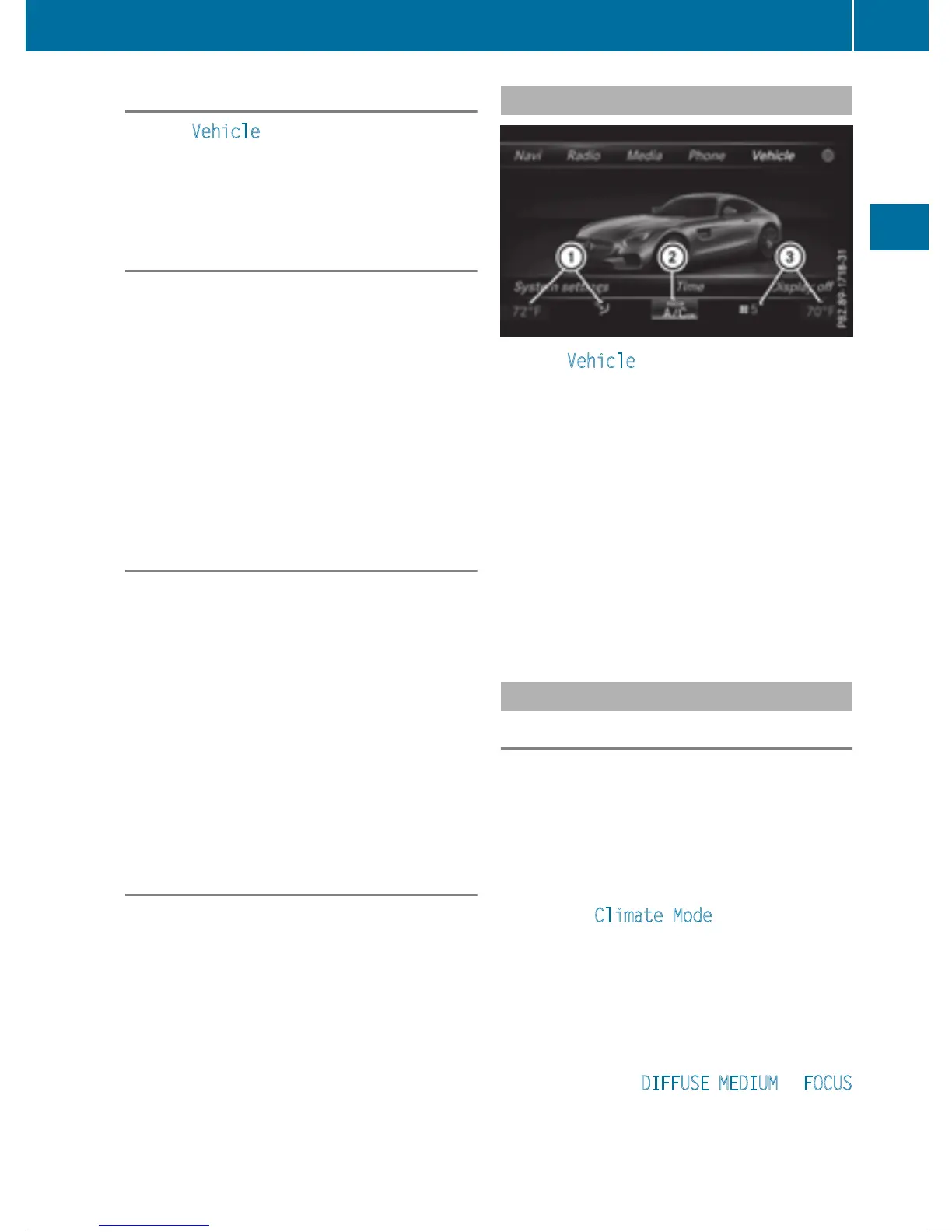
Calling up the climate control bar
X
Press Vehicle in the main function bar.
The vehicle menu is displayed.
X
Slide 6 the controller repeatedly until the
climate control bar is activated.
Setting the temperature
X
Call up the climate control bar (Y page 53).
X
To select the current temperature on the
left or right: turn and press the controller.
The temperature setting scale appears.
X
To change the setting: turn the controller.
X
To close the temperature setting scale:
press the controller.
i
You can also use the climate control menu
to set the temperature (
Y page 53).
Setting the air distribution
X
Call up the climate control bar (Y page 53).
X
To select the current air distribution display
on the left or right, e.g. O: turn and
press the controller.
The air distribution setting scale appears.
X
To change the setting: turn the controller.
X
To close the temperature setting scale:
press the controller.
i
You can also use the climate control menu
(
Y page 53) to set the air distribution.
Setting the airflow
X
Call up the climate control bar (Y page 53).
X
To select J: turn and press the control-
ler.
The airflow setting scale appears.
X
To change the setting: turn the controller.
X
To close the temperature setting scale:
press the controller.
i
You can also use the climate control menu
(
Y page 53) to set the airflow.
Calling up the climate control menu
X
Press Vehicle in the main function bar.
The vehicle menu is displayed.
X
Slide 6 the controller repeatedly until the
climate control bar is activated.
X
To select from climate control bar ;: turn
and press the controller.
The menu for selecting climate control
functions is activated.
X
To select the desired climate control func-
tion: turn and press the controller.
The selected climate control function
appears.
Settings in the climate menu
Adjusting the climate mode settings
By setting the climate mode you determine
the type of airflow. The setting is active when
the air-conditioning system is set to Ã,
see the vehicle Operator's Manual.
X
Call up the climate control menu
(
Y page 53).
X
To select Climate Mode: turn and press
the controller.
X
To change the setting: turn the controller.
Exiting a menu
X
Press the % button.
The current airflow setting is shown in the cli-
mate control bar: DIFFUSE
, MEDIUM or FOCUS
(Y page 52).
Climate control settings
53
Vehicle functions
Z


 To Next Page
 Loading...




