X
To select SIRIUS Weather: turn and press
the controller.
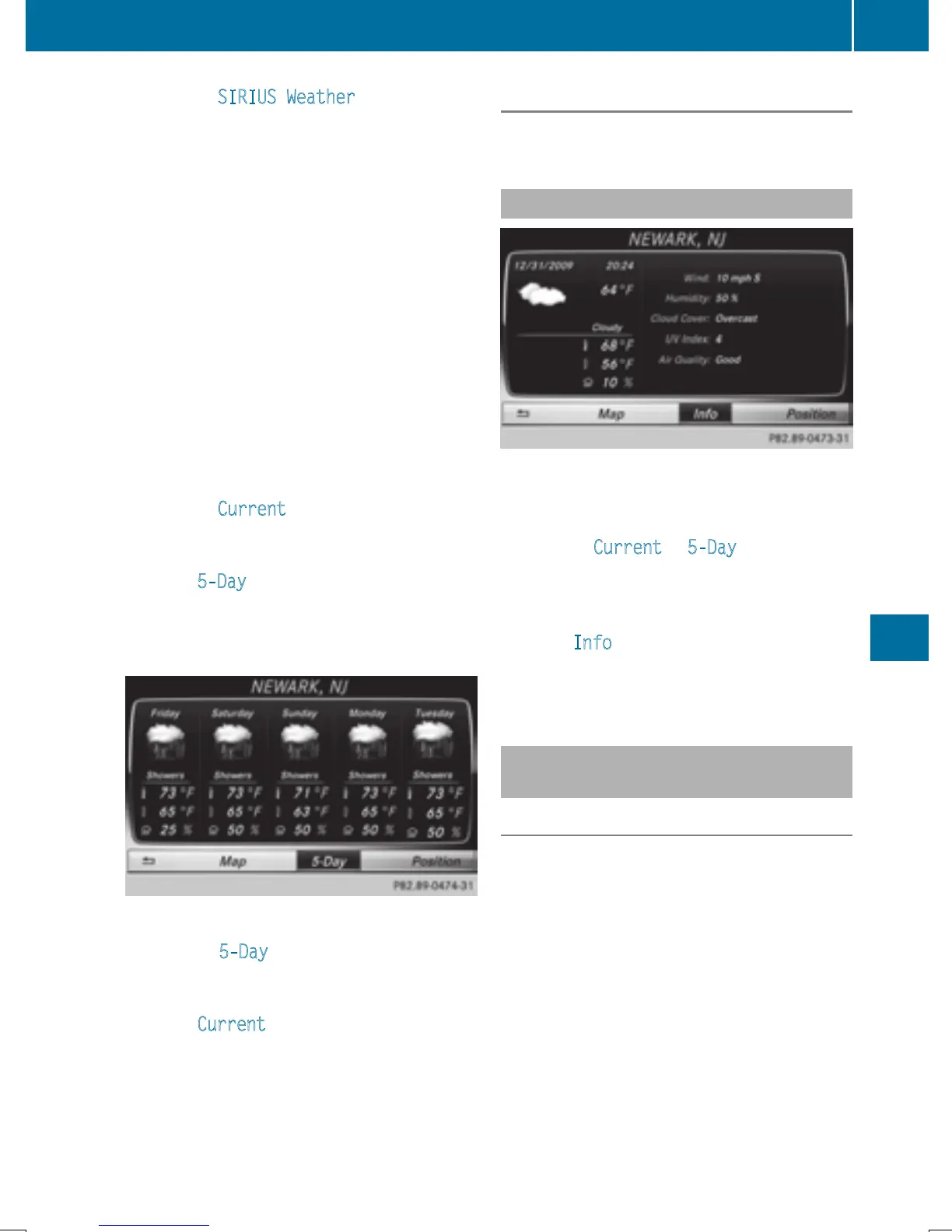
The information chart shows the daily fore-
cast at the current vehicle position.
You see the following information:
R
the date and time of the weather message
received last
R
information on the current weather (tem-
perature, cloud cover) and forecast for the
next 3, 6, 12 hours
R
the current highest temperature and fore-
casts
R
the current lowest temperature and fore-
casts
R
the probability of rain
Switching to the 5-day forecast:
X
To select Current: turn and press the con-
troller.
A menu appears.
X
Select 5-Day.
The information chart displays the forecast
for the next five days in the currently selec-
ted location.
Returning to the current-day forecast:
X
To select 5-Day: turn and press the con-
troller.
A menu appears.
X
Select Current.
The information chart shows the forecast
for the current day again.
Deactivating
X
Press %.
Displaying detailed information
Besides the current temperatures, you can
display information such as wind speeds and
UV index.
X
To select Current or 5-Day in the current-
day or 5-day forecast: turn and press the
controller.
A menu appears.
X
Select Info.
The information chart shows detailed infor-
mation for the selected area.
Selecting the area for the weather
forecast
Introduction
You can select the weather forecasts for:
R
the current vehicle position
R
vicinity of the destination
R
a winter sports area
R
an area within the USA
You can select a location in the information
chart (option 1) or in the map (option 2). You
can store frequently selected locations in the
memory (
Y page 219).
i
COMAND receives the data for the
weather forecasts from the nearest
weather station to the selected location.
Weather forecasts
217
SIRIUS Weather







 To Next Page