X
To select a character suggestion: turn
the controller.
The selected character is used for the list
display instead of the automatically recog-
nized character. Character entry can be
continued.
X
To delete a character: touch the touch-
sensitive surface with your finger and glide
your finger to the left.
The character last entered is deleted.
X
To finish the entry and switch back to the
list: press the touchpad.
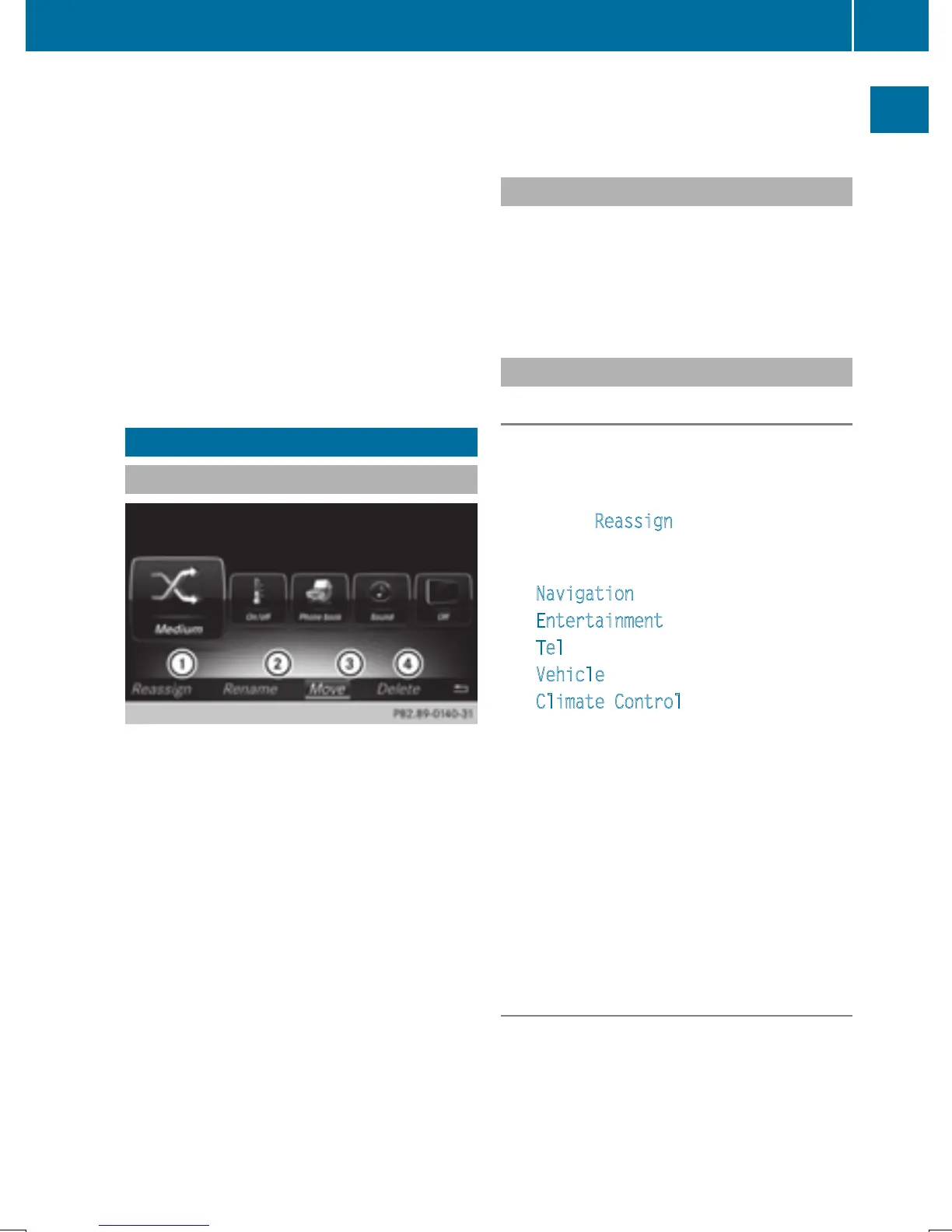
Favorites
Overview of favorites
:
To add a new favorite (Y page 35)
;
To rename a selected favorite
(
Y page 36)
=
To move a selected favorite
(
Y page 36)
?
To delete a selected favorite
(
Y page 36)
X
To display the favorites overview: press
the favorites button on the controller.
X
To show the menu bar: slide 6 the con-
troller.
You can manage a total of 20 favorites.
To do so use the following functions:
R
Displaying and selecting favorites
(
Y page 35)
R
Adding favorites (Y page 35)
R
Renaming favorites (Y page 36)
R
Moving favorites (Y page 36)
R
Deleting favorites (Y page 36)
Displaying and selecting favorites
X
To display the favorites overview: press
the favorites button on the controller.
X
To call up favorites: turn and press the
controller.
Adding favorites
Adding predefined favorites
X
Press the favorites button on the controller.
X
To show the menu bar, slide 6 the con-
troller.
X
To select Reassign: turn and press the
controller.
The categories for favorites are displayed.
R
Navigation
R
Entertainment
R
Tel
R
Vehicle
R
Climate Control
R
®
X
To select a category: turn the controller
and press to confirm.
The available favorites are displayed.
X
To select a favorite: turn and press the
controller.
X
Adding a favorite at the desired posi-
tion: turn and press the controller.
If a favorite is stored over another favorite,
the favorite underneath is deleted.
Adding your own favorites
You can store phone numbers from the phone
book, radio stations or destinations as favor-
ites.
A phone number from the phone book is used
as an example.
Favorites
35
Overview and operation


 To Next Page
 Loading...




