Symbol Function
F
Deletes a character/an entry
4, 5 Selects the input line
2, 3 Moves the cursor within the
input line
¬
Finishes an entry
&
Cancels input
S
Inserts a paragraph
Character entry (navigation)
Character entry options
You can enter characters using the controller
or the touchpad. With the controller, you
enter characters using a character bar. To
enter using the touchpad, draw the character
in the entry field. COMAND supports this
using a handwriting recognition function.
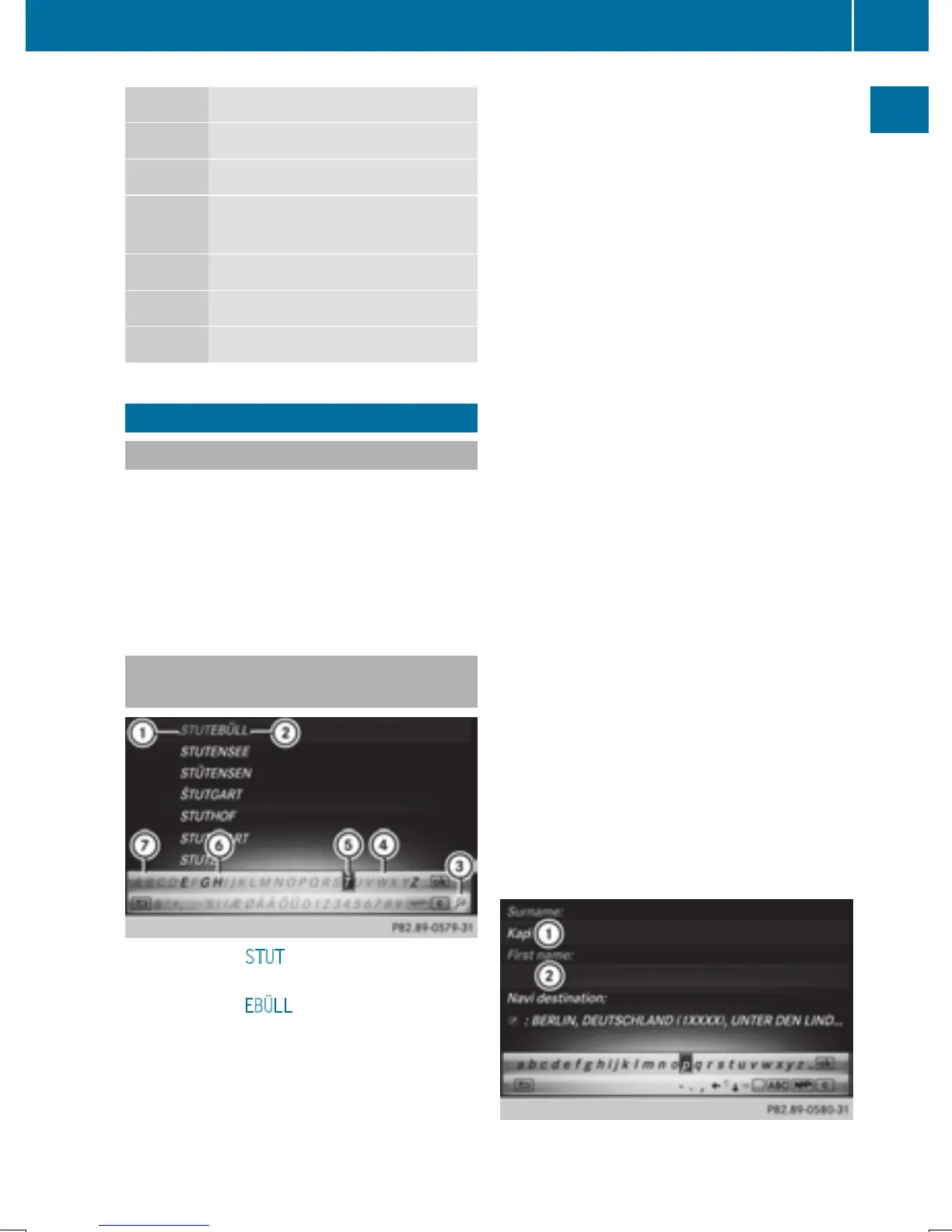
Entering characters using the charac-
ter bar
:
Characters STUT entered by the user
(orange)
;
Characters EBÜLL automatically added by
COMAND
=
To switch to keyword search
?
Characters not currently available
A
Currently selected character
B
Characters currently available
C
Character bar
The example shows the address entry
(
Y page 64).
X
To enter a character: turn, slide 6 or
5 and press the controller.
Selected character : is entered in the
upper line. COMAND adds the missing
characters and shows the entry that best
matches the current input.
The characters are available B or not ?,
depending on the characters already
entered and the data stored in the digital
map.
The G symbol indicates that an entry
exists more than once.
X
To delete a character: slide 6 and turn
the controller, then press it after selecting
F.
X
To delete an entire entry: slide 6 and
turn the controller; then after selecting F
press and hold down the controller until the
entire entry is deleted.
X
To switch to keyword search: slide 6
and turn the controller, then press it after
selecting = (
Y page 66).
X
To confirm an entry: slide 6 and turn
the controller, then press it after select-
ing¬.
or
X
Slide 5 the controller repeatedly until the
character bar disappears.
The location selection list appears. The
selected entry is highlighted.
:
Cursor
;
Entry line
Character entry (navigation)
33
Overview and operation


 To Next Page
 Loading...




