Other functions (Y page 35).
Touchpad
Alternatively, you can use the touchpad to
select and enter information (
Y page 25).
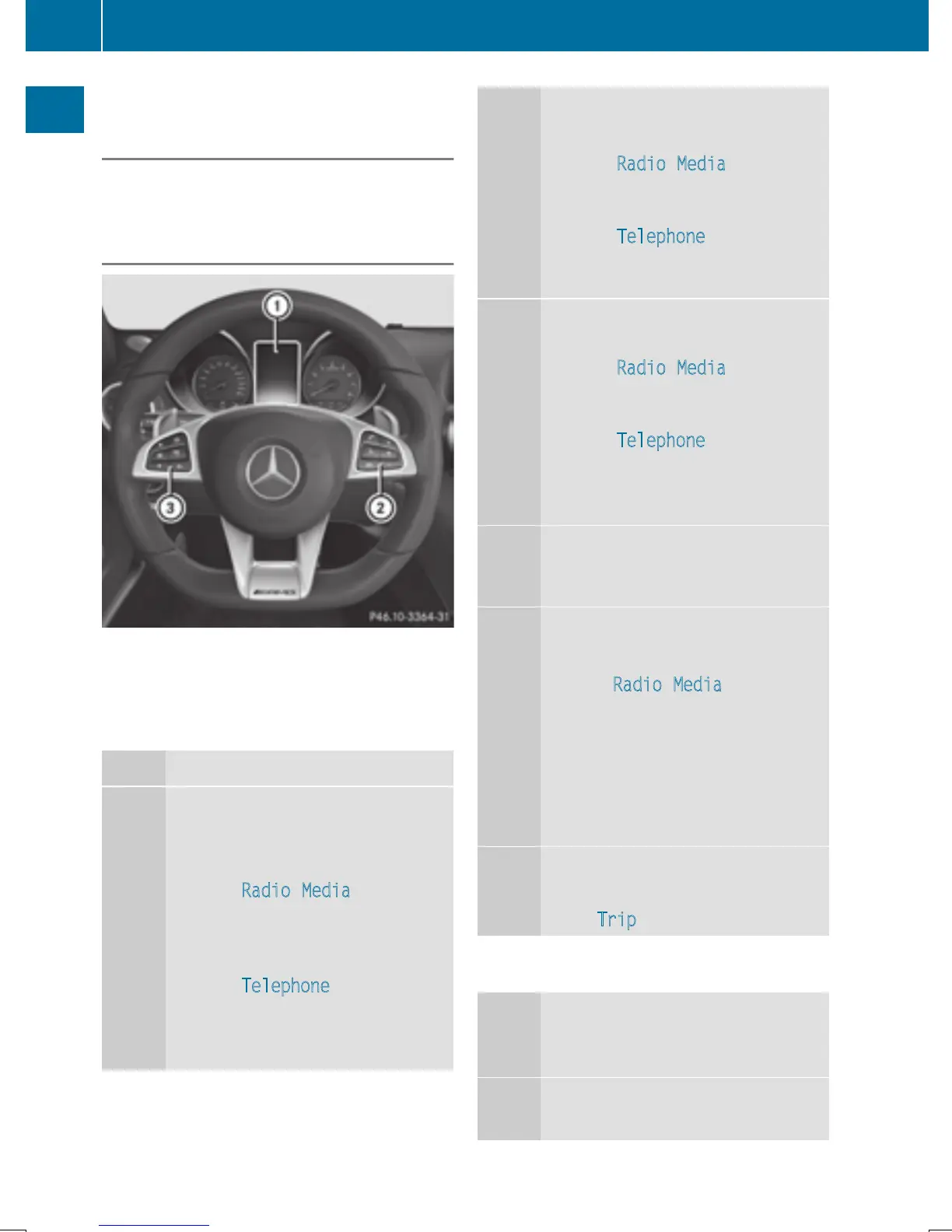
Multifunction steering wheel
:
Multifunction display
;
Right control panel
=
Left control panel
Left control panel
ò
R
Calls up the main menu
9
:
Press briefly:
R
Scrolls in lists
R
Selects a menu or function
R
In the Radio/Media menu:
opens the track or station list
and selects a station, an audio
track or video scene
R
In the Telephone menu:
switches to the phone book and
selects a name or a telephone
number
9
:
Press and hold:
R
Scrolls quickly through all lists
R
In the Radio/Media menu:
selects a station, audio track or
video scene using rapid scrolling
R
In the Telephone menu: starts
rapid scrolling if the phone book
is open
a
R
In all menus: confirms the selec-
ted entry in the list
R
In the Radio/Media menu:
opens the list of available radio
sources and media
R
In the Telephone menu:
switches to the phone book and
starts dialing the selected num-
ber
ñ
Switches off the Voice Control Sys-
tem (see the separate operating
instructions)
%
Press briefly:
R
Back
R
In the Radio/Media menu: dese-
lects the track or station list or
list of available radio sources and
media
R
Hides display messages
R
Exits the telephone book/redial
memory
%
Press and hold:
R
Calls up the standard display in
the Trip
menu
Right control panel
~
R
Rejects or ends a call
R
Exits the telephone book/redial
memory
6
R
Makes or accepts a call
R
Switches to the redial memory
24
Overview
Overview and operation


 To Next Page
 Loading...




