132 SyncServer 600 Series User’s Guide 098-00720-000 Revision D1 – February, 2018
Chapter 4
Navigation Windows
The SyncServer is typically deployed within an enterprise that manages it's own
root and/or intermediate Certification Authorities. The Certificate Signing Requests
generated by the SyncServer will be signed by these internal Certification
Authorities to generate X.509 Certificates that will be installed on the SyncServer.
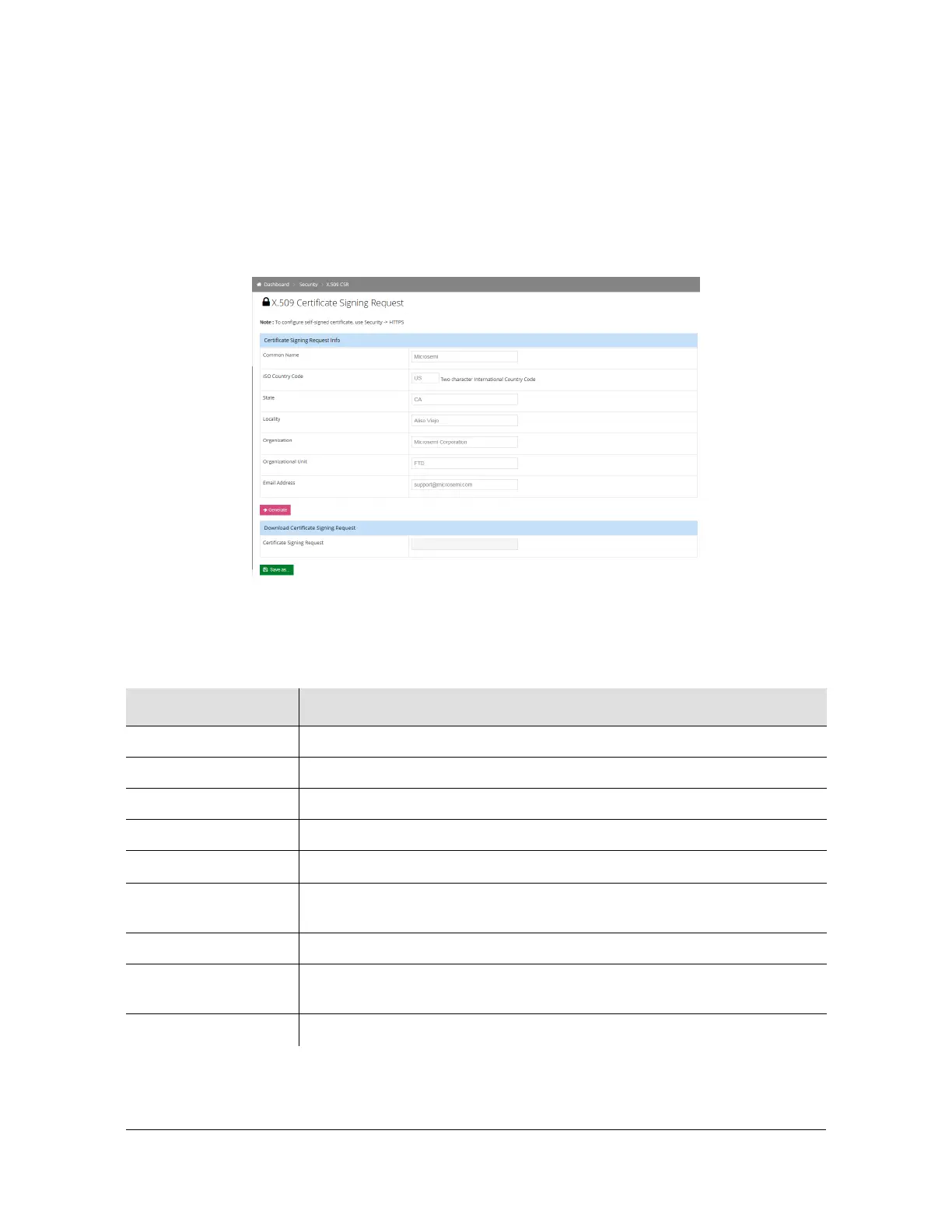
The CSR page accepts the following information from the user:
Figure 4-48. Security - X.509 CSR Window
To learn more, perform an internet search on the terms "SSL Certificate Formats",
"PEM Files" and/or "Converting SSL certificate formats"
Table 4-14. X.509 Configuration Parameters
Parameter / Column Description
Common Name
ISO Country Code
State
Locality
Organization
Organizational Unit
(optional)
Generate The CSR is generated when the "Generate" button is pressed.
Download Certificate
Signing Request
The "Download Certificate Signing Request" section on the page allows
the user to download the CSR as a file.
Save As
This button allows the user to save the CSR on the user’s machine



 To Next Page