40 SyncServer 600 Series User’s Guide 098-00720-000 Revision D1 – February, 2018
Chapter 1 Overview
Physical Description
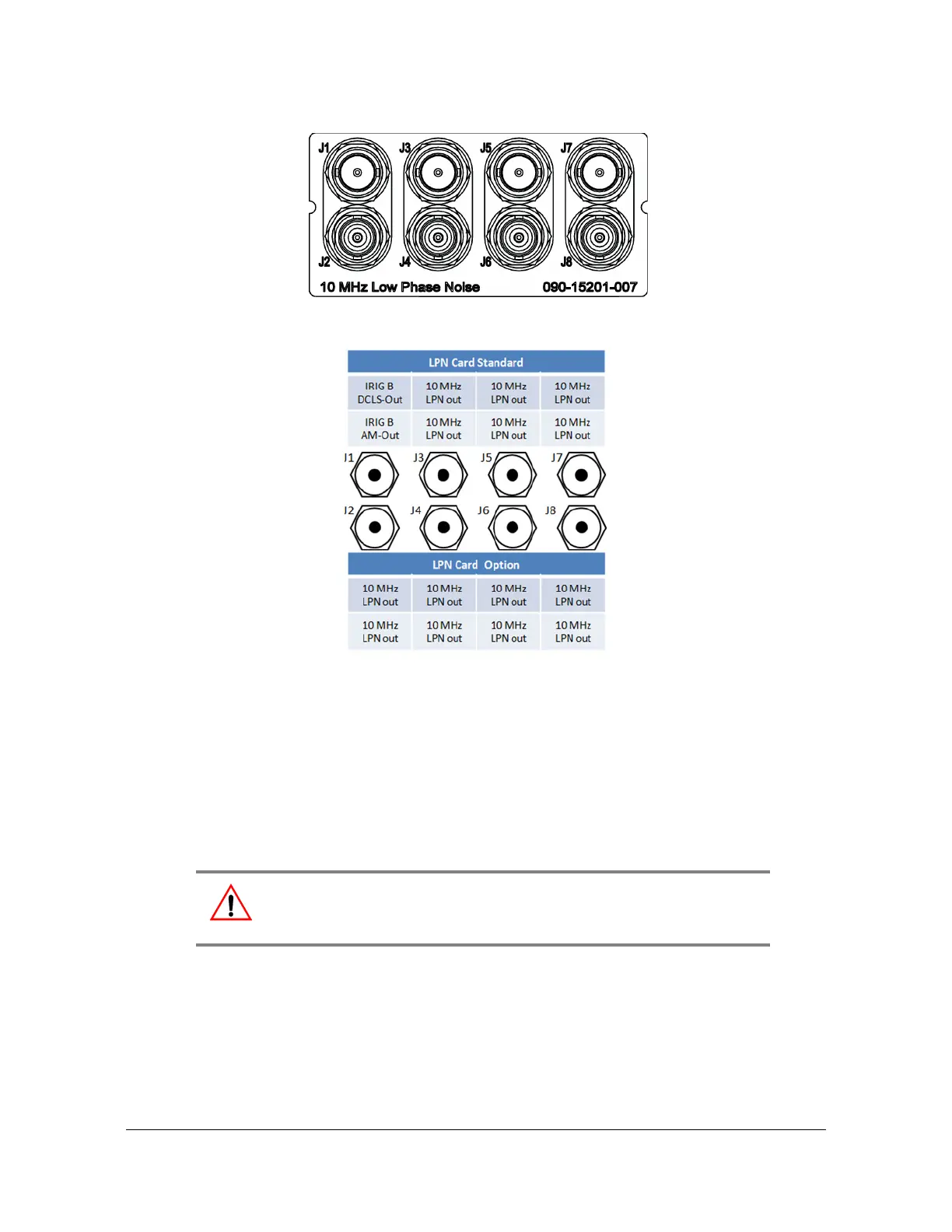
Figure 1-28. LPN Module Connections
Figure 1-29. LPN Module Signal Types
Power and Ground Connections
The SyncServer S6x0 is available with either single or dual 120/240 VAC power, or
dual DC power. The SyncServer S6x0 is not equipped with a Power switch. AC
power is controlled by the unplugging the AC power cord. Frame ground
connections on the SyncServer S6x0 are made on the grounding stud located on
the left side of the rear panel, as identified with the international Ground marking, as
shown in Figure 1-30 and Figure 1-31.
Warning: To avoid serious personal injury or death, exercise caution
when working near high voltage lines and follow local building
electrical codes for grounding the chassis.



 To Next Page